
Background re-sizing problem
Hello everyone!
I'm having a problem with a background image.
My captivate proyect it's supposed to be 1920 x 884, so that's my primary view size. My background image is also a JPG 1920 x 884.
In the background options I've the height at 100% and the width Automatic, so the image is always full in it's vertical size.
Everything seems ok in the captivate preview. But when I publish, in a 1920 monitor, the background it's ok; in a mobile device, the background it's ok. But in my notebook, 1366 x 768, it's not showing correctly.
I've tried vertical center, and still having the problem.
I know it's not the same ratio, but it's supposed the image should adjust automatically.
Can someone help me with this?
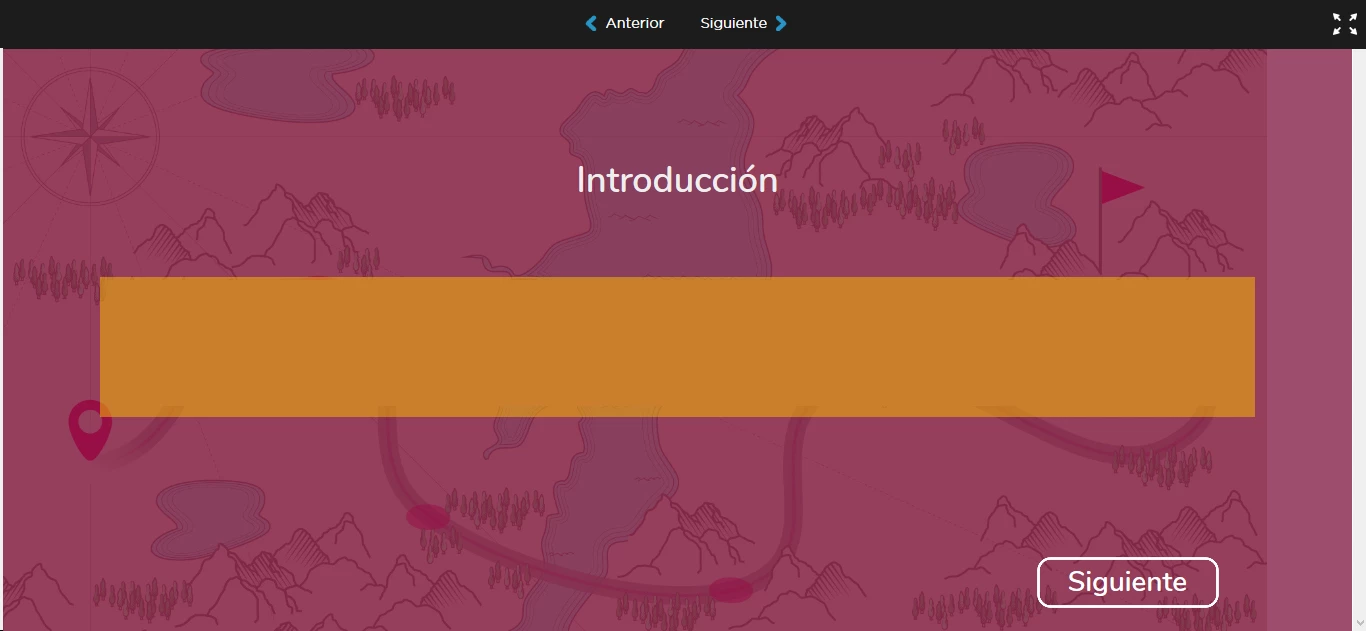
As you can see in the image, the background image is empty in relation with the magenta overlay, and the items are aligned correctly.


 AdChoices