andrear87836823
Participant
December 19, 2018
Question

Bad slider audio position for video player

  • December 19, 2018
  • 2 replies
  • 1345 views

After the last update of AC 2019, the video volume controller is always in bad position at the beginning

I try to reinstall AC but nothing change. How to Solve It?
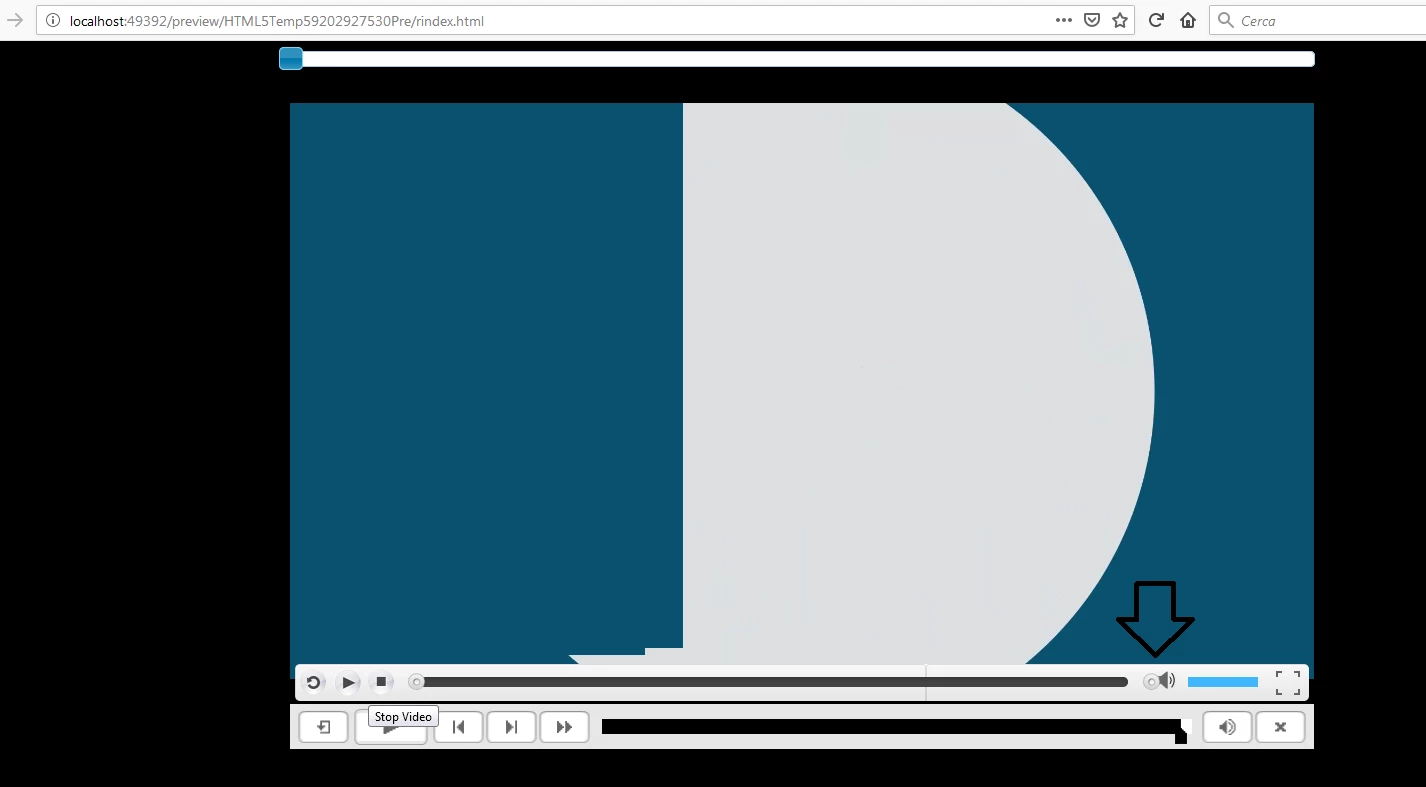
Thx for yout time!

This topic has been closed for replies.

2 replies

Participant
December 20, 2018

hi everyone;

today i've reported this bug to the official adobe channel.

By the way i'm here to suggest a quick fix i've tested, that can be applied modifying the js code generated by Adobe Captivate; follow those steps:

1. uncompress the scorm zip file generated by Adobe Captivate

2. open ../assets/js/CPM.js

3. with a text find and replace tool search for the following $("#volumeThumb"+a.id).css("left",q+"px");

4. replace with (q<0)?q=70:q=q;$("#volumeThumb"+a.id).css("left",q+"px");

5. save the file

6. recreate the zip file.

that's all, it worked fine for me.

have a nice day.

Lilybiri
Legend
December 20, 2018

Thanks for posting this workaround!

Lilybiri
Legend
December 19, 2018

You are using event video, not slide video. What do you mean exactly by 'bad psosition'? I would hide the default playbar because you have now two  volume buttons. BTW do you mean you are on CP2019, version 11.0.1.266?

andrear87836823
Participant
December 19, 2018

Yes im on CP2019, version 11.0.1.266. As you can see in the image, the volume controller of the video player is not well positioned.

i'm very disappointed.

RodWard
Community Expert
Community Expert
December 19, 2018

What is 'wrong' with the position exactly?  Could you be more specific?

With the default mobile playbar you don't really have the option of moving the items around to change their order.  If you want something different you might need to create your own custom playbar or else dig into the code output to modify it.  Either way, it's not simple.