


Participant
March 11, 2021
Question

Blank project custom size

  • March 11, 2021
  • 1 reply
  • 293 views

Hi, I am attempting to create a blank project using Adobe Captivate (2019 release) with 4K resolution 3840x2160. But when I try to adjust the custom size the software defaults it to 3200x2160.
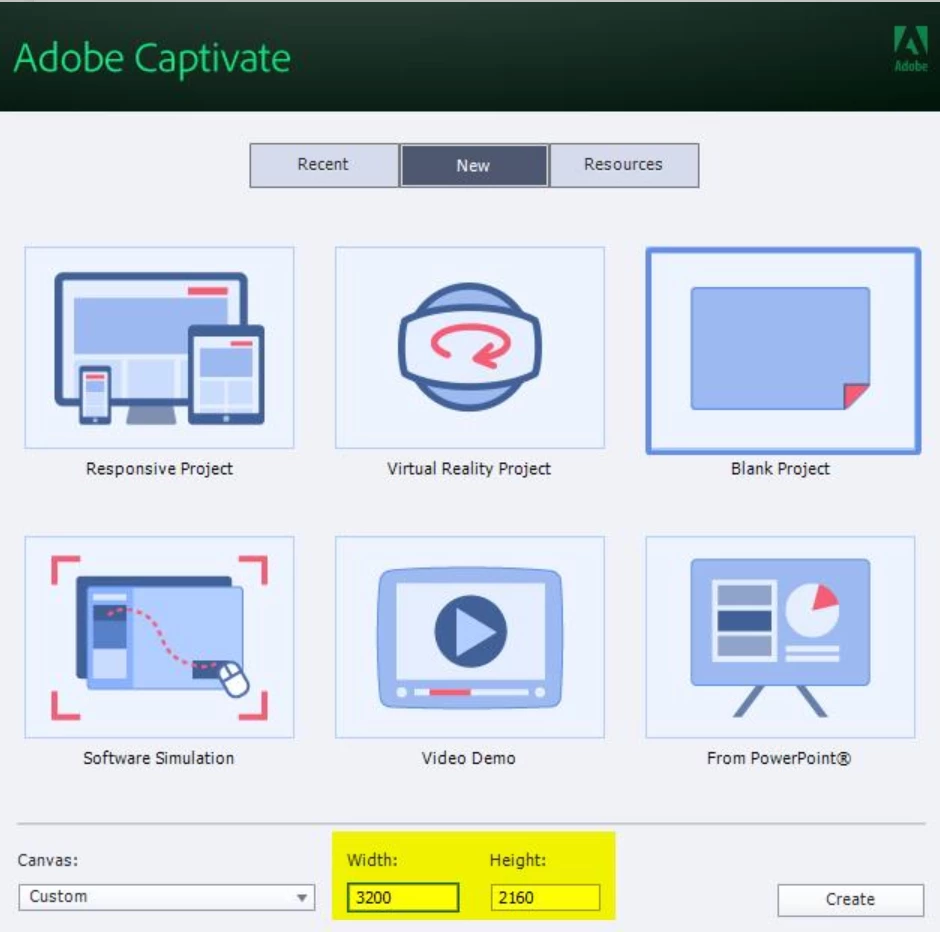


Any idea as to why that is and how to fix it? Also, what custom size would you recommend so that the output is 4K? I have a monitor with 3840x2160 reolution and another one with 2496x1664.


Thanks,

Vera

This topic has been closed for replies.

1 reply

Lilybiri
Legend
March 11, 2021

Will all the learners who view your courses have a 4K screen and a very high bandwidth? 

Sorry for that rhetorical question but IMO you create an eLearning course for learners. It has to be deployed on a webserver or a LMS. Increasing the resolution of the course will lead to huge file size, without really contributing to the goal: learning. Many other aspects are much more important. Since a course needs a web browser or a LMS for which the UI will take up already pixels horizontally and vertically, the course will not be able to use the full screen neither.

Maybe you understand now the reason for the limitations to the resolution of a non-responsive course.

Vera5ECFAuthor
Participant
March 11, 2021

Hi Lilybiri, thanks for your response. This project is not for an eLearning course. It's for a 5 minute software demo. I guess I raised the question because most video broadcasting platforms recommend a 6:9 ratio at 4K resolution, for the best user experience. I understand where you're coming from, that not everyone will have a 4K screen. But I believe that HD and lower resolution videos are becoming old fashioned.

Lilybiri
Legend
March 11, 2021

It is not only the availability of 4K screens, but the effect on the file size. Especially if some users will look at it with a mobile device.  Even for a software demo, viewing in 4K or in HD will not make a big difference in the efficiency. If you want passive video, not real eLearning assets, you may look at another tool which has only focus on video capturing.

I think you meant 16:9 (not 6:9). Do you watch YouTube on your phone? Do you realize that the browser resolution is much lower than the real screen resolution?  I am typing on a laptop with a screen resolution of 3840x2160. But the browser resolution is 1707x960. Captivate output is viewed in a browser....