
Inspiring
December 15, 2015
Answered

Blank space around HTML Media

  • December 15, 2015
  • 1 reply
  • 2023 views

Captivate 8

When I add HTML 5 media to a project, it comes with a large area around it that is not in the original file (see attached).
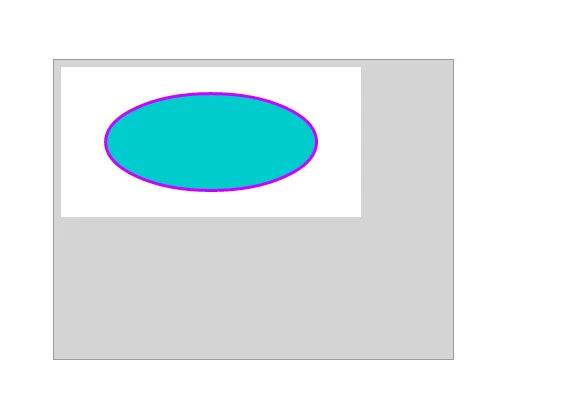
The grey area is added by Captivate.  The blue bit and the white around it is the original image (a button built in Flash, although Edge Animate does the same thing, other images and shapes do the same).

The grey box is 400x300 pixels.

How can I make it go away?  I only want the object, not all the spillover.  How can I trim it off?  It also appears to have a small grey border around the entire animation.  I have not found a setting for this.

Any thoughts?
    This topic has been closed for replies.
    Correct answer Jordster1

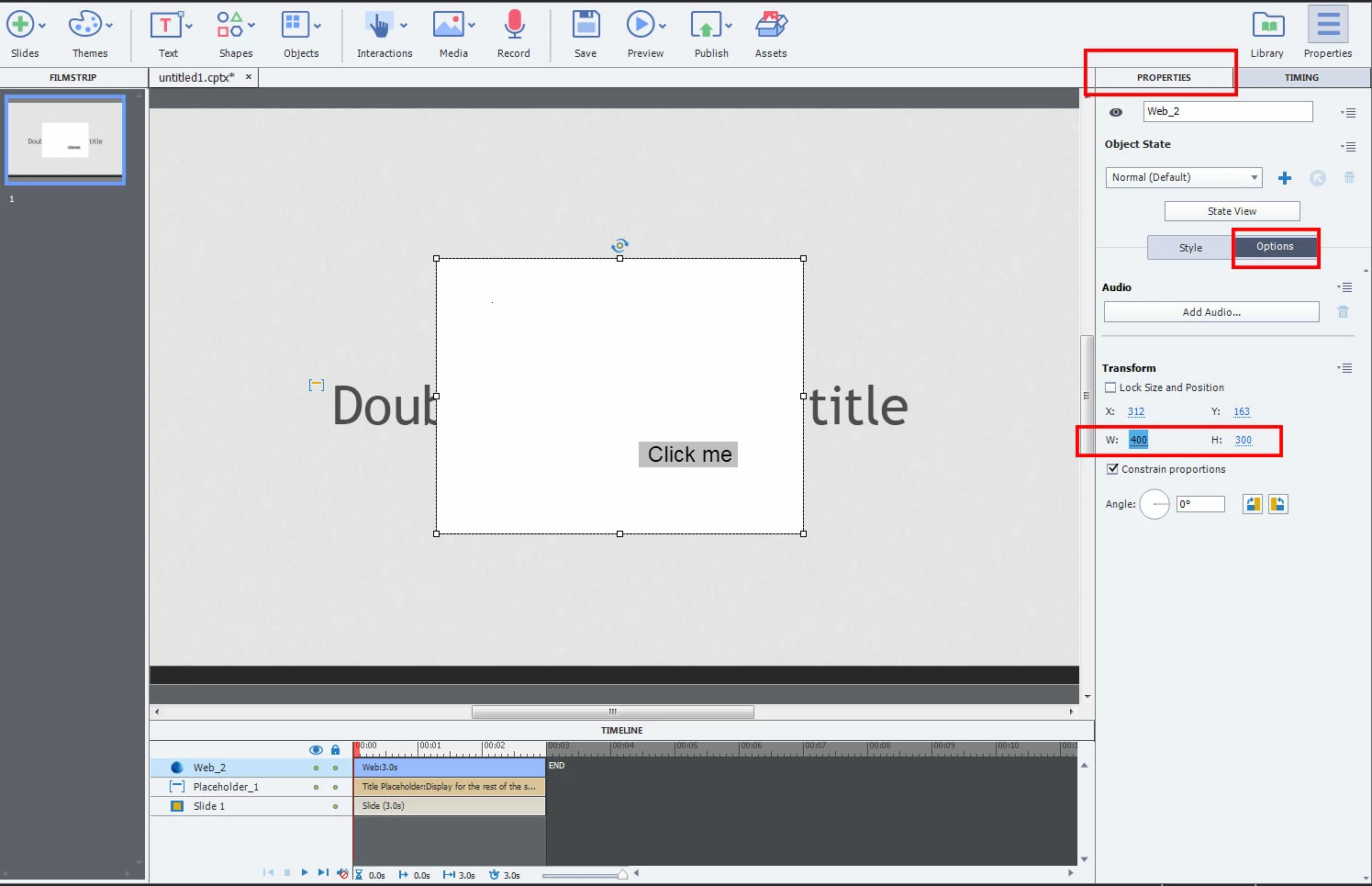
    400x300 is the default size for the imported media. If you select the media item and then click the Options tab in the Properties window, you'll find width and height fields that you can change. Just click inside them and set the width and height to the actual dimensions of your imported media. (Screencap below is from Cap 9 but its similar in Cap 8).

    To get rid of the border, select the Style tab next to Options and uncheck the box next to the Border option.

    -Jord

    1 reply

    Jordster1
    Jordster1Correct answer
    Participating Frequently
    December 15, 2015

    400x300 is the default size for the imported media. If you select the media item and then click the Options tab in the Properties window, you'll find width and height fields that you can change. Just click inside them and set the width and height to the actual dimensions of your imported media. (Screencap below is from Cap 9 but its similar in Cap 8).

    To get rid of the border, select the Style tab next to Options and uncheck the box next to the Border option.

    -Jord

    dcrouse10Author
    Inspiring
    December 15, 2015

    Curious.  It doesn't seem to work, it just scales the entire image.  That is until you mouseover it, whereupon it finally updates itself to the new size.  Yay!  Thank you.

    There is still the issue of the grey border around the image. Is there any way to get rid of that?  Or at least make it white?  Bottom and right side can be trimmed if you are careful, but the top and left side, not so much.

    dcrouse10Author
    Inspiring
    December 15, 2015

    At this moment using OAM files (created with Edge Animate) is a much better work flow (better integration) than starting from Flash. Let us hope Flash will be able in the future to create OAM-files as well.


    I started working with Edge Animate, until I read that Adobe has ended development.  Flash will continue, although it will be rebranded to Adobe Animate CC.

    So I went back to Flash.

    Reference:

    Adobe Edge Animate Team Blog