

paulettep60519078
Participating Frequently
December 14, 2017
Question

Blank web browser opening when I preview or publish

  • December 14, 2017
  • 1 reply
  • 575 views

Hi,

Thanks for any help on this. Whenever I click preview or publish, nothing happens but a blank web browser window pops open.

I thought this might solve my problem: http://www.infosemantics.com.au/adobe-captivate-troubleshooting/how-to-set-up-flash-global-security

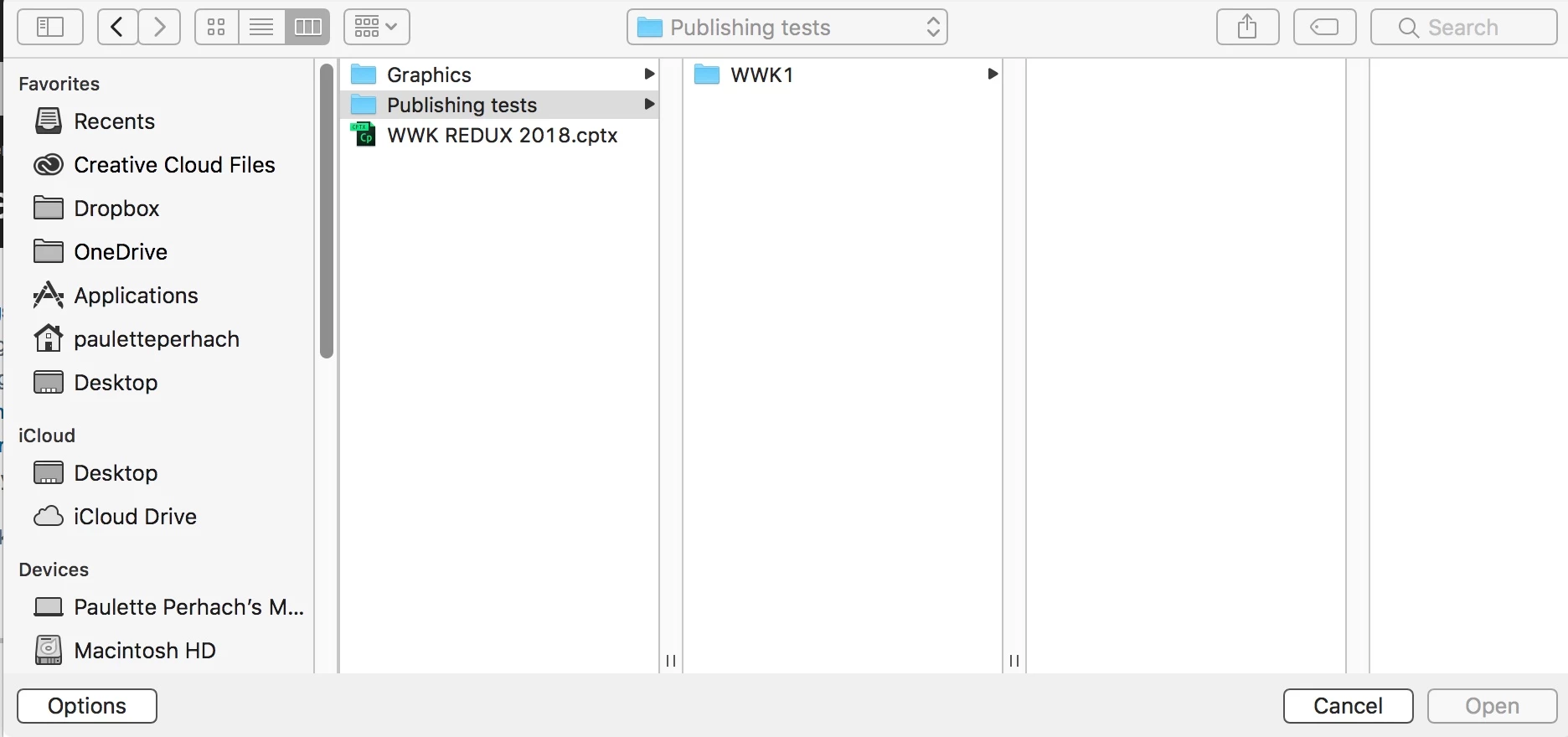
However, when I went to add locations, the "Open" button was greyed out.

Anyone have any other troubleshooting tips?
This topic has been closed for replies.

1 reply

RodWard
Community Expert
Community Expert
December 14, 2017

What kind of project are you creating? Is it HTML5 or Responsive HTML5?

If it's HTML5 and not published out as HTM/SWF, then Flash Global Security is not going to be the reason for this issue.

paulettep60519078
Participating Frequently
December 14, 2017

Thanks so much for looking into this. It's responsive.

Lilybiri
Legend
December 14, 2017

If it is responsive, nothing related to Flash is used, so the Flash Securtiy cannot be the cause.

You have to upload the pulished folder to a webserver or to a LMS. It is often the only way to test the project.

Did you use Fluid Boxes or Breakpoint views?