

Bookmarking popup not displaying correctly in IE 11
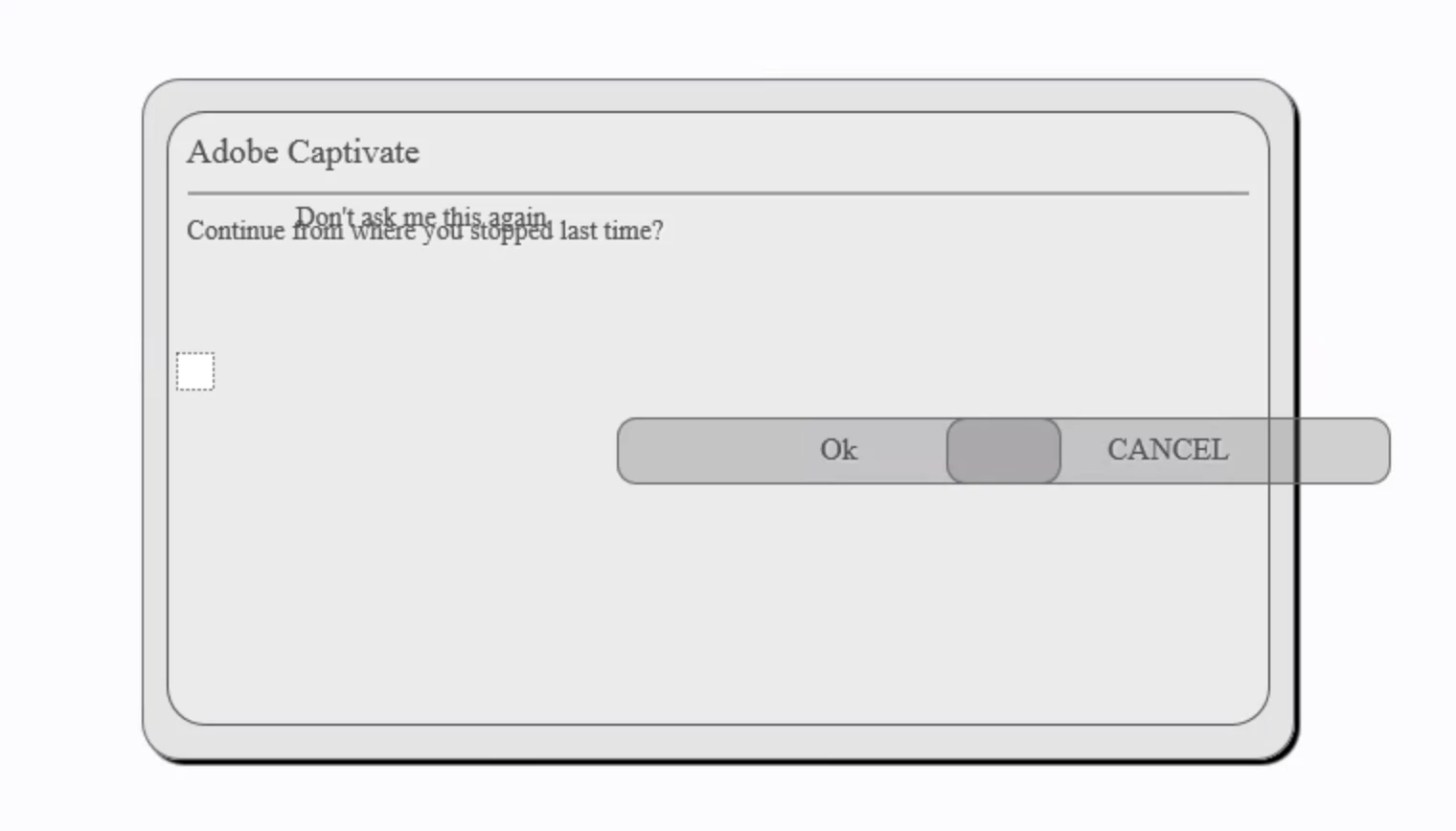
When I publish to SCORM 1.2 with latest Captivate 2019, and test it on my LMS, the clients LMS, success factors, and directly on SCORM Cloud, and test it in Internet Explorer 11, the bookmarking popup message is all messed up. See image below. I've had a couple people also test it on their computers, and they get the same thing.
Any thoughts on how to solve this?
And no, we can't just Chrome or Firefox, we support many clients and their IT departments sometimes will only allow them to use IE. We also cannot control what the end user uses for their default browser. We also can't just publish to SCORM 2004 or HTML5. It must be SCORM 1.2.
I personally dont like the popup at all if you ask me (it says "Adobe Captivate" and it doesn't look good or match our look/feel/design), it would be nice if I could just eliminate it, but still have bookmarking. If it could just automatically go back to where they left off or something.


 AdChoices