



Question
Bring your ideas to life with generative AI images in Adobe Captivate 13
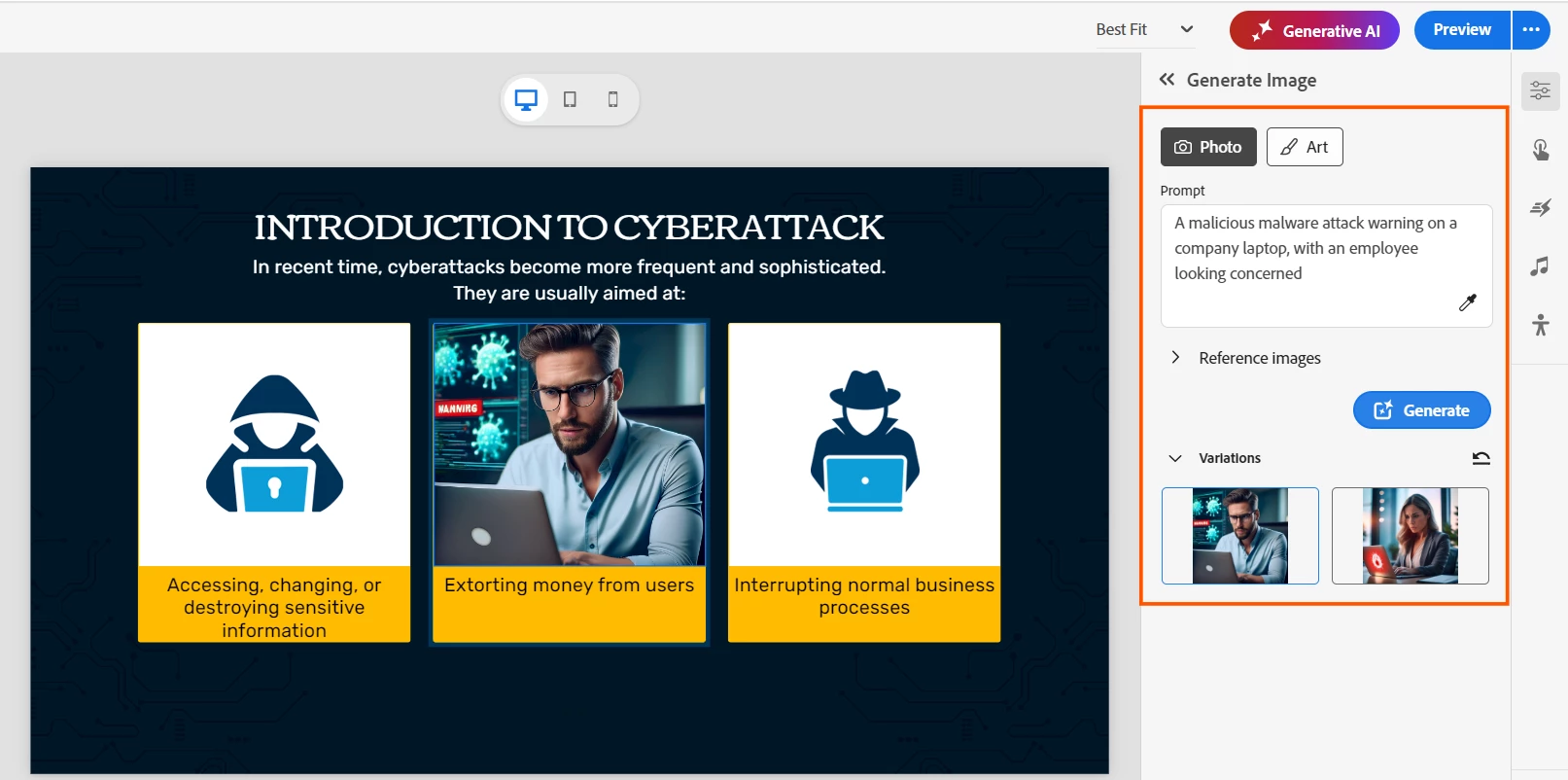
Why settle for generic photos when you can create custom visuals on demand? The new Generate Image feature in Adobe Captivate 13 uses generative AI to help you design stunning, learner-focused graphics—right inside your Captivate interface.
No design skills? No problem. Simply describe what you need, and Captivate transforms your words into visuals that perfectly fit your course. Learn how you can generate AI images in Adobe Captivate 13.
Why you’ll love it
- Enhanced creativity – Generate unique images from prompts, slide content, or reference images tailored to your eLearning course.
- Tailored for eLearning – Match visuals to your audience and content goals.
- Fast & flexible – Skip the hunt for generic images and create what you need instantly.
How it works
- Use prompts: Type a description, and watch AI create your image. Want a classroom scene or a futuristic lab? Just add your text prompts and let Captivate generate your visuals.
- Choose image type: Photo-realistic or artistic? Captivate lets you pick the style that fits your course.
- Add a reference image: Upload a reference image to guide composition and style for consistent branding.
Pro tips for better results
- Be specific – Include details like setting, background, colors, and perspective.
- Keep it relevant – Align visuals with learning objectives.
- Blend AI + human touch – Use AI as a creative partner, not a replacement.
Learn more about the best practices for effective image generation.
Ready to create?
Begin creating tailored, high-quality visuals with Adobe Captivate 13 today. Elevate your eLearning experience by delivering content that is visually compelling and engaging.
 AdChoices