Participant
December 16, 2013
Question

Broken PowerPoint Equation Editor Import

  • December 16, 2013
  • 1 reply
  • 904 views

I am trying to import .ppt presentation into Captivate 7.

The presentation contains a lot of equasions made with equation_editor built into MS PowerPoint.

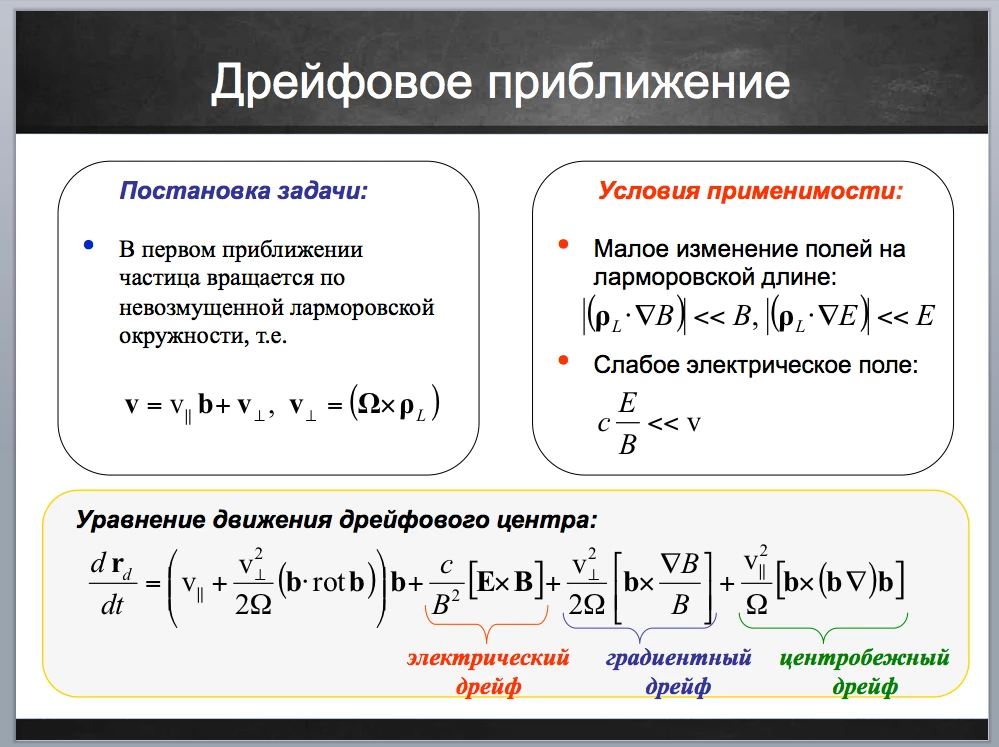
Th slides inside PPT look about like this:
This is what I get after import into Captivate:
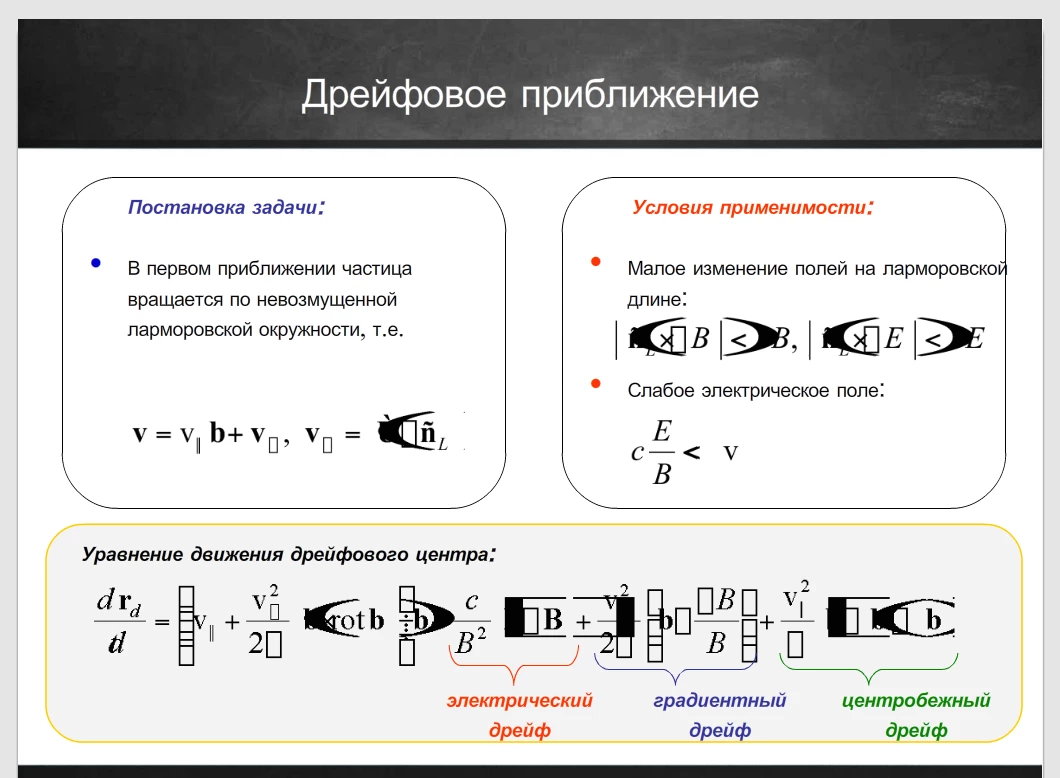
I know that I can just export slides as images from PPT and put them into Captivate. But this is not what I need.

Any sugestions on how to fix this campatibility issue?

Thanks a lot in advance.

This topic has been closed for replies.

1 reply

Lilybiri
Legend
December 16, 2013

Why not using the maths editor in Captivate?

Participant
December 16, 2013

I know about the math editor.

But I'm a designer, not a phisicist. It is not my presentation. I am simply making a Captivate course for a professor.

BESIDES. One of the claimed advantages of Captivate is the ability to transfer slides directly from PPT into Captivate. I would rather prefer to have this feature working instead of spending time on learning how to use maths editor in Captivate and transferring all the equations (there is a lot of them in each slide) without omissions and mistakes.

Lilybiri
Legend
December 16, 2013

Did you check High Fidelity when importing? That is the only other advice I can give. 

Sorry, but I have mentioned a lot of times on this forum that Captivate is not a PPT-transformer but an authoring tool. Why don't you use a plug-in for Powerpoint like one of the Presenters (iSpring, Articulate, Adobe)?

And making it into an image is another workaround. But you don't want that.