
Answered
Bug Report: Not being able to create links within slides
I have several slides that include reference links to either other slides or external websites. The two buttons to create and delete those links somehow disappeared from my Properties menu. I restarted Captivate (2019) multiple times, hoping it was just a temporary bug, but the buttons are still missing. Did I accidentally change any settings that would prevent this to show? Here is an image of the properties menu, while I have the text highlighted that is currently linked to a website. I circled the area where I used to see the link and un-link buttons.
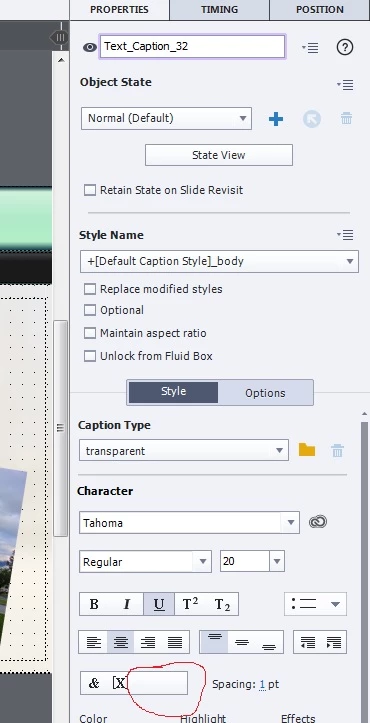
Thanks,
Stef


 AdChoices