


Participating Frequently
April 17, 2014
Question

BUG? Some library assets do not 'remember' the path to linked images

  • April 17, 2014
  • 2 replies
  • 3453 views

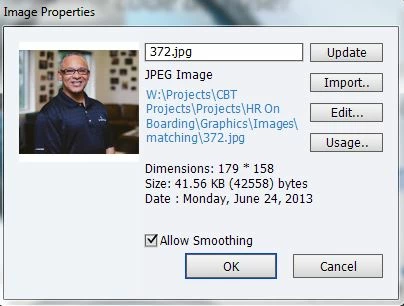
While viewing asset properties in the project library, some files display the entire path to the linked asset. Example below - note how the full path is shown:
Others, do not show the full path. Note how this only shows the image name:
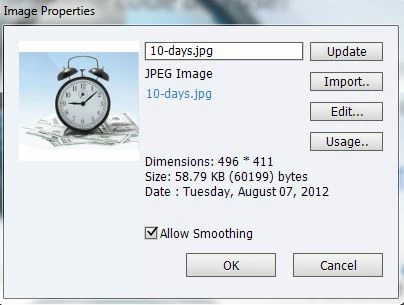
Now the problem is that when I go to Update/Import/Edit... the image, the no path assets can't find the linked file. After I browse to the correct file and hit "Open" to relink it, Captivate still does not remember the path I JUST put in. Hitting Update/Import/Edit... does the exact same thing even though I had just relinked it.

This is occurring on multiple Captivate projects and on two separate computers so I'd have to think it's the software. There is no rhyme or reason (that we can find) as to why some show and allow the full linked path and others don't.

Need help ASAP. These no path assets aren't rendering with the same resolution quality on publish as is saved in the source file.

Thanks!

Brad

This topic has been closed for replies.

2 replies

One DropAuthor
Participating Frequently
April 18, 2014

- infinity!

What you say is common knowledge should be far more prominent in the initial sales deck from Adobe - not just on some obscure link to an Australian based website. And how long I've used the software is irrelevant. Anyone using the software in a team environment wouldn't realize they needed to search out this massive limitation until after they run into problems. Give me a break. Adobe should be far more forthright with a WORK LOCAL ONLY restriction - to the point of warning you when you save to a network folder. Any team collaboration or multi-user contribution is essentially impossible with Captivate. And why would I care what other eLearning applications "also advise" on an Adobe Captivate support page? Bottom line is Captivate needs to put this in big bold typeface as a warning before you even purchase the software.

RodWard
Community Expert
Community Expert
April 18, 2014

Hmmm...Whaddya think Rick? 

Sounds like we hit a nerve and may have insulted poor sptrm by suggesting his 'big discovery' was old news here on the Captivate forum, or that it wasn't necessarily Adobe's fault.

I don't know about you Rick, but I think I'll just make a note of sptrm's username and let him soldier on alone next time he encounters an issue.  I wouldn't want to risk hurting his feelings again.

One DropAuthor
Participating Frequently
April 18, 2014

Please. If your future responses are as helpful as your last, I'm not too concerned. I've never had a reason to spend any amount of time in this Captivate forum.Guess I need to get my post count closer to 10,000 before I'll finally be as experienced in Captivate as I need to be to avoid issues like this.

One DropAuthor
Participating Frequently
April 17, 2014

Answering my own post after spending over an hour with an Adobe Tech.

Users beware! Captivate is not for anyone who needs to save their projects to a network drive, or have team involvement on a Captivate project.

Directly from the Adobe tech: You have to work locally. This is the only solution. Working with the network drive always creates some unexpected behavior as there are various restrictions and latency if we work with the network drive. This also often corrupts the project.

We have multiple Designers working on one Captivate eLearning project (not simultaneously.) What he's basically saying is that Captivate is not capable of allowing this because you cannot save on a network server without seriously risking your project getting corrupted, as it has ours. His recommended solution is to work locally on the project and then when done, copy the entire project and asset folders to the network. Then, open the newly copied Captivate file, naviate to the library, and then manually relink all of your assets to the network folder path. I'm sorry, but this kills efficiency and destroys our workflow and in my opinion is a serious flaw. We can't be the only one with this problem?

If anyone has any suggestions, please - I'm all ears.

RodWard
Community Expert
Community Expert
April 18, 2014

You must be new to using Captivate.  The requirement NOT to work directly on projects off the network LAN has been known for many years.

Check out these posts:

http://www.infosemantics.com.au/adobe-captivate-troubleshooting/setting-up-your-computer-to-work-with-captivate

http://www.infosemantics.com.au/adobe-captivate-troubleshooting/how-to-set-up-preferences

And in case you're wondering...other elearning applications also advise their users to do the same. ALWAYS WORK LOCALLY. only backup to the network AFTER closing down your projects.

Captiv8r
Legend
April 18, 2014

+100!