
MangeshSambare
Participating Frequently
September 16, 2015
Answered

BUG - SVG files do not render (display) correctly in Captivate 9

  • September 16, 2015
  • 1 reply
  • 1514 views

Hello:

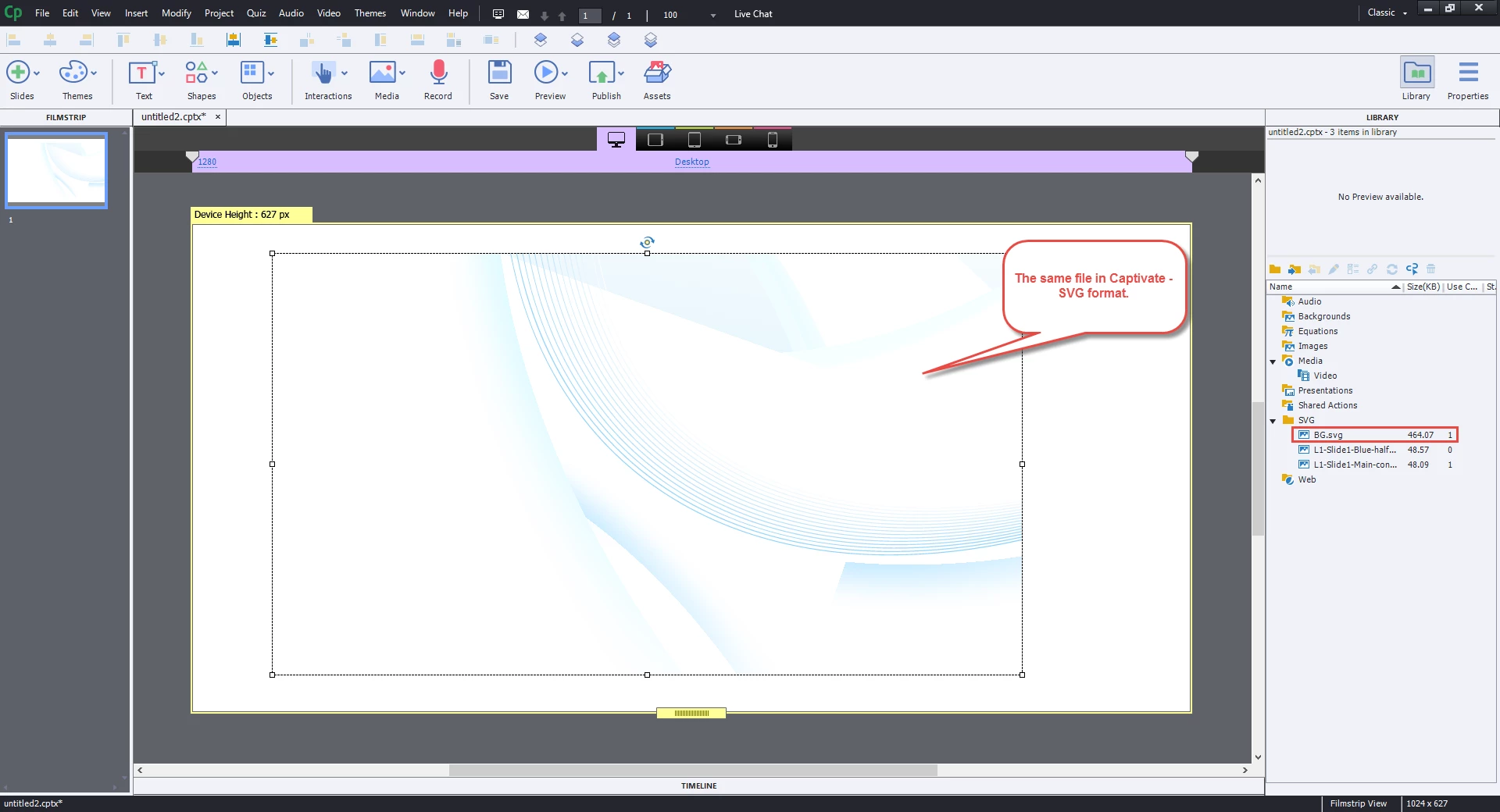
I am trying to work with a SVG file in Captivate however for some reason, Captivate refuses to render the file correctly. I have tried toggling "Allow smooting" in library asset properties but no difference. The file opens and renders correctly in AI and has been created in AI.

Please find below snapshots depicting the issue.

SVG file in Captivate 9

The same file in AI
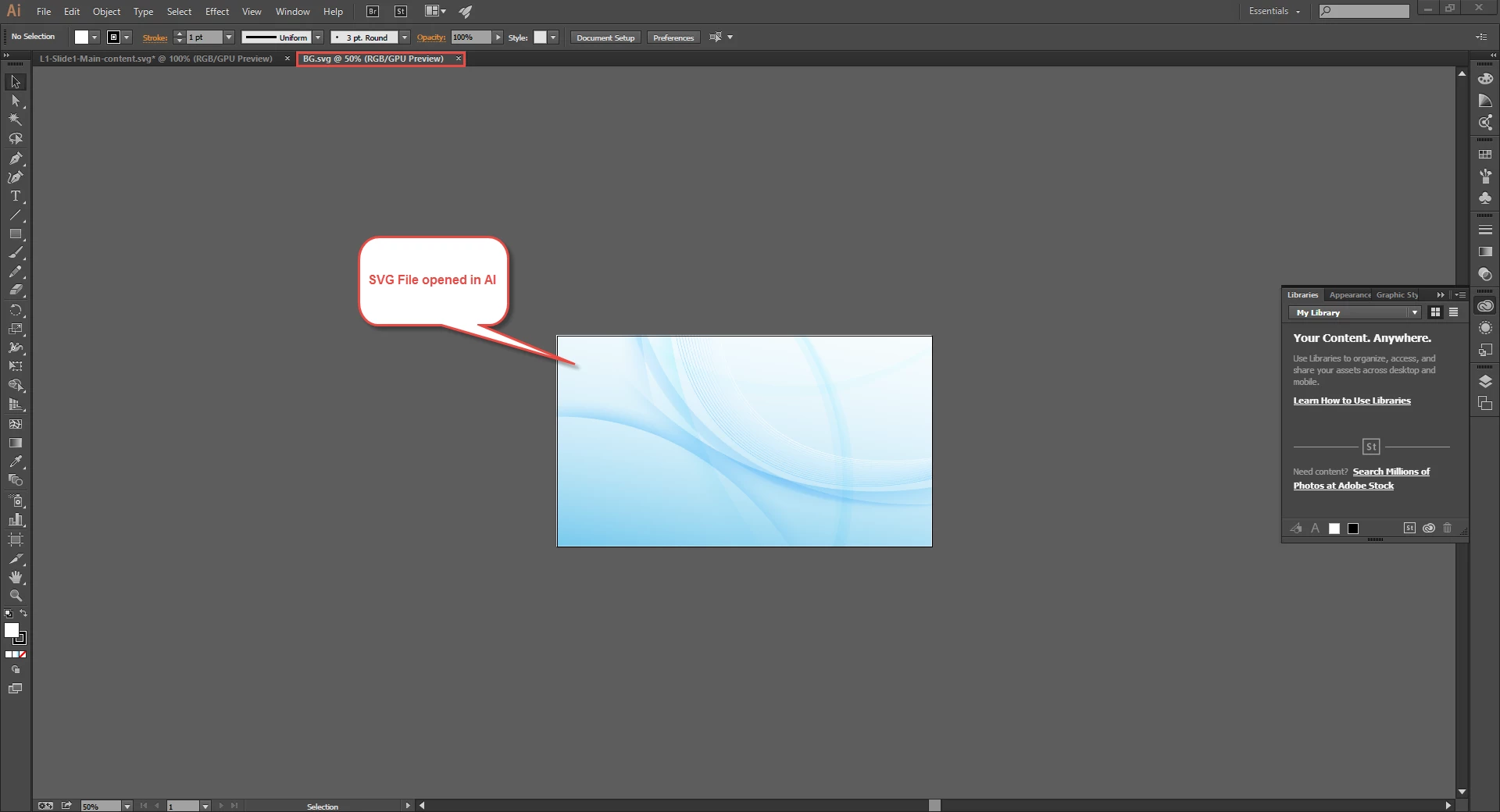
I think this is a bug in Captivate 9. I am also seeing similar rendering issue with SVG files when previewed / published. Even in the case of those files that render correctly within Captivate, they do not render correctly when the content is previewed / published. I have tried viewing the published content in different browsers (Chrome, FireFox, Opera, IE, Edge).

Any help will be welcome.

Regards,

Mangesh

This topic has been closed for replies.
Correct answer mohanadas

Yup, you are absolutely right.... Any clue why or where I am going wrong?

The AI file is all good... I am a bit lost Will appreciate if you can guide me...

Regards,

Mangesh


Looks like the difference is in the way Illustrator creates the SVG from the AI file. You could try the various Illustrator save options. Not sure I can be of much help here

In case you have any issues with the SVG after importing to Captivate 9 then do let us know.

Thanks,

Mohana

1 reply

mohanadas
Adobe Employee
Adobe Employee
September 16, 2015

Hi Mangesh,

Can you please share the SVG file you are working with so that we can investigate the issue at our end? You can send it to mdas@adobe.com

Thanks,

Mohana

MangeshSambare
Participating Frequently
September 16, 2015

Thanks Mohana,

Mailed it across.... Also, mailed the original AI file.

Regards,

Mangesh

MangeshSambare
Participating Frequently
September 16, 2015

In case required, I can send a couple of more files.... The same issue.