muchelleb
Inspiring
October 15, 2018
Question

Button included in quiz being marked as 'incomplete' for no reason

  • October 15, 2018
  • 11 replies
  • 919 views

Hi There,

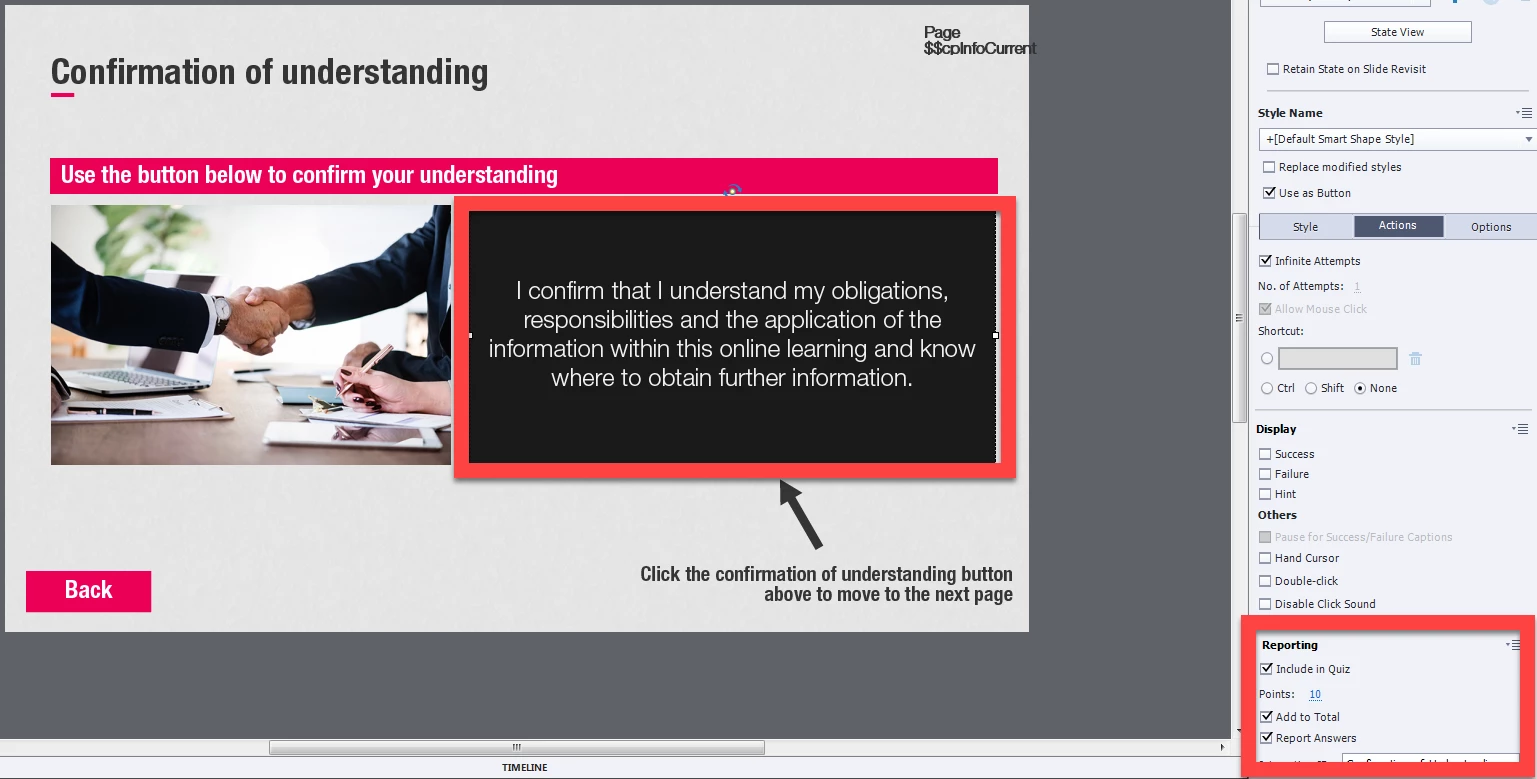
I have a 'complete' button at the end of the eLearning that I have included in Quiz. It has 10 points associated with it (see below image).

In order to be marked as complete, users need to get 90 points (including the 10 points associated with the button).

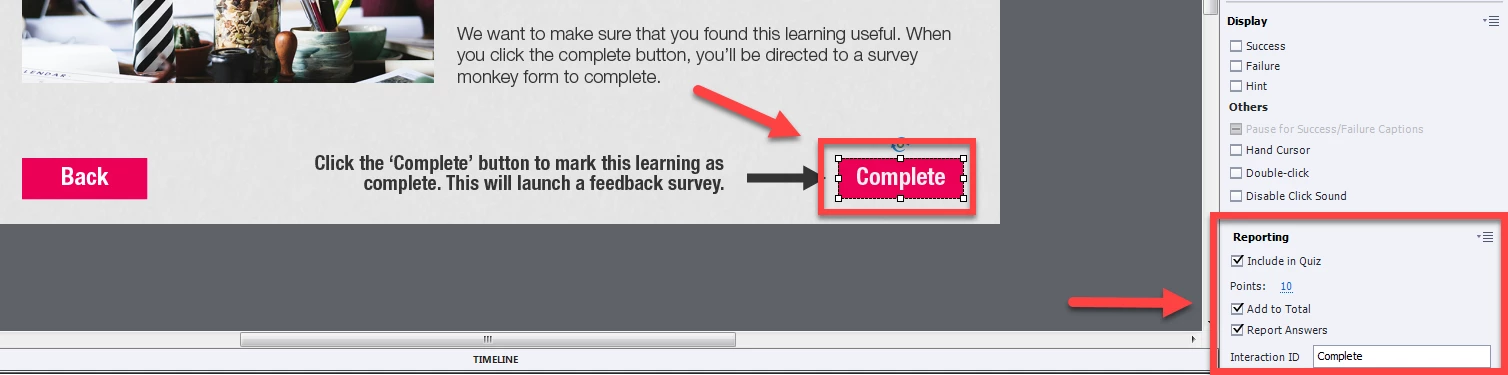
For some reason, the button is being marked as 'incorrect' in my LMS, so users are not getting the 10 points (see the second image below).

How could they be being marked as 'incorrect' when all they need to do is a click a button and there IS no 'incorrect' answer? Why would it only mark as incorrect sometimes and not others?

This has happened to me before and I've never been able to complete it. The only solution I can find is a work around - two 10 point buttons that the user has to click at the end of the eLearning - keeping the requirement for completion at 90 points so that if ONE is marked incorrect, they still are marked as complete.

My worry is that both of them will be marked as incorrect at some point and the learner won't have their learning marked as complete.

Any help would be MUCH appreciated.
This topic is closed to new replies. Start a new post to keep the conversation going.

11 replies

muchelleb
muchellebAuthor
Inspiring
October 16, 2018

My coordinator has just asked me to add in tick boxes for all of the topics where we can record users ticking each box.

Now I'm worried this will cause each button clicked to be marked as 'incorrect' as there are multiple buttons on a page.

Any thoughts?

RodWard
Community Expert
Community Expert
October 16, 2018

Selecting a checkbox that is supposed to be selected would not normally result in it being marked as incorrect.  You would normally only get marked incorrect for selecting a box that should NOT have been selected.

As Lieve suggested, you may need to look at your Project > Advanced Interactions dialog to find out if there are other interactive objects in the project that are interfering with completion.

muchelleb
muchellebAuthor
Inspiring
October 16, 2018

How do you tell captivate that a checkbox is 'supposed' to be selected.

I now have the page set up with multiple check boxes and a 'confirm and proceed' button.

Below is a screenshot of advanced interactions. What do you think I should be looking for? From my perspective it looks fine - the checkboxes aren't included in the total but the submit and confirm is.

As I mentioned there is a back button but I don't see how that should interfere as I didn't click it when it marked the click as incorrect.

Any help would be much appreciated.

Lilybiri
Legend
October 15, 2018

Which action is triggered by that button? Do you have more interactive objects on that slide? If you click outside of that button (which may be by clicking on another button) it is a Failure.

muchelleb
muchellebAuthor
Inspiring
October 15, 2018

The button triggers the action to 'Go to next slide'

The only other button on the slide is the 'back' button which I have to have there - which I didn't click - I don't think that is what caused it to result in a failure.