



Button pause default - timeline transitions stuck. SOLUTION for Captivate 9
I recently discovered that my buttons were interfering with my Slide Actions "On Exit". By default, the buttons I was using had a pause function, meaning that the slide could not exit until the user had interacted with the button. The button is intended to be optional, however. I've set the slide duration for 25 seconds and want the slide to transition "On Exit", regardless of whether or not the users interact with the button. After troubleshooting the problem with a friend, and experimenting with different advanced actions "On Enter", I discovered a simple solution: switch out my buttons that have a default pause with SmartShape buttons that don't have a default pause.
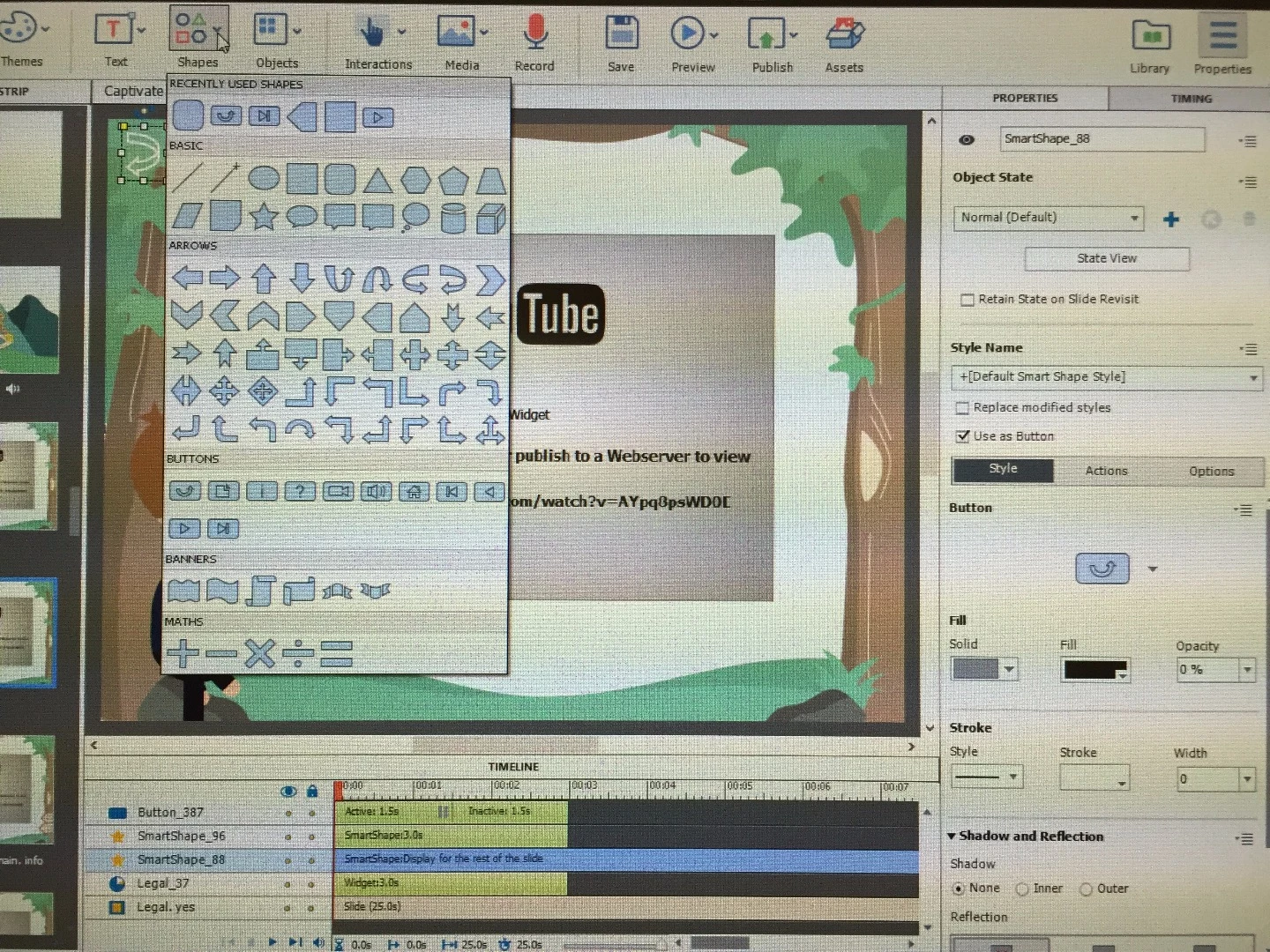
The location of SmartShape buttons in Captivate 9:
Shapes > Buttons > It doesn't matter which SmartShape button you choose because you'll be making it transparent.
You'll still see the outline of the SmartShape button after you've made it transparent, but not to worry. When you preview or publish your slides the outline will vanish and you will have a perfectly transparent button that won't interfere with your Slide Actions "On Exit"!
The Timeline in the picture below displays two SmartShape Buttons and a traditional button with the default pause (which I will now delete!).
 AdChoices