New Participant
April 17, 2023
Answered

buttons not reverting to default state when new button clicked....

  • April 17, 2023
  • 1 reply
  • 502 views

Hi guys, apologies for the n00b question. I have a slide with 3 button that are multi state: I just need an image to pop-up when each button is clicked.  The problem is lets say I click "button 1" and then go to click "button 2" the clicked state from "button 1" is showing up behind the pop-up state of "button 2". I want the other buttons to revert back to their default states whenever a new button is clicked. 

    This topic has been closed for replies.
    Correct answer Lilybiri

    What is your present workflow with the buttons? Are the images which have to pop up IN a custom state or are you showing them with a Show command? I suspect you are using the image in an extra custom state, because you talk about 'default states' which are the Normal states. In that case you'll need three similar advanced actions. 

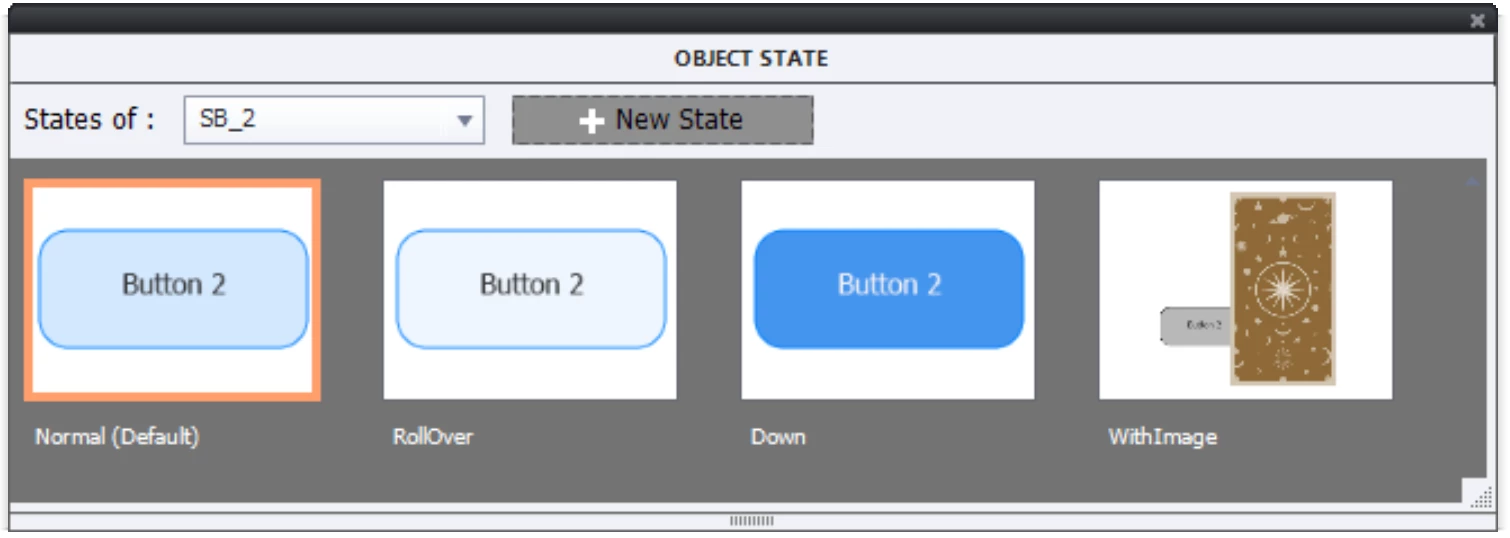
    I quickly create a small project. The three buttons are labeled SB_1, SB_2, SB_3. Here is a screenshot of the Object states of the second button:

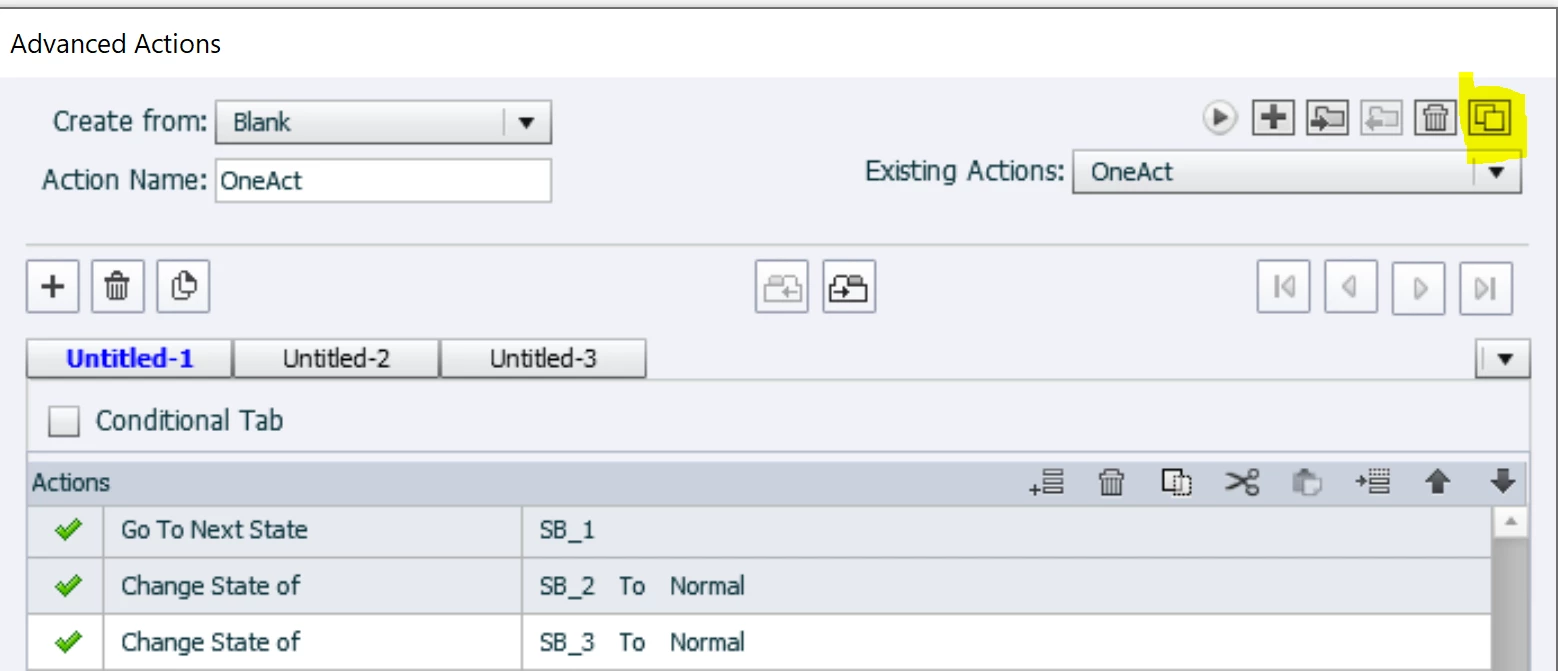
    For the first button, create this advanced action OneAct (never use the same name for an action as you used for an item):

    You see that I marked a button top right, use that button to create a duplicate for the second button, which you rename to TwoAct. You need to replace SB_1 by SB_2 in the first command line, and replace SB_2 by SB_1 in the second line. Create another duplicate for the third button, where you apply similar changes so that the first line has SB_3 and the last line SB_1.


    1 reply

    Lilybiri
    LilybiriCorrect answer
    Brainiac
    April 17, 2023

    What is your present workflow with the buttons? Are the images which have to pop up IN a custom state or are you showing them with a Show command? I suspect you are using the image in an extra custom state, because you talk about 'default states' which are the Normal states. In that case you'll need three similar advanced actions. 

    I quickly create a small project. The three buttons are labeled SB_1, SB_2, SB_3. Here is a screenshot of the Object states of the second button:

    For the first button, create this advanced action OneAct (never use the same name for an action as you used for an item):

    You see that I marked a button top right, use that button to create a duplicate for the second button, which you rename to TwoAct. You need to replace SB_1 by SB_2 in the first command line, and replace SB_2 by SB_1 in the second line. Create another duplicate for the third button, where you apply similar changes so that the first line has SB_3 and the last line SB_1.


    New Participant
    April 17, 2023

    yes the buttons are in a custom state, not a "show" action. Thanks again Lily I'll give this a try!