AHwalek
Inspiring
May 24, 2016
Answered

Buttons not showing for use in Advanced Actions

  • May 24, 2016
  • 1 reply
  • 707 views

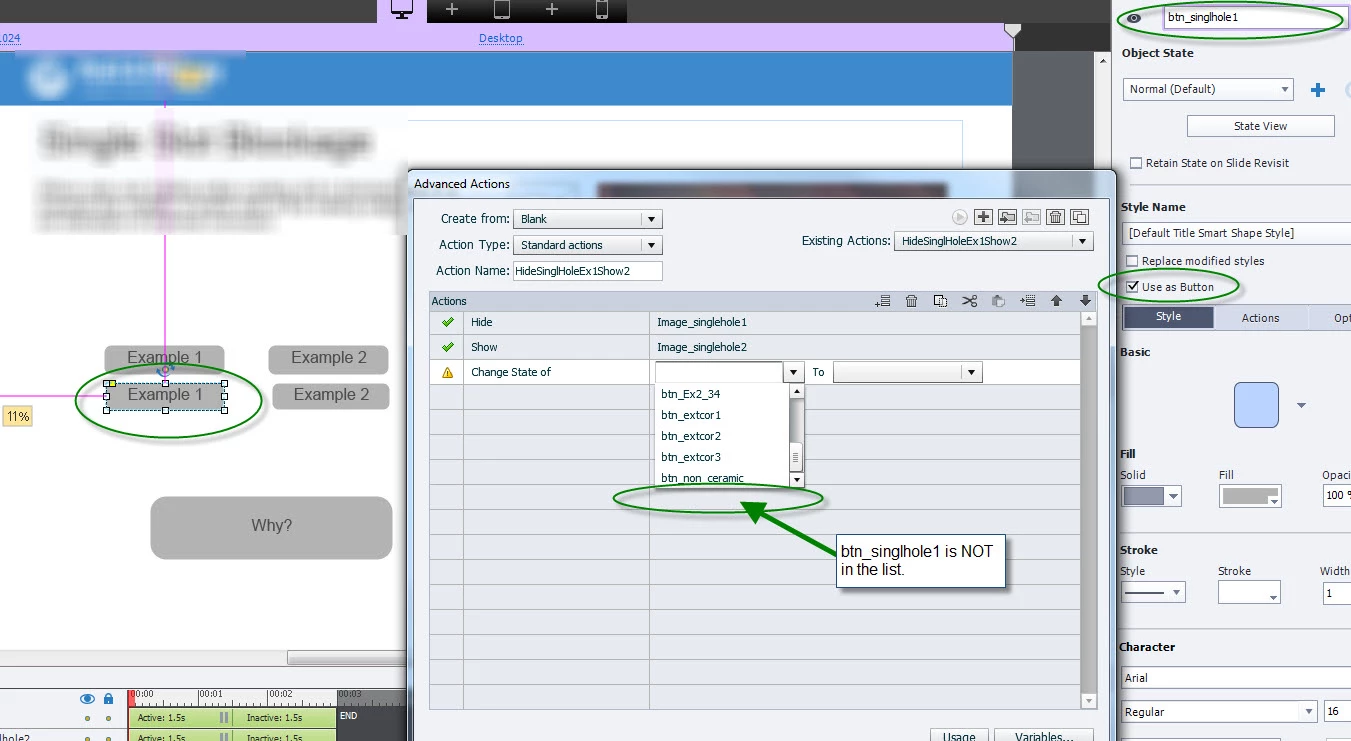
Hello, I've converted some smart shapes to buttons and I'm starting to create an Advanced Action to add functionality and I can't figure out why the buttons I've created on this page aren't showing up on the button list when I try to change the state of the buttons. My initial thought is that these buttons don't have a button state in addition to the three Normal RollOver and Down, such as "Selected". If that's the case, how do I make a default style to include the additional button state that I'd like to have on all of my buttons?

Thanks,

     Tony
    This topic has been closed for replies.
    Correct answer Lilybiri

    Did you create custom states? You have to create them, using the State View panel or the + button in the Properties panel.

    Have a look at this blog post, I used shape buttons with different states:

    1 action = 5 Toggle Buttons - Captivate blog

    1 reply

    Lilybiri
    LilybiriCorrect answer
    Legend
    May 24, 2016

    Did you create custom states? You have to create them, using the State View panel or the + button in the Properties panel.

    Have a look at this blog post, I used shape buttons with different states:

    1 action = 5 Toggle Buttons - Captivate blog

    AHwalek
    AHwalekAuthor
    Inspiring
    May 25, 2016

    Thanks, I was afraid that might be why.

    Can I create an addition button state and apply it to all of a certain buttons type? For example, I would like to create example buttons, Example 1 and Example 2. When the page is first visited I want the Example 1 to be in a selected state. Can I create a "selected" state for "Default Title Smart Shape Style" so I don't have to recreate the "selected state" for every time I use it?  In other words, I'd like to create the additional state and it's styling once, and use it on various pages without having to recreate the "selected" state each time.

    I would copy but copying does strange things (jumping of locations on different states) that make that not be a good option.

    Lilybiri
    Legend
    May 25, 2016

    No, only the InBuilt states are saved in a style for shape buttons.

    I have been using copy/paste for shape buttons with InBuilt + custom states quite a lot, but on the last version of CP: 9.0.1.320. It works.