danielb51742821
Inspiring
October 27, 2021
Answered

Buttons reporting points - we need a quiz result page

  • October 27, 2021
  • 1 reply
  • 322 views

Captivate 2019.

I have many courses with simulation challenges.

I am using transparent buttons as areas the users is challenged to click.

Each of the buttons reports to an lms from a scorm, so it is essentially a quiz. I have no traditional quiz questions (T/F, M/C, etc.) in there. Only traparent buttons sending points to the LMS.

My question is how do I get the a quiz result page to appear with a score and a retake button?

    This topic has been closed for replies.
    Correct answer Lilybiri

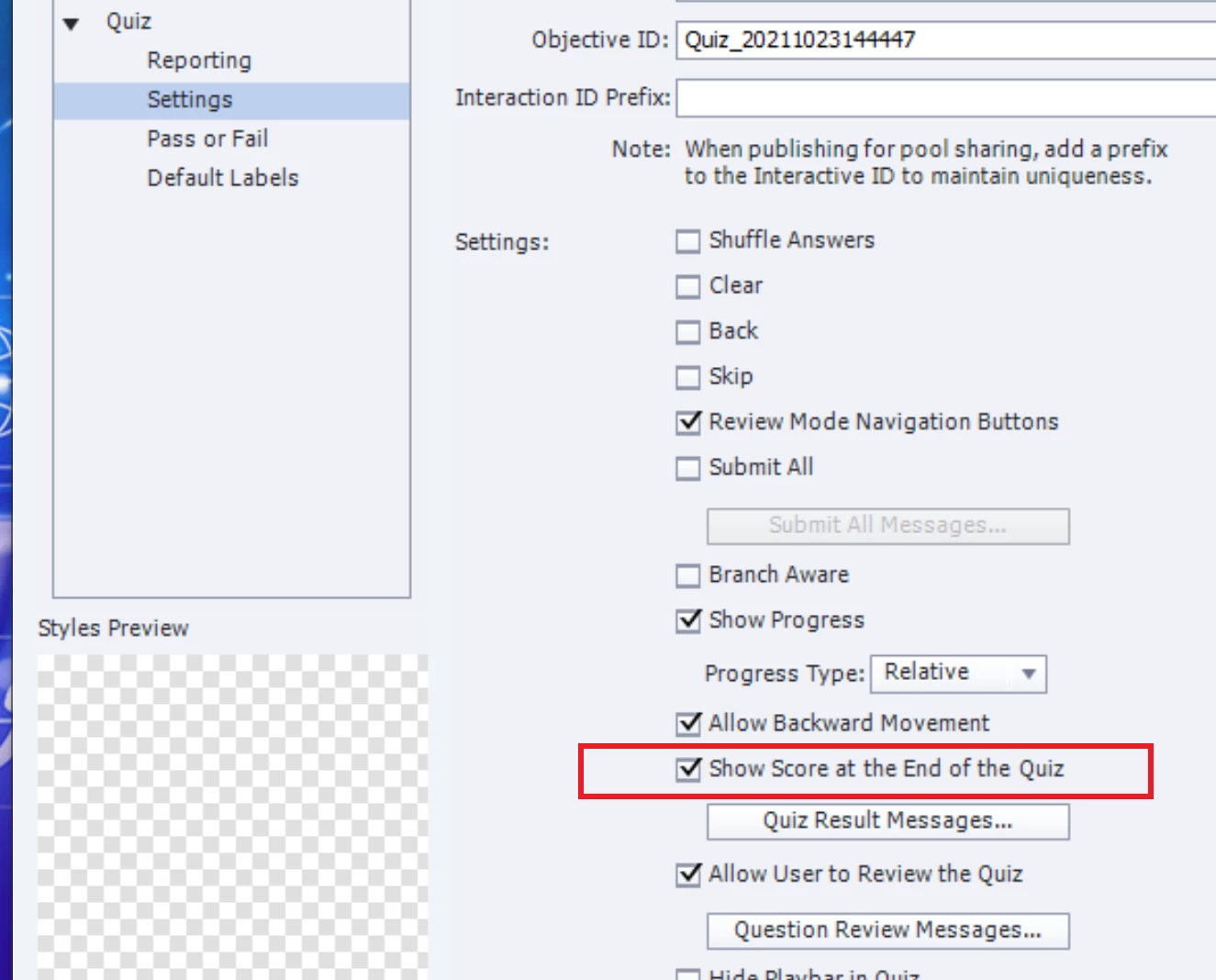
    Very simple. Go to Quiz, Quiz Preferences, Settings and check the option 'Show score ....':

    That happens automatically when you have at least one quiz slide, but needs to be done manually if you only have scored objects.

    1 reply

    Lilybiri
    LilybiriCorrect answer
    Legend
    October 27, 2021

    Very simple. Go to Quiz, Quiz Preferences, Settings and check the option 'Show score ....':

    That happens automatically when you have at least one quiz slide, but needs to be done manually if you only have scored objects.

    danielb51742821
    Inspiring
    October 28, 2021

    Thanks. Agreed, easy! A little obscure, but easy!

    Lilybiri
    Legend
    October 28, 2021

    Sure, you're welcome!