dowbright
Known Participant
October 9, 2013
Question

Can I add audio hints to a drag and drop page

  • October 9, 2013
  • 2 replies
  • 718 views

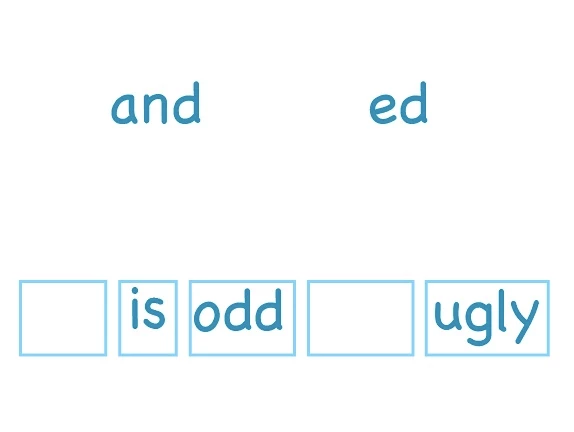
There are two words that need to be dragged to a sentence in my children's reading program.

I want them to be able to click on each word if they don't remember it, to hear what it says, but I don't need them to. I'd prefer they didn't need it. I tried to set up 2 clickboxes and add audio to transparent hints, but that only allowed me to add audio to one, and it played at the same time as the on enter instructions. Obviously, a bust.

I'm learning advanced actions, but so far haven't been able to get this to work that way either. Is there someplace I can go to learn about this? When I get better at advanced actions, will I be able to make this happen somehow?
This topic has been closed for replies.

2 replies

Lilybiri
Legend
October 11, 2013

Hello,

Just to add that if you use the command 'Play audio' everywhere, you'll never hear two audio clips playing at the same time because executing a new 'Play audio ' command will automatically stop the previous audio clip.

So, that may be a possible work flow: replace the slide audio by Play audio... On Enter for the slide (can even be a simple action in the Action accordion of the slide), and add this command in an advanced action to the click box over the word. In previous versions you had to create audio objects for that goal.

http://blog.lilybiri.com/audio-objects-control-them

Lilybiri

HimanshuSatija
Adobe Employee
Adobe Employee
October 9, 2013

Hi Dowbright,

Can you tell me the version of Captivate you are using ?

There is a Drag and Drop interaction in Captivate version 6.1 and 7 which will serve your need.

Thanks and Regards

Himanshu Satija

dowbright
dowbrightAuthor
Known Participant
October 9, 2013

I apologize. I try to remember to include that info, but it's not yet habit. I have Captivate 7. I've managed to make the Drag and Drop Wizard work. It's the audio hints I want that I can't make happen.

RodWard
Community Expert
Community Expert
October 10, 2013

Hint captions normally appear on mouseover.  If you attach the audio to the Hint caption, then the user would hear the audio when the caption appeared on mouseover.

Rather than make it so the user always hears the audio everytime the mouse over the word to drag it, I would suggest placing a little speaker icon above each word and placing a rollover caption object over the top of that speaker with the audio attached to the caption part of the object.  Make the caption transparent with no text so that it is effectively invisible.  All that the learner will know is that when they mouse over the speaker icon it plays the sound for the word.