Inspiring
October 11, 2016
Answered

Can I attach a keyboard command to a button action?

  • October 11, 2016
  • 2 replies
  • 285 views

I am wondering if this capability in Captivate 9 exists: I want to execute a button's action in my published project by using a keyboard command (rather than a button click.)

Is this possible?
This topic has been closed for replies.
Correct answer Lilybiri

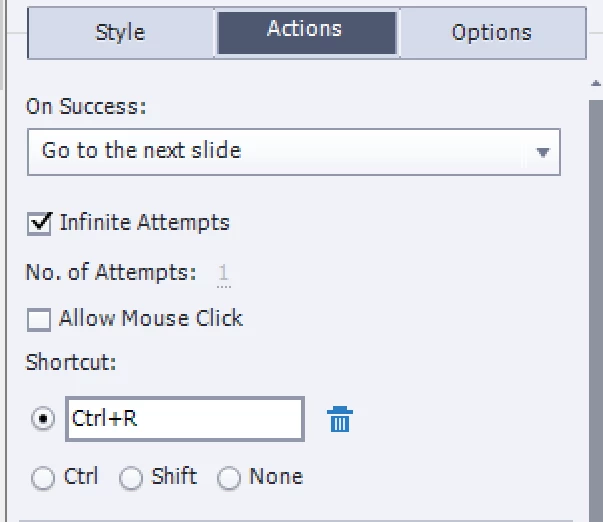
To each interactive object you can attach a shortcut key. Look in the Properties panel, under the Actions tab. Check the radiobutton next to Shortcut and choose the key combination that you want. You can even uncheck the option Allow Mouse Click

Beware: some keys can be reserved for the Browser.

2 replies

avary_sAuthor
Inspiring
October 11, 2016

Great thank you!

Lilybiri
LilybiriCorrect answer
Legend
October 11, 2016

To each interactive object you can attach a shortcut key. Look in the Properties panel, under the Actions tab. Check the radiobutton next to Shortcut and choose the key combination that you want. You can even uncheck the option Allow Mouse Click

Beware: some keys can be reserved for the Browser.