Participating Frequently
February 25, 2021
Answered

Can I set requirements for successfully completing a software simulation?

  • February 25, 2021
  • 2 replies
  • 481 views

I would like to use software simulations as the test for whether our learners have understood the training correctly. Can I configure the Reporting settings to get a pass or fail for a simulation?

If I set the Status Representation to Incomplete > Passed/Failed, it still always shows as Passed, even when the user makes errors and sees the Failure captions before clicking the correct click boxes. I was hoping I could set a limit for how many times they get it wrong before getting it right.

All I can see in the settings for Success Criteria is User Access or Slide Views, neither of which are quite what I need as they don't relate to simulations.

Is there any way to do what I want? Or any suggestions for a better way to use simulations as a test?

    This topic has been closed for replies.
    Correct answer mark@headTrix

    hi there.


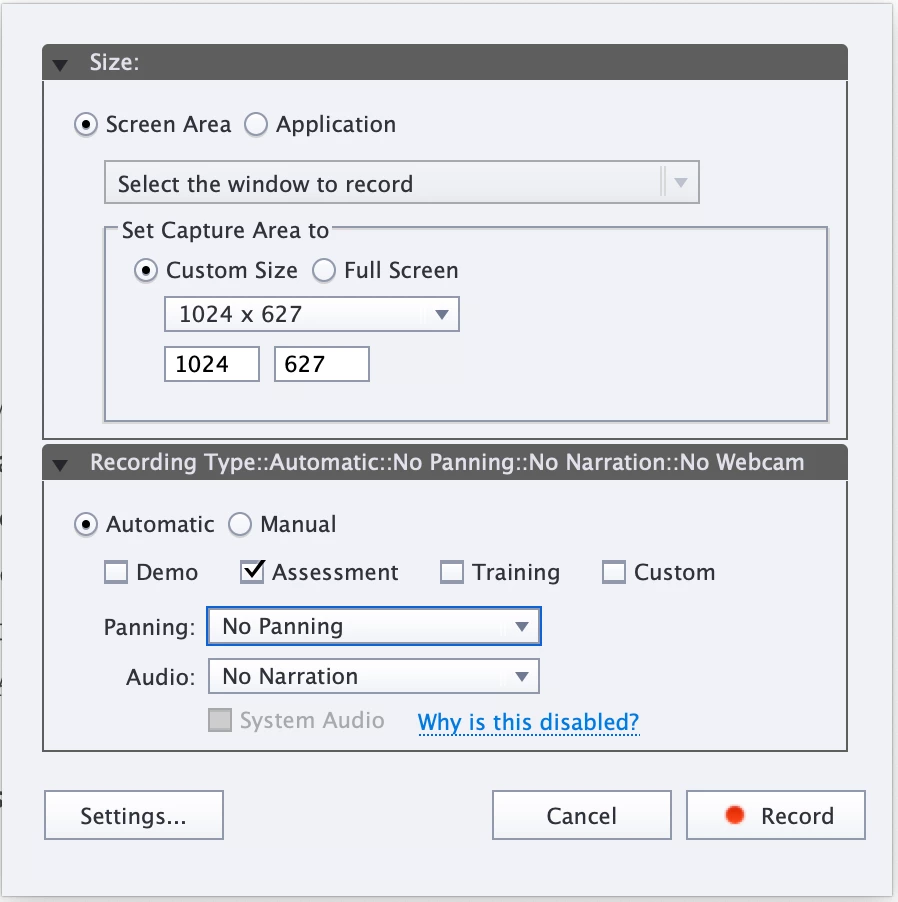
    Yes this can be accomplished! First you will want to create a Assessment simulation - or just add your own click boxes.

    By default Click-Boxes will stop the timeline and action will ber set to continue.

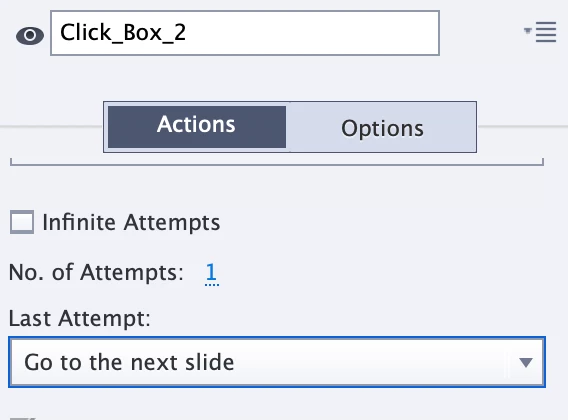
    Then you can select each click-box and Deselect "Infinite Attempts" and change last attempt to jump to the next slide or play (guess it depends on things are set up)

    then make sure "Include in Quiz" is checked

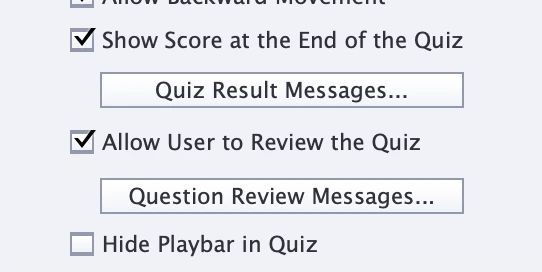
    and lastly, in your Preferences set "Show Score at the End of the Quiz" or I guess you can create a submit button that sends it to a specified email or posts to the LMS

    hope that helps!

    mark

    2 replies

    Lilybiri
    Legend
    March 25, 2021

    Default setting for both Training and Assessment mode will already have set up all click boxes and Text Entry boxes as being included in the Quiz, and they'll have a score. Check that out using the Advanced Interaction panel. If you don't see any score, you probably have a simulation in demo mode, and then it would need a lot of manual work.

    If you have a total score, make sure Reporting is turned on for all of them. Insert a Score slide, using the Quiz Preferences and test. You will now have the possibility in the SCO to have the criteria based on the Quiz result.


    Participating Frequently
    March 30, 2021

    Thank you Lilybiri, really appreciate your help.

    mark@headTrixCommunity ExpertCorrect answer
    Community Expert
    March 25, 2021

    hi there.


    Yes this can be accomplished! First you will want to create a Assessment simulation - or just add your own click boxes.

    By default Click-Boxes will stop the timeline and action will ber set to continue.

    Then you can select each click-box and Deselect "Infinite Attempts" and change last attempt to jump to the next slide or play (guess it depends on things are set up)

    then make sure "Include in Quiz" is checked

    and lastly, in your Preferences set "Show Score at the End of the Quiz" or I guess you can create a submit button that sends it to a specified email or posts to the LMS

    hope that helps!

    mark

    headTrix, Inc. | Adobe Certified Training & Consulting
    Participating Frequently
    March 30, 2021

    Thanks Mark, super helpful!

    Community Expert
    March 30, 2021

    Awesome! So glad I was able to help!


    cheers,

    mark

    headTrix, Inc. | Adobe Certified Training & Consulting