Known Participant
June 27, 2013
Question

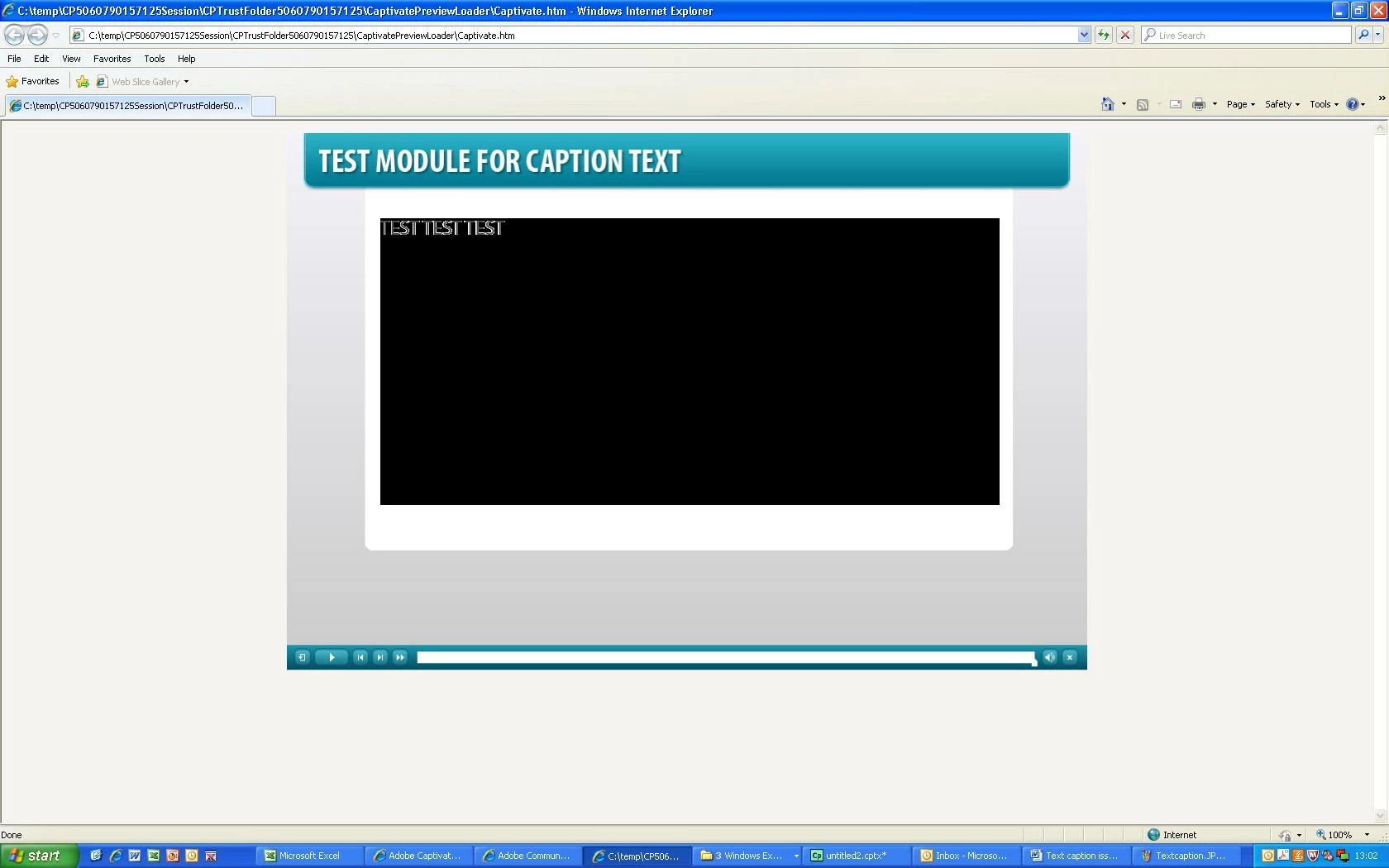
Can someone please help - Text caption is highlighted in black even though I have select transparent

  • June 27, 2013
  • 1 reply
  • 1800 views

Hi Guys,

I hope everyone is well.

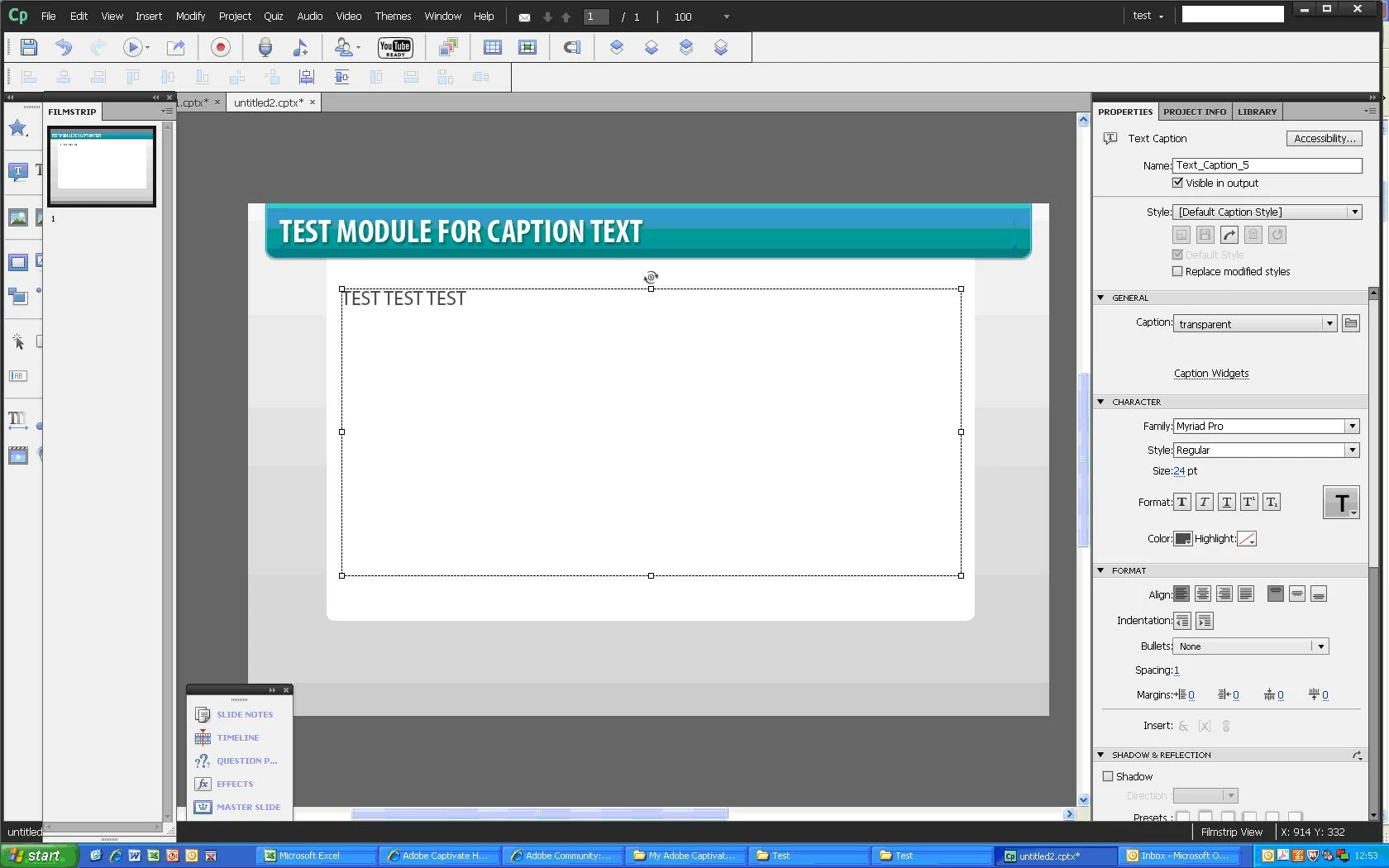
I am using a template in the themes and my text caption background colour is black even though the caption is set to transparent.I  created  a text caption on a blank slide and it works perfect but for some reason it does not work on this template.  Can someone please let me now how i can resolve this?.

Course before publishing or viewing course in web browser
Now viewing course in webbrowser the background colour is black for some reason?.
Best regards,

Peter Panayi

    This topic has been closed for replies.

    1 reply

    Lilybiri
    Legend
    June 27, 2013

    Peter,

    Which version do you use? Is it 6.0.1.240, check the slide quality: default is Low and you should change to Optimized.

    Lilybiri

    Known Participant
    June 27, 2013

    Hi Lilybiri,

    Thank you for your message. I am using version 6.0.0.199. Do i need to do an upgrade?

    Great thanks so much. I have changed this and it works perfectly. I am really grateful.

    Best regards,

    Peter Panayi

    Lilybiri
    Legend
    June 27, 2013

    Indeed, the bug patch that will get you to 6.0.1.240 was released in October 2012. Please, use Help, Updates to install that patch.

    But default slide quality was only changed to Optimized in version 6.1 (only available to subscription users). Low is not acceptable in most cases.

    Lilybiri