
mechanicalsds
Participant
September 18, 2014
Question

Can't clear entire slide background

  • September 18, 2014
  • 1 reply
  • 232 views

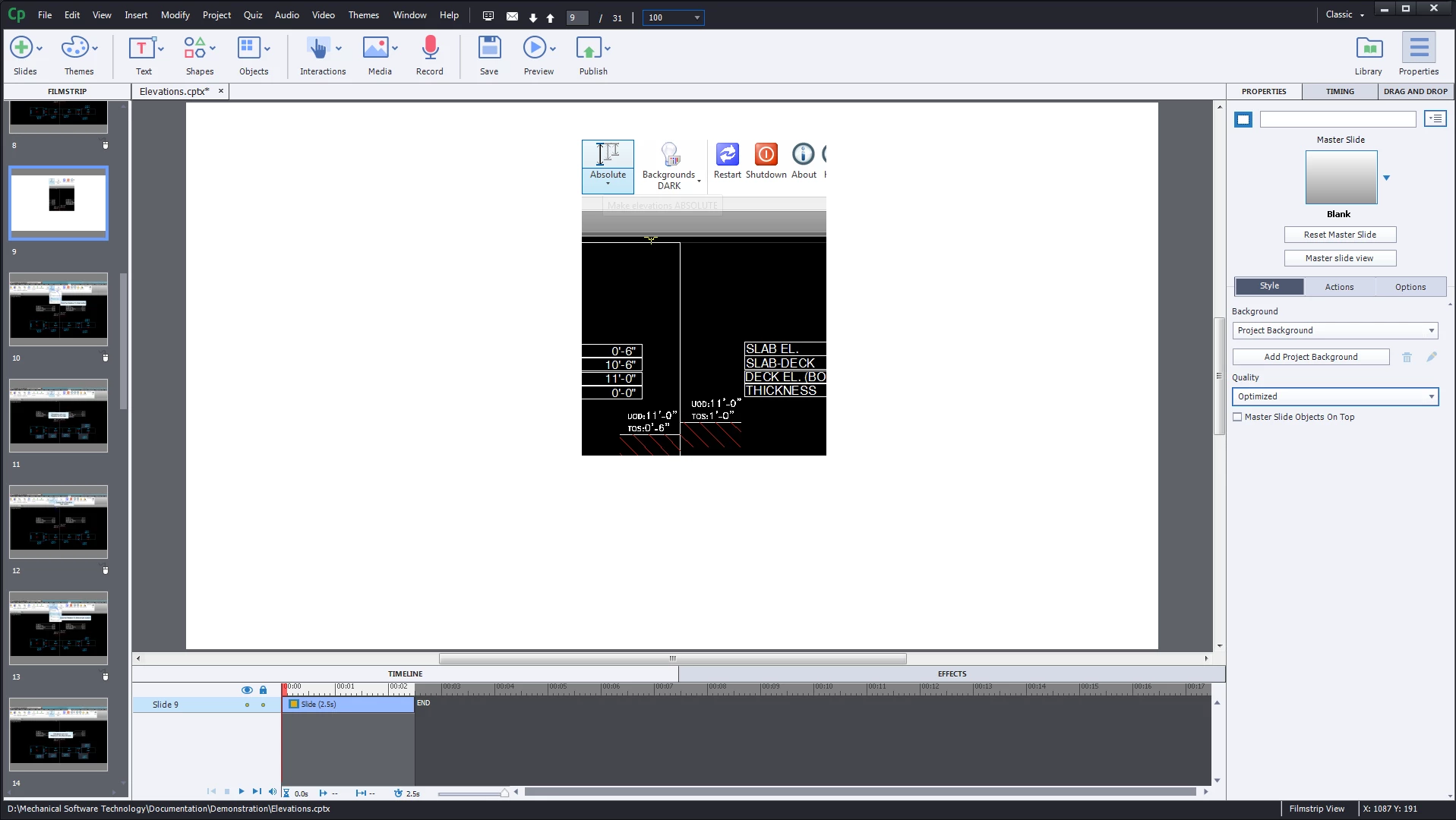
I've deleted all the objects from the slide and clear the background.  What is shown below will not go away.    This image is showing up on several slides that have backgrounds that were edited in Photoshop.  This image is overlaid on top of them.  I tried inserting the new backgrounds as images and then merging with the slide background, but this image is still overlaid.
    This topic has been closed for replies.

    1 reply

    Captiv8r
    Legend
    September 18, 2014

    It's either an image on an earlier slide configured to run for rest of project or an image on a Master Slide.

    Cheers... Rick

    mechanicalsds
    Participant
    September 18, 2014

    None of the slides in the project contain image objects.  The master slide has not been modified and also doesn't contain image objects.  I've been fixing the issues by inserting a new slide and copying the objects from the bad slide to the new one and then setting the background image.  This works, but doesn't seem like it should be necessary.

    Lilybiri
    Legend
    September 18, 2014

    You are using the Blank master slide, and normally it has no objects.

    Can you check in the Library if you can find this image? If yes, use the Usage button on top to see where it is really.