
Participant
December 28, 2015
Question

Can't get Captivate to save quiz answers.

  • December 28, 2015
  • 1 reply
  • 466 views

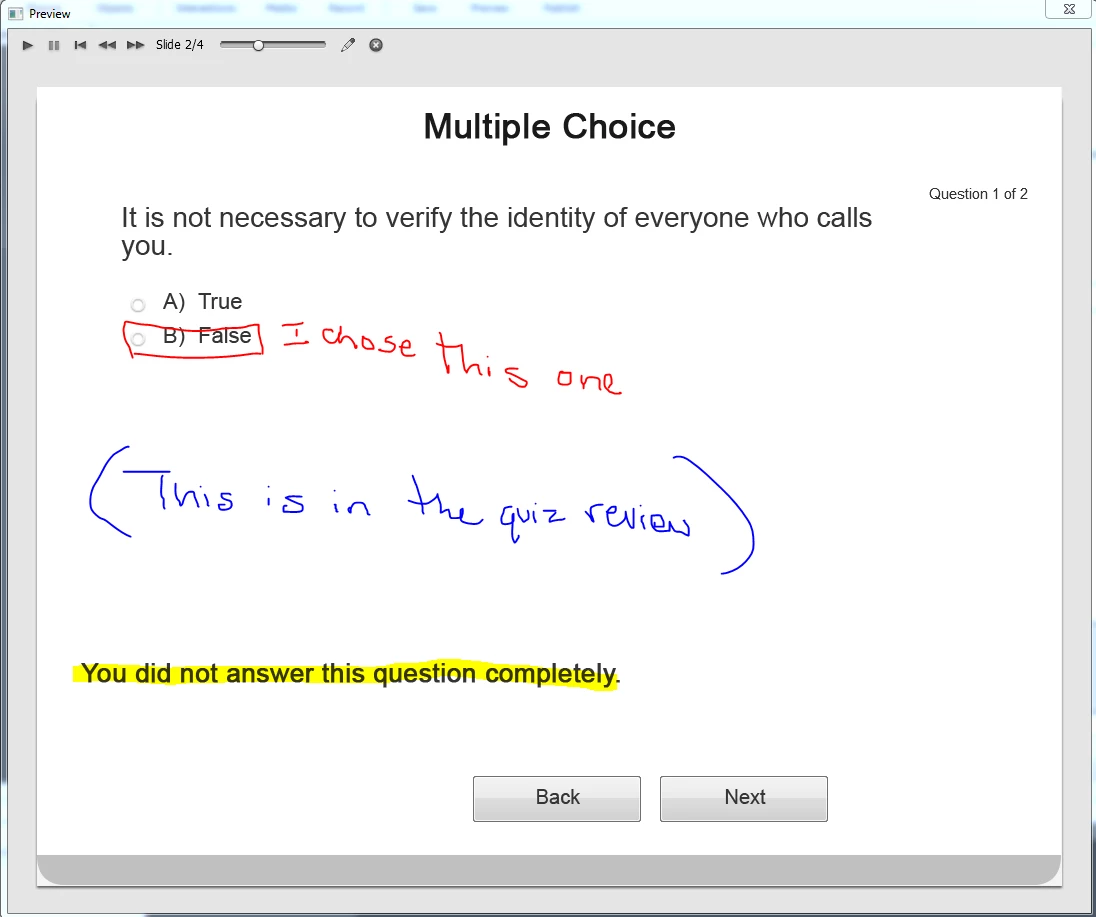
I'm building a short quiz in Captivate 8, and I am having a considerable amount of trouble setting the answers. Both questions are multiple choice, and I read in Adobe Help that all I had to do to set the answers, was to select the correct radio button. On previewing the project, I've found that no matter the answer I choose, the quiz marks it as incomplete. When I reviewed the answers, it showed no answer selected.

Am I doing something wrong?
    This topic has been closed for replies.

    1 reply

    Lilybiri
    Legend
    December 28, 2015

    I see, you deleted the most important embedded object on the quiz slide: SUBMIT button. It is not just a button but has a lot of functionality built in: the two-step submit process. I wrote some blog posts about the design of question slides:

    Question Question Slides in Captivate - Captivate blog

    Question Question Slides - Part 2 - Captivate blog

    Never delete an embedded object on a quiz or score slide. Those are the objects that have no individual timeline (not on quiz slide, not on quiz master slide). If you cannot uncheck them in the panels, you have to keep them: that is the case with the Submit button (quiz slide) and the Continue button (score slide).

    The Next button during quiz has the functionality of a Skip button. It is necessary as Next button during Review (double functionality). I know it is confusing, you'll find tweaking possibilities in the blog posts. In Captivate 9 we finally have dedicated Next/Back buttons during Review and another Skip button during Quiz. The Back button could cause you issues as well during quiz. I always recommend turning off Back functionality (in the Quiz preferences). If you want to avoid confusion between the Submit button and the Next/Skip button drag the last one under the Clear button (which is a useful button during a quiz, because it resets an answer if it has not been submitted).