


Participant
September 3, 2018
Answered

Cannot add 360 video in VR project in Captivate 2019

  • September 3, 2018
  • 3 replies
  • 3024 views

Hi all,

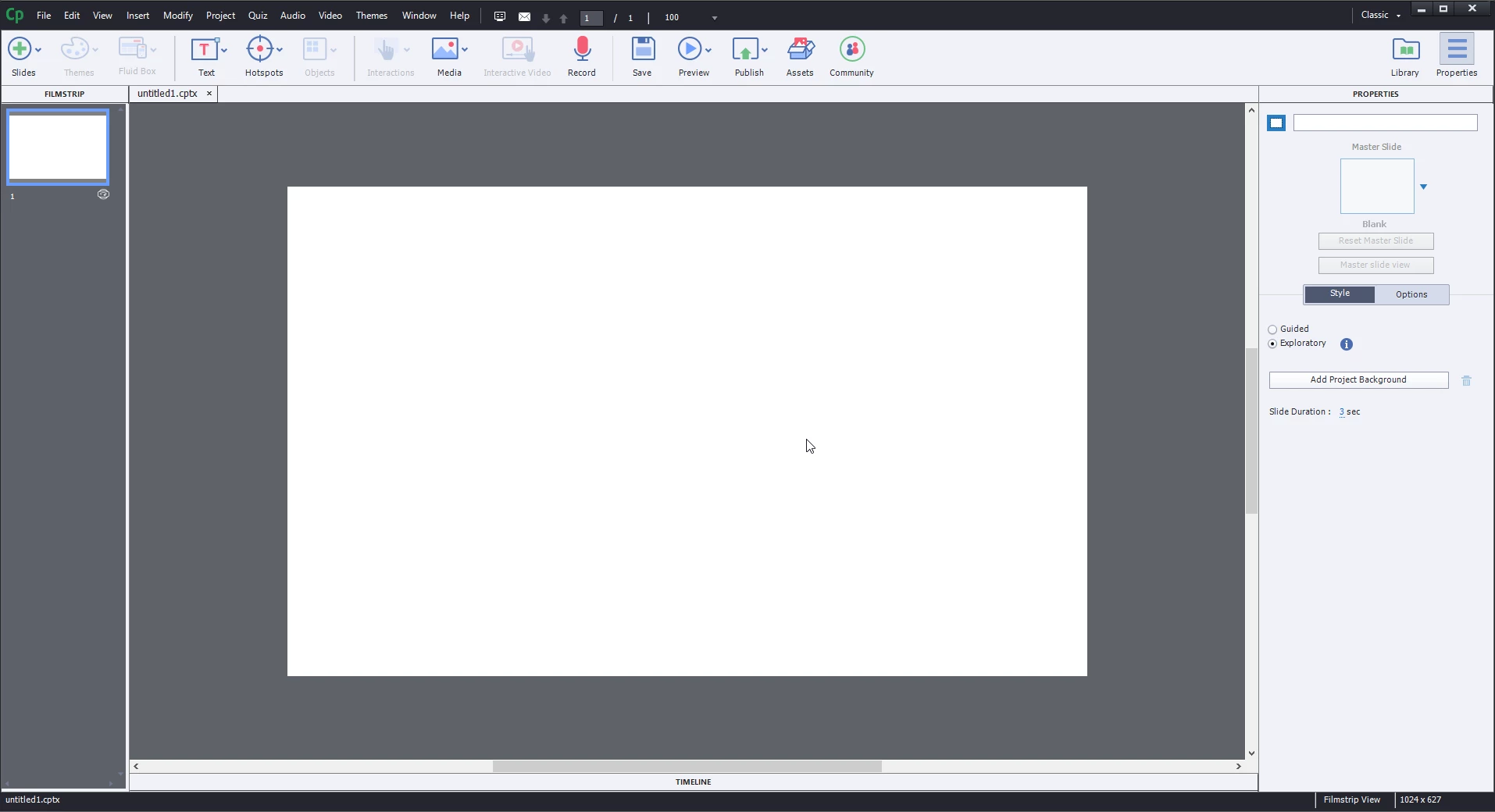
I recently installed Captivate 2019 and tried creating my first VR project, but I don't have the option to add 360 videos or images to the slide. It's just a blank white background. Any ideas?
Cheers,

Lloyd

    This topic has been closed for replies.
    Correct answer LloydWilson

    With Adobe's help in diagnosing the issue, the problems seems to be with the display drivers being used on my Targus docking station which I use to connect to external monitors.

    At the moment, the only solution is to not use the docking station and work directly off my laptop.

    3 replies

    LloydWilsonAuthorCorrect answer
    Participant
    September 21, 2018

    With Adobe's help in diagnosing the issue, the problems seems to be with the display drivers being used on my Targus docking station which I use to connect to external monitors.

    At the moment, the only solution is to not use the docking station and work directly off my laptop.

    adtiwari
    Adobe Employee
    Adobe Employee
    September 21, 2018

     I have also put an FAQ for others facing such kind of issue:

     https://elearning.adobe.com/2018/09/not-able-see-add-360-image-video-icon-360-slide-check-required-gpu-webgl-support-machine/

    Anyone facing such issue can refer to this blog(FAQ).

    Regards,

    Aditya

    Captivate Engineering Team

    adtiwari
    Adobe Employee
    Adobe Employee
    September 4, 2018

    Seems like node.js was not able to start properly on your system Lloyd.. which is required for 360 slides to appear with add background.

    Can you delete all instances of running node.js from allowed programs in firewall settings and re-lauch captivate.

    If you need help in how to achieve that, please drop a mail to captivatehelp@adobe.com and will guide you further.


    Thanks,

    Aditya

    Paul Wilson CTDP
    Community Expert
    Community Expert
    September 4, 2018

    You cannot add 360 images or video to this type of slide. Click the Slides Plus icon on the toolbar and select 360 slide. Once a 360 slide is added you can click the plus icon in the middle of the screen to add a 360 image or video.

    Watch this video to learn more:

    Captivate 2019 - Virtual Reality Projects https://youtu.be/RBLs6jEmIGc

    Paul Wilson, CTDP
    Participant
    September 4, 2018

    Cheers for the response, Paul. That is a 360 slide in my screenshot - you can see the VR icon in the filmstrip and the Guided/Exploratory options in the properties.