


Question
Cannot edit audio in Captivate 11.8 - pop up missing Save/Close buttons
Since a recent update to Captivate, I cannot edit audio from a slide. When I open the audio track in the pop-up editor, the buttons for Save and Close are missing. I am adding an image below: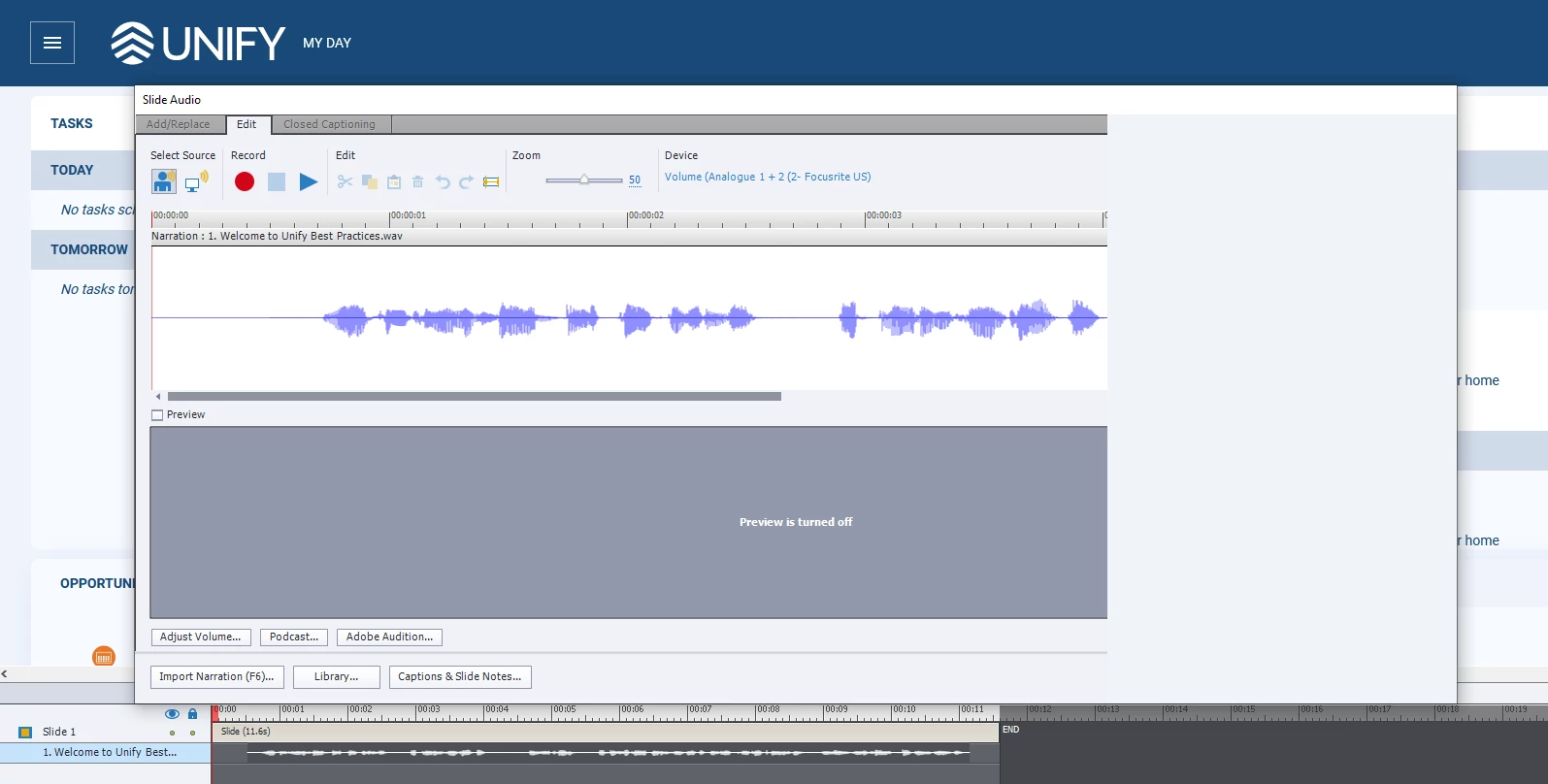
As you can see, the right edge extends far out to the right. No Save nor close buttons. And without them, I cannot even close Captivate as this editor is modal and prevents any interaction with Captivate until it's closed. I have to reboot my laptop to close Captivate - and if I have not recently saved Captivate, I lose all changes. I cannot imagine why this hasn't already been addressed.
 AdChoices