Participant
October 18, 2010
Question

Cannot edit PowerPoint from within Captivate 5

  • October 18, 2010
  • 3 replies
  • 1392 views

Hi all,

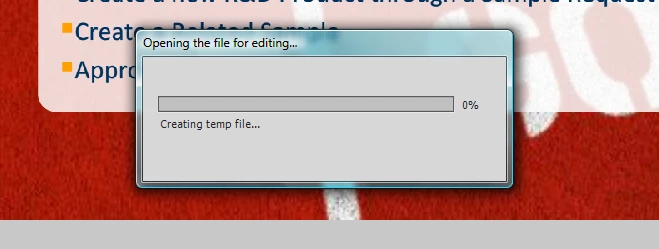
I've imported PowerPoint slides into Captivate 5, and when I click "Edit PowerPoint (Presentation or Slide", Captivate freezes on the "Creating Temp File" window.  It never moves past 0%.  I've attached a screenshot.  I've tried multiple times to edit the PPT, but cannot get it to link back to the file.  Any suggestions?  I'm on a tight deadline.

Thank you!

Jen
This topic has been closed for replies.

3 replies

Participating Frequently
November 30, 2010

I am having the same problem, I think it has something to do with the file size or the number of slides. I cut up my 53 slides into 3 indivual .ppt files and got my issue resolved that way. I also noticed that Captivate 5 doees not like slides that have on mouse click animations in them, I would suggest changing them to a timed option.

good luck

Participating Frequently
November 30, 2010

Well I got them all in but the last 11 sides out of the 53.

I changed out mouse click animations timed animations

I am gonna convert these to .png sequences from powerpoint now and import.

Captivate should change its name to Frustrate

nsukumar
Adobe Employee
Adobe Employee
December 2, 2010

Hi Dana,

   Is it possible for you to share the .ppt file with us so that we can investigate the issue on our end...? Please send the file nsukumar@adoe.com

Thanks,

nsukumar.

nsukumar
Adobe Employee
Adobe Employee
October 28, 2010

Hi Jen,

  Did presenter is installed on Your Machine?.. Can you please try editing the PTT file after Launching PowerPoint?

-Nsukumar.

nsukumar
Adobe Employee
Adobe Employee
October 19, 2010

Hi Jenvetter,

Would it possible for you to Share the .ppt file with me, so that we can investigate the issue on our end; please mail it to nsukumar@adobe.com

Please provide the following additional information along with the .ppt File.

Is it happening on MAC or in Windows? Which version of power point is installed on the machine?  The '.ppt' is created out of which version of PowerPoint?

-nsukumar.

JenVetterAuthor
Participant
October 19, 2010

Hi Nsukumar,

Unfortunately, I cannot share the PPT file as it contains sensitive information.  This is happening in WIndows Vista, PPT 07 (saved in Compatibility Mode 97-03), and working in Captivate 5.  I'm not sure if this is helpful?

Jen

nsukumar
Adobe Employee
Adobe Employee
October 20, 2010

Hi Jen,

Thanks for providing Information. The Issue is happening only for a specific 'ppt' file or its happening for other files also? Would it possible for you to put some dummy information/Slides in place of sensitive information and share the '.ppt' file; it will help us more in investigating the Issue.

-nsukumar.