


Participant
August 5, 2020
Answered

Cannot edit text in smart shapes

  • August 5, 2020
  • 1 reply
  • 532 views

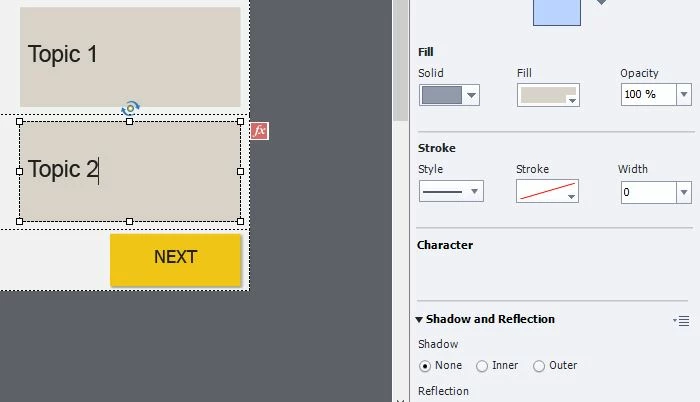
When editing text in smart shapes for fluid boxes, the Character section under the properties menu is empty and I am unable to change font size, type, and color. Previously this was not an issue and I was able to format the smart shapes. I am still able to add/delete text, but I cannot format the text anymore. This is a new bug in Captivate 2019 that I've encountered a couple times now. Usually it goes away after clicking other objects but now it's stuck like this in the responsive project.


Anyway to fix this?
 

This topic has been closed for replies.
Correct answer Lilybiri

Happens sometimes to me as well. Restarting Captivate and eventually restarting my system solves it. Annoying, I agree.  But I don't to clean Peferences, because have a lot of customisation.

1 reply

Lilybiri
LilybiriCorrect answer
Legend
August 5, 2020

Happens sometimes to me as well. Restarting Captivate and eventually restarting my system solves it. Annoying, I agree.  But I don't to clean Peferences, because have a lot of customisation.

Participant
August 5, 2020

Closing and restarting Captivate seemed to do the trick. My intial concern was that this happened yesterday at EOD, and when I reopened the project this morning it was still missing. Hopefully this isn't a bug that corrupts the whole project.

Lilybiri
Legend
August 5, 2020

Have never seen this corrupting a project. It is a sort of a refresh glitch, like you can have the seconds on the timeline disappearing as well.
