
March 19, 2020
Question

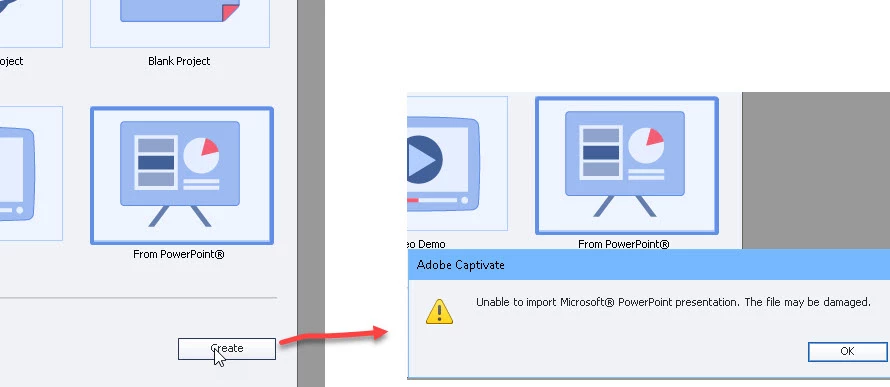
Cannot import or Create from Power Point pptx

  • March 19, 2020
  • 4 replies
  • 2200 views

Just installed Captivate because I want a way to publish my powerpoint slides to HTML5.  I can do this fine with iSpring which works within PP,  but it seems Captivate is not able to open/import pptx files.  I have a lot of animation, etc, and it seems the only way to get this to work is by saving my Power Point files as .ppt only.   

Why can't Captivate import pptx files directly?  Or am I doing something wrong?
 

    This topic has been closed for replies.

    4 replies

    RodWard
    Community Expert
    Community Expert
    March 19, 2020

    No, you are not doing anything wrong.  PowerPoint import and publishing is not a strong point for Captivate. If iSpring gives you the results you want, I suggest you stick with that product.


    As you have found, for anything other than the simplest PPT decks, you can only import after converting to PPT from PPTX.  But even after importing the PPT, you are likely to find that most of your animations are not going to remain intact.

    Inspiring
    March 19, 2020

    As Rod said, Captivate's PowerPoint import features have never been great. But in recent versions they got more and more unusable; up to the point thatI have more or less given up on that. When I need PowerPoint slides in Captivate I export them from PowePoint as pngs (for static slides) or mp4s (for animated slides), and bring those into Captivate.

    Lilybiri
    Legend
    March 19, 2020

    Did you never try to unzip the pptx file and take out the available assets? Import them in a Captivate project library and you can start as well.