Participant
March 13, 2018
Question

Cannot import psd file into captivate 2017

  • March 13, 2018
  • 3 replies
  • 348 views

Im using Adobe Captivate 2017 and i want to import some psd files but when i go to File > Import > Photoshop file and select the psd file, Captivate says cant import the file because:
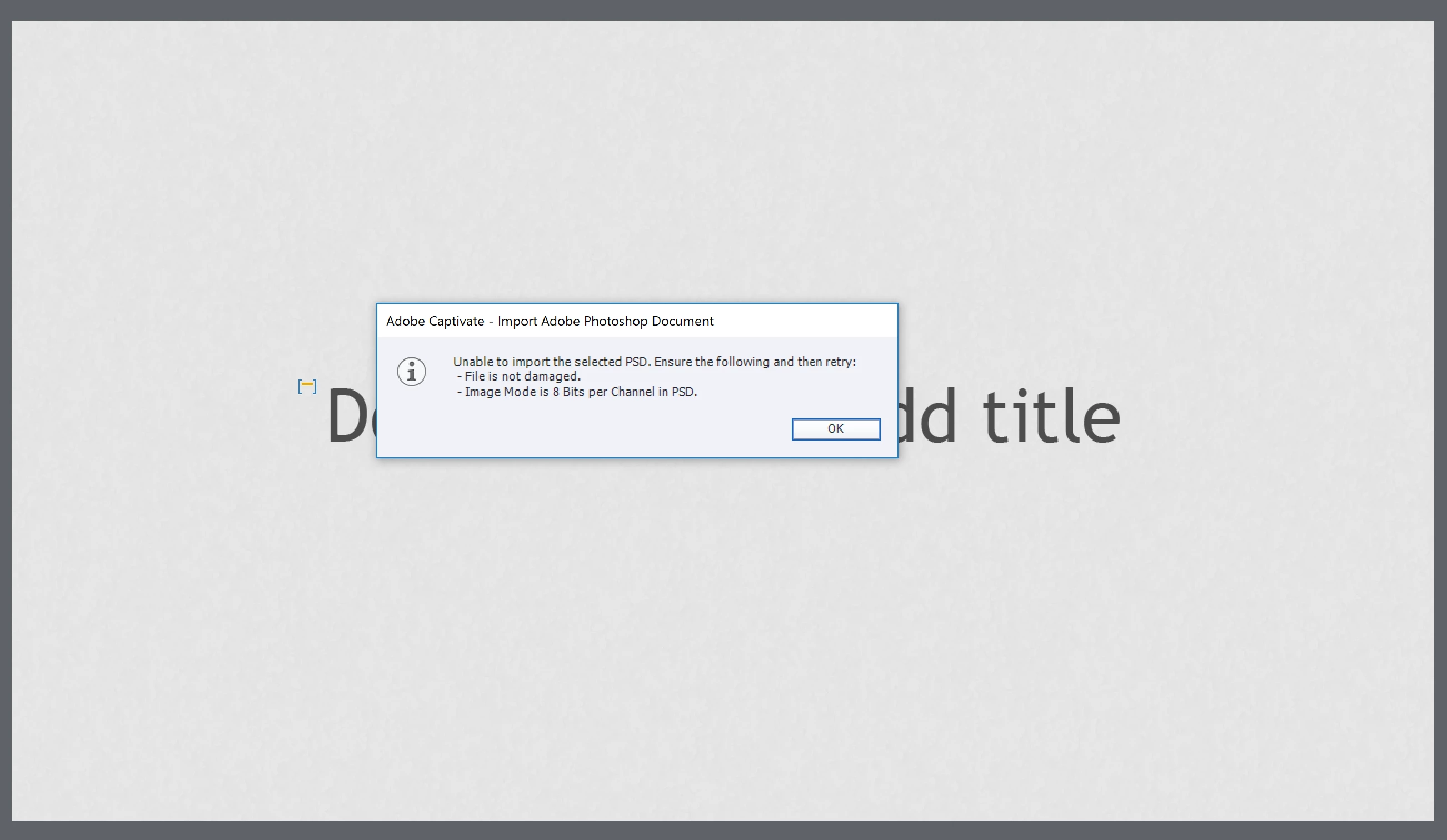
i have checked the image mode in Photoshop and it is in 8bits/channel and the file is not damaged because i just created the file.

Anyone knows what is going on here?

Thank you

This topic has been closed for replies.

3 replies

Lilybiri
Legend
March 14, 2018

Which version of Photoshop? I know that in the past roundtripping (which is the goal of importing the source file) was broken because of incompatibility of PS and CP versions.

David Burnham HBA
Inspiring
March 14, 2018

This is interesting.  I know I have received this error message when importing a PSD if the channel is set to 16bit for example and is fixed by changing the mode to 8bit as you have done.

As a test change the channel to 16bit and save the file. Try importing and you should get the error noted above. Then change the channel to 8bit,  save and retry importing.

To date I have not encountered this problem in the classroom when demonstrating this Captivate feature and would love to know if this is a PS file issue or a Captivate issue.

RodWard
Community Expert
Community Expert
March 14, 2018

Was the file still open in Photoshop at the time?