Known Participant
November 18, 2015
Answered

Cap 9: Styles not displaying in non-Desktop views

  • November 18, 2015
  • 1 reply
  • 258 views

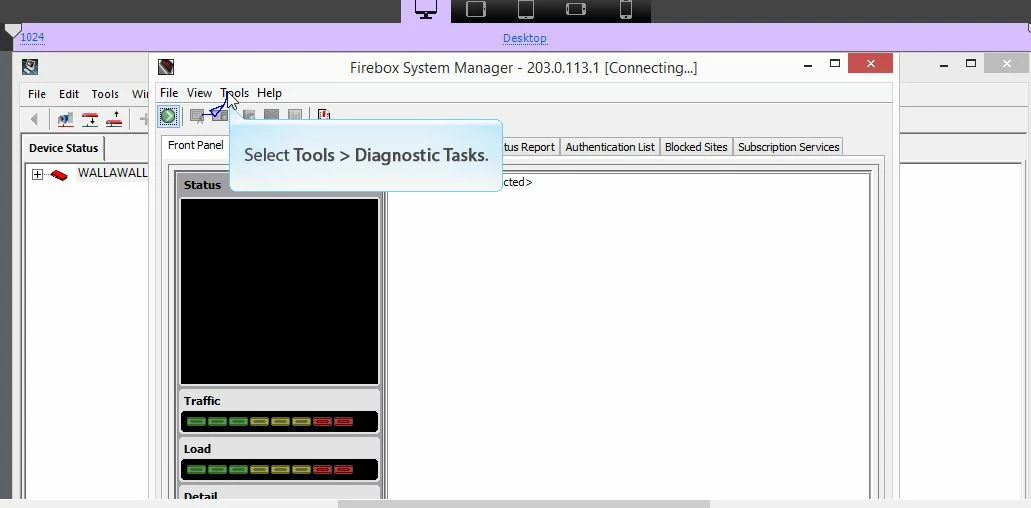
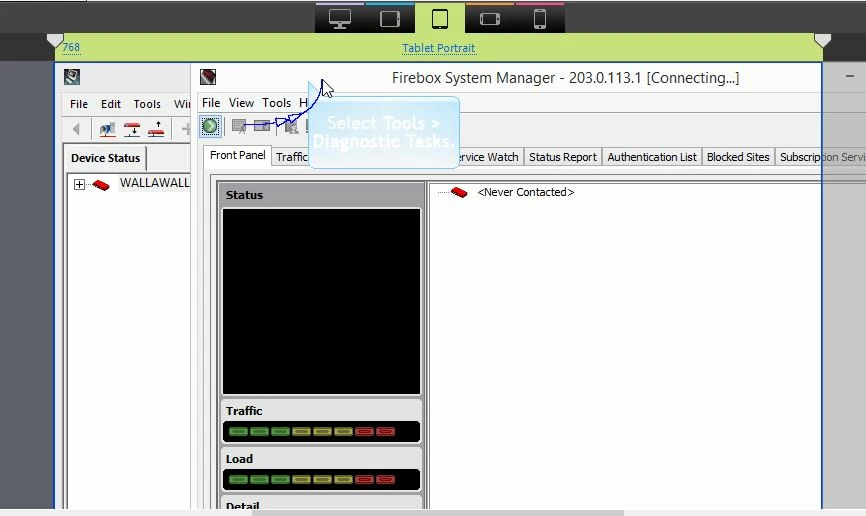
I'm currently building my first responsive project (have been a Captivate user for years, but just upgraded) and I'm confused why my Object Style Manager settings only seem to impact the Desktop view/output. For example, I changed my Default Caption Capture Style to Myriad Pro, 18-point, black font. It looks great in my Desktop view, but when I look at the tablet and mobile views, the caption captures all are in Trebuchet MS, 20-point, white font. I asked Adobe support (chat) about it and I was told I have to update every slide in the non-Desktop views to make them match the Object Style Manager. That seems nuts to me! Is anyone else running into this problem? Thanks!

Below are screenshots showing what I'm experiencing. The first image displays the caption capture (blue callout) correctly based on my Object Style Manager settings... the following two aren't aligned with my Object Style Manager.
This topic has been closed for replies.
Correct answer Lilybiri

Normally the font should change in the three breakpoint views, when you change it in the Object Style Manager for the desktop. Of course, I never used one of those assets, maybe they have been set up in another way. From what I read here in the forums, most of them were created for CP8, not for CP9.

A warning: Myriad Pro is not a websafe font, maybe it will cause you issues.

1 reply

Lilybiri
Legend
November 19, 2015

I suspect you did override the style but only for the breakpoint Desktop? How did you set up the style?

m_olsonAuthor
Known Participant
November 19, 2015

Thanks for the reply, Lilybiri!

When I set up my responsive project, I downloaded/applied one of the Assets from e-Learning Bros and then while in the Desktop breakpoint, I navigated to the Object Style Manager and updated the fonts from Trebuchet MS to Myriad Pro. Is there a way to (automatically) override the style for the other breakpoints, too? Thanks!

Lilybiri
LilybiriCorrect answer
Legend
November 19, 2015

Normally the font should change in the three breakpoint views, when you change it in the Object Style Manager for the desktop. Of course, I never used one of those assets, maybe they have been set up in another way. From what I read here in the forums, most of them were created for CP8, not for CP9.

A warning: Myriad Pro is not a websafe font, maybe it will cause you issues.