
Known Participant
November 29, 2012
Question

Cap6 and PDF- blank screen

  • November 29, 2012
  • 2 replies
  • 5407 views

I am running a module from our SumTotal LMS and it's a PDF that I published via Cap 6. When it opens in Adobe Reader XI the screen is white. This just started occurring.  Any ideas as to why? I'm totally up-to-date on my Adobe Reader updates too.  This is very frustrating... we as a company are about to pull the plug on Captivate and go with Articulate becuase of all the bugs! This is by far the worse Cap update Adobe has shoved down our throats... so many frustrating pieces.
    This topic has been closed for replies.

    2 replies

    Participating Frequently
    January 31, 2013

    Hi - I heard back from another post that Adobe are aware and working on it...

    http://forums.adobe.com/thread/1144009

    Cheers,

    Jac

    VikramGaur
    Adobe Employee
    Adobe Employee
    November 29, 2012

    Hello,

    Welcome to Adobe Forums.

    I apologize for the inconvenience you have faced.

    Did you try launching your Module on a different version of Adobe Reader ?

    Any possiblity of sharing the link to open your Module ?

    Thanks,
    Vikram

    Participant
    January 11, 2013

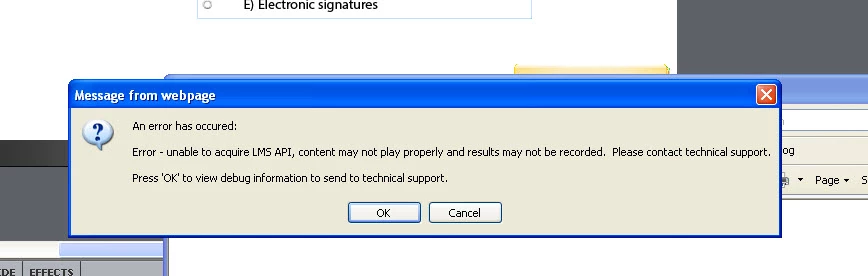
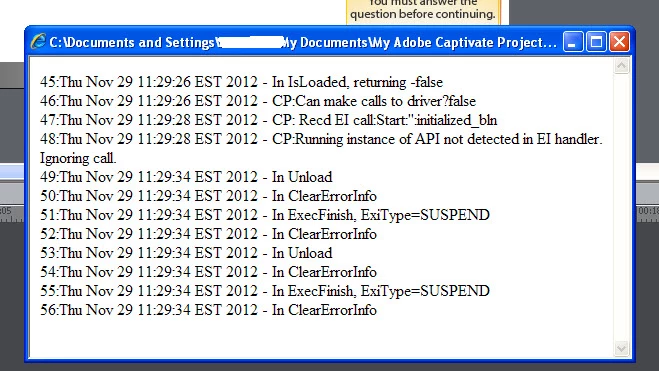
    Hi, Im not using a LMS but have been having issues where certain people were unable to view a pdf output from adobe captivate 6, while I was able to view them all.

    Now however since this morning I have not been able to open a single pdf out put from captivate even the ones that previously worked for me. In some its just a blank white window and other its shows a poster created from the main page but none of the TOC entries are filled in and when clicked to active it jumps right too the blank screen.

    Ive attempted to open them in both acrobat pro 10.1.5 and reader 11.0.01 with the same results. Ive created a test file published to pdf and same result. Ive included some screen shots.

    They were all published as swf and pdf with the swf version set for 9 or later, some have no widgets in use while others used the AC3 widget and a certificate....

    Again all of the pdfs worked for me previoulsy, now none do even on a webserver. So anythings we might try to resolve this would be greatly appreciated

    I have also created a blank module and publish as both swf and pdf again the swf version opens fine but the pdf does not, bt I cant see away to attach it to this post or I would. I cannot send you a link to our sever because there is sensitive information there that requires clearance to have access to.

    VikramGaur
    Adobe Employee
    Adobe Employee
    January 16, 2013

    Hello,

    Any possiblity to test outside your enviornment (At home) and with a different version of Adobe Reader (10 or 9) ?

    Thanks,
    Vikram