


CarolynforLearning
Participating Frequently
May 20, 2018
Question

Capitivate SCORM Published to DOCEBO LMS - Navigational Functions Disappear

  • May 20, 2018
  • 1 reply
  • 1388 views

Hello....after I upload my Adobe Captivate to Docebo using the SCORM option the navigational functions do not show...is this a function in Docebo I need to activate?

Has anyone had this happen?

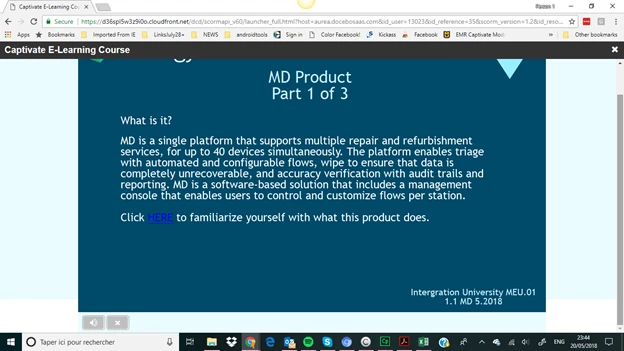
Below...NO NAVIGATION
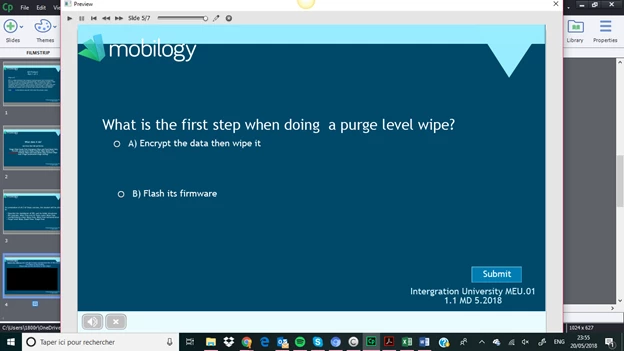
In Captivate w/ Navigation

So ABOVE there is not a navigational function for the learner to use AFTER I UPLOAD to DOCEBO but when I preview below BEFORE uploading to DOCEBO there is the SLIDER that the student will need.

I am using Captivate 2017 and DOCEBO (the lastest version for 5/2018)
This topic has been closed for replies.

1 reply

RodWard
Community Expert
Community Expert
May 21, 2018

What you are looking at in the second screenshot is just Captivate's preview player.  That player (and its controls) does not get published with the output.

Have you perhaps NOT been using Captivate very long?

If you want to have a playbar down the bottom of the published output, you'll need to turn that option ON via the Project > Skin Editor > Playbar options.

CarolynforLearning
Participating Frequently
May 22, 2018

I just did that but the playbar was already marked as on.  it did show for other output I uploaded to DOCEBO..I thought perhaps a file was corrupted

RodWard
Community Expert
Community Expert
May 22, 2018

Check which options you had selected for the playbar. Can you show us a screenshot of which items you have selected to configure the playbar?

There are lots of checkboxes in that section which determine which buttons appear or don't appear and whether or not the entire playbar will disappear during the quiz.  If those options are not individually selected you won't see them even if the playbar IS selected.  Looking at your screenshot, There appear to be only two items selected.  The one to mute the audio and the button to exit the lesson.