



Pragadesh Leo
Known Participant
December 8, 2022
Question

Captivate 11.8 - Preview is not showing

  • December 8, 2022
  • 1 reply
  • 462 views

Hi Team,


My Team member has got installed Captivate 11.8 Version in her machine.

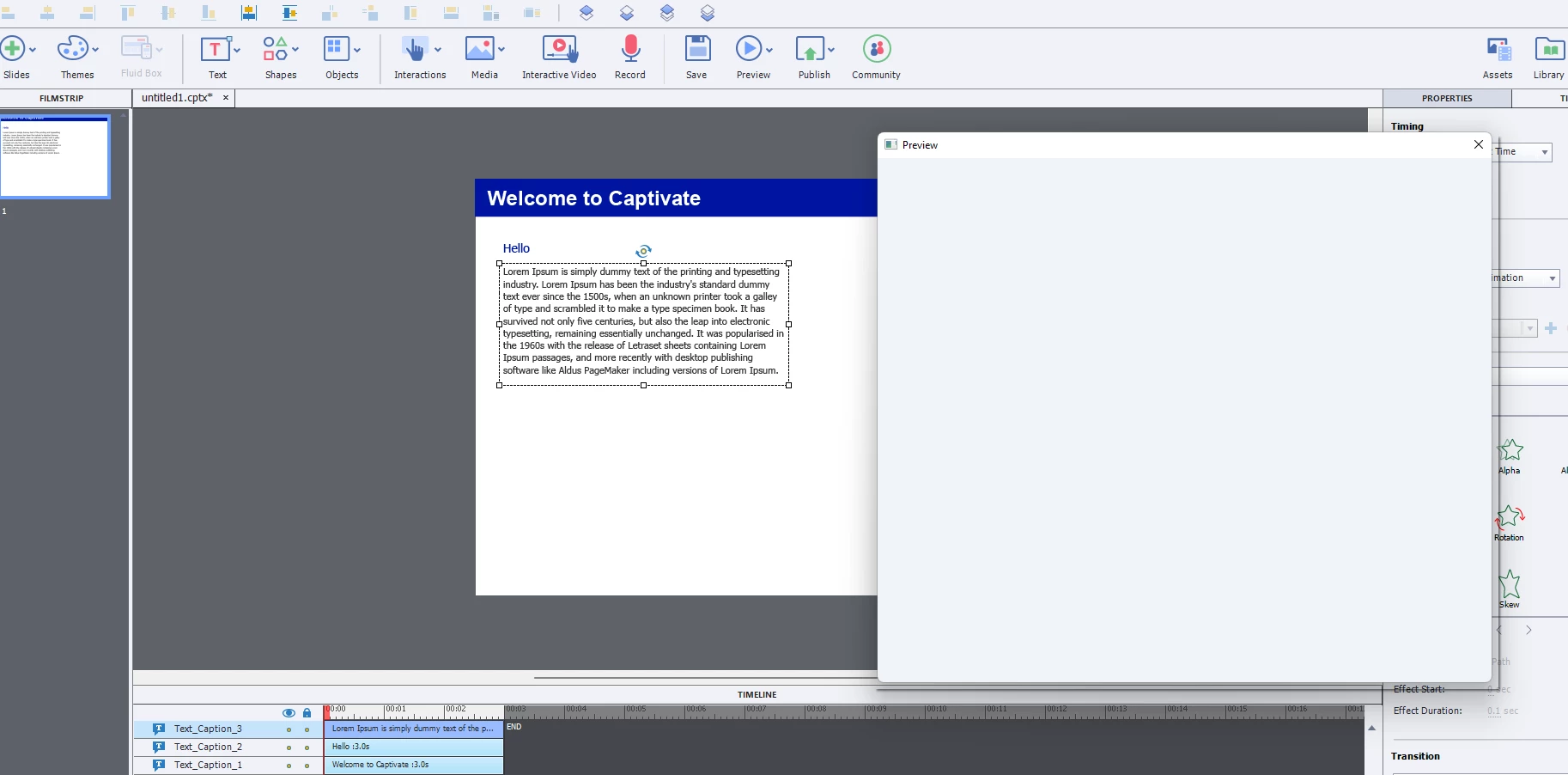
She is encountering this issue, where the preview is showing blank preview window. Without the preview, she has to go for HTML5 preview that is taking longer time than the other preview options.


Can anyone kindly help me resolve this issue.


Thank you!
 

    This topic has been closed for replies.

    1 reply

    RodWard
    Community Expert
    Community Expert
    December 8, 2022

    All preview options other than the HTML5 preview are actually SWF Flash-based previews.  Flash/SWF is now deprecated and no longer used.

    Is this user on a Mac?

    Pragadesh Leo
    Known Participant
    December 8, 2022

    Hi Rod,

    My colleague is using a windows (11) machine.

    Is there a way to enable Preview options (from the slide/next 5 slide), as when we have a project more than 40 slides it would be helpful to choose a shorter preview rather than previewing the entire course in HTML 5 browser option right.

    And it would be almost similar to publishing the course.

    Kinldy guide us.


    RodWard
    Community Expert
    Community Expert
    December 8, 2022

    There is no HTML5 preview option to view the next several slides. This is only possible with the SWF-based preview.  As a workaround, if there are no Advanced Actions or Conditional Actions involved in the content, you could just HIDE all slides other than the ones you are working on and then the HTML5 Preview would only show those unhidden slides.  (CAUTION: I don't suggest you do this if you have built in navigation that uses Advanced Actions to jump to slides because then those jump to slide actions will all revert to Continue and then you would need to rebuild them.)


    I cannot be exactly certain why your colleague is unable to view the SWF Preview options, but I suspect it might be due to some recent Windows update.  Given that the machine involved is on Windows 11, it is highly possible that all Flash-based functions are now being blocked by Microsoft.


    To test this assumption, are there any other Captivate 2019 users in your organisation that are also on Windows 11?  If so, ask them to test the Previews to see if they get the same result.  (I am personally still using Windows 10 so I cannot test this for you.)