


Captivate 12.2 - issue with fonts after publishing
Hello,
I use the new Captivate since July 2023 and still have the same issue with fonts after publishing, despite the updates. I'm using a Mac, IOS Sonoma, and Captivate 12.2. The issue was the same on IOS Ventura.
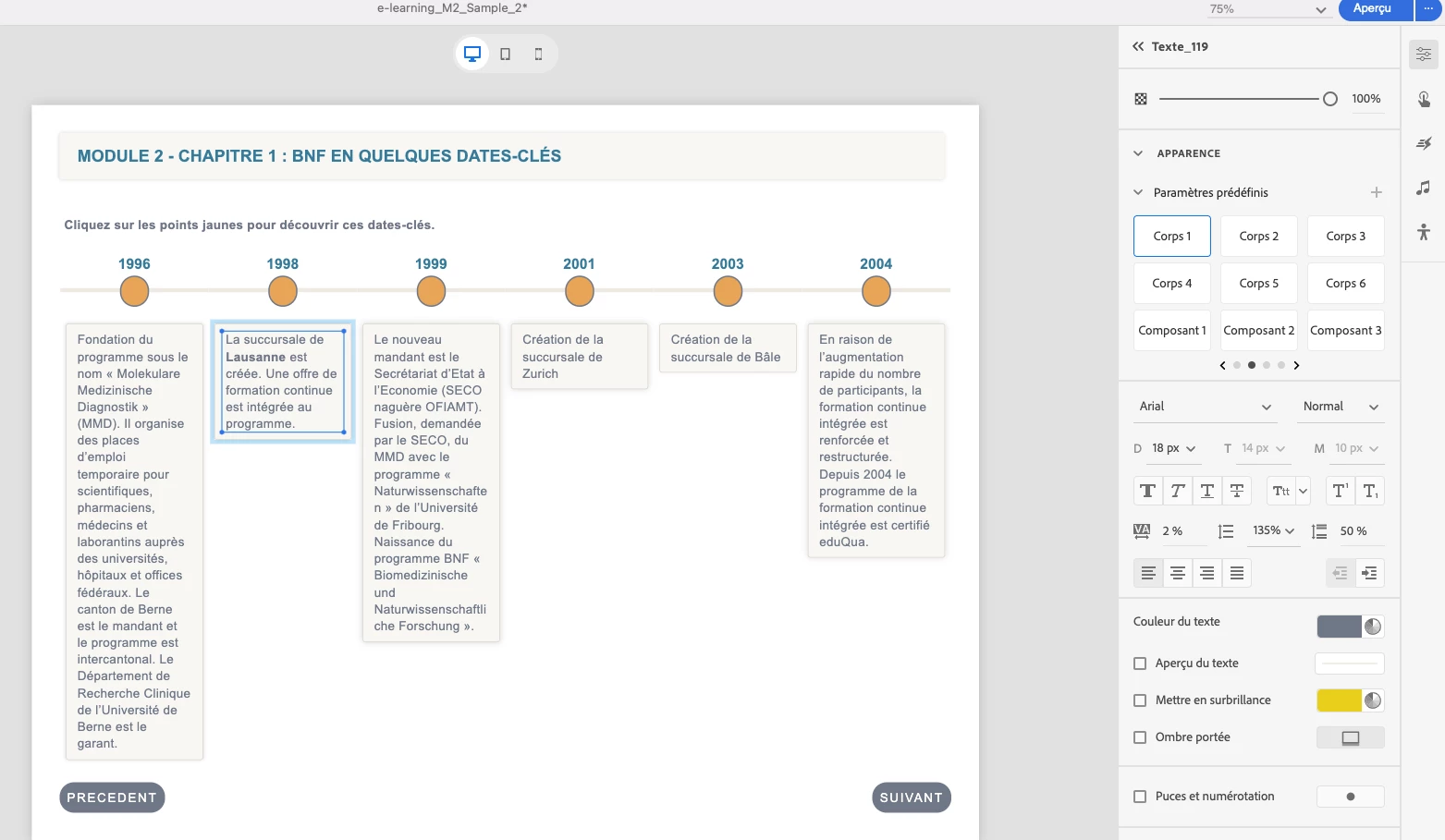
I create a slide with different paragraphs, using on of my pre-defined styles (for example : "Corps 1" is font Arial, normal, 18 px). Then I decide to put one word in bold in a paragraph (or underlined, or in color... ). Please see an example below. In the year 1998, the word "Lausanne" is in bold.
"1.Screen shot from CP"
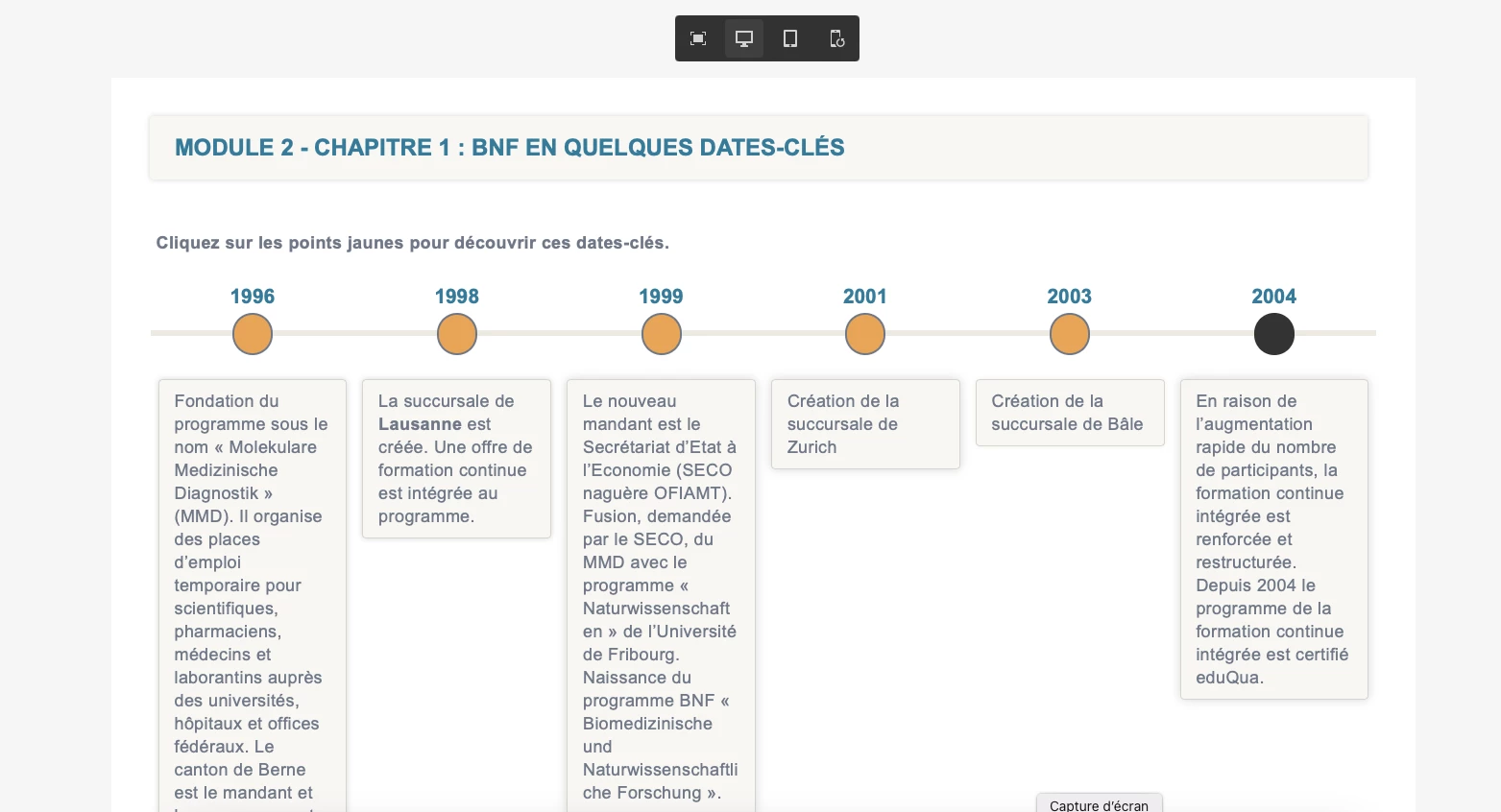
I preview the slide from the preview tool in Captivate, and everything looks fine. Please see an example below.
"2.Screen shot from CP preview"
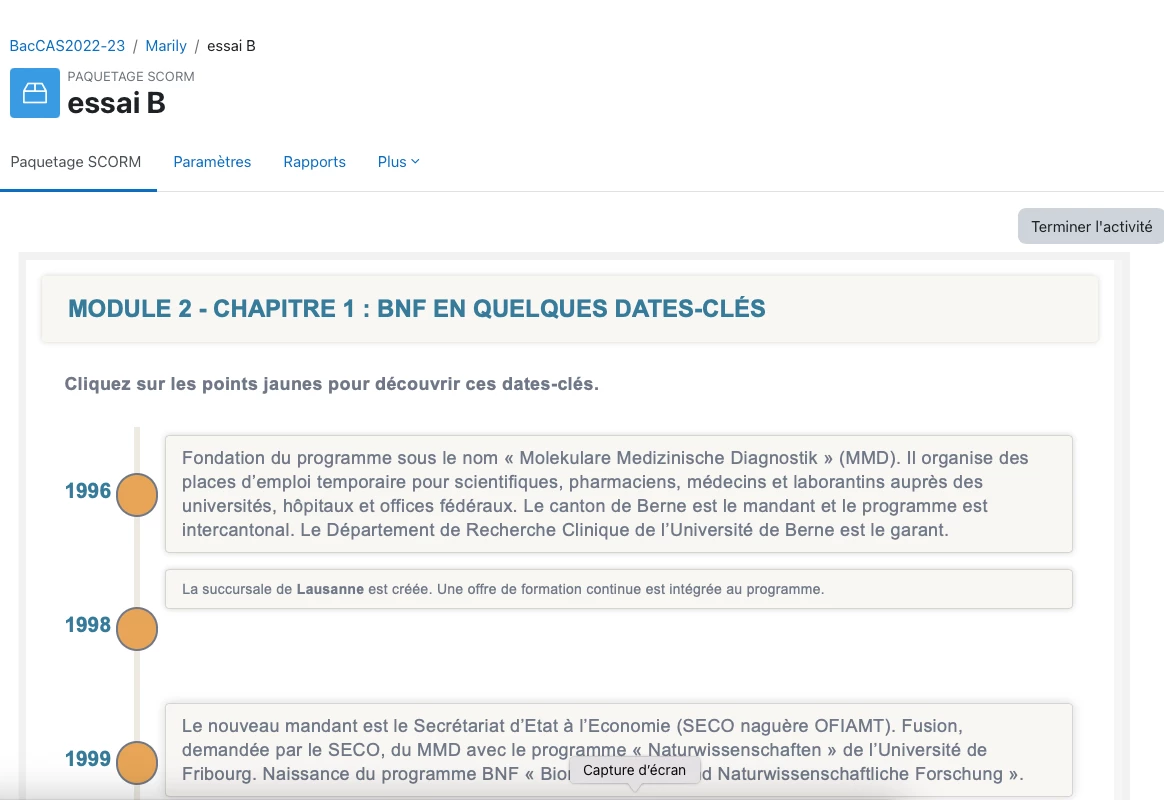
Then I publish the project and upload it on a LMS. Unfortunately, the slide looks then different. Please see an example below. The paragraph where there is a word in bold looks smaller. It changes the size of the font.
"3.screen shot after publishing in LMS.png"
It is really very annoying and looks unprofessionnal. I have tried with different Systems Fonts (Arial, Verdana, Maison Neue). I have also tried using a pre-configured slide of Captivate. I have tried on 2 different LMS. The issue is always the same. Any little change to the pre-defined style leads to corrupted fonts.
Has anyone a solution to this issue, please ?
Thanks and best regards,
Marily
 AdChoices