


Captivate 12: Recorded slides appear larger than the actual window being captured
I’m looking to record a software simulation in Captivate 12, and have found that everything appears larger in the project than the actual screen. I size the application so it fits within my browser - below the address bar, away from the browser scroll bar. So everything fits within the window and there should be no need for scroll bars in the project output. But the recorded slides in the project do have scroll bars, and it looks like the font and other elements in the application are larger than they were when I recorded them. I’m not changing my resolution after recording, and my applications are at 100%, so I’m not sure what is causing this.
Does anyone know how to avoid it?
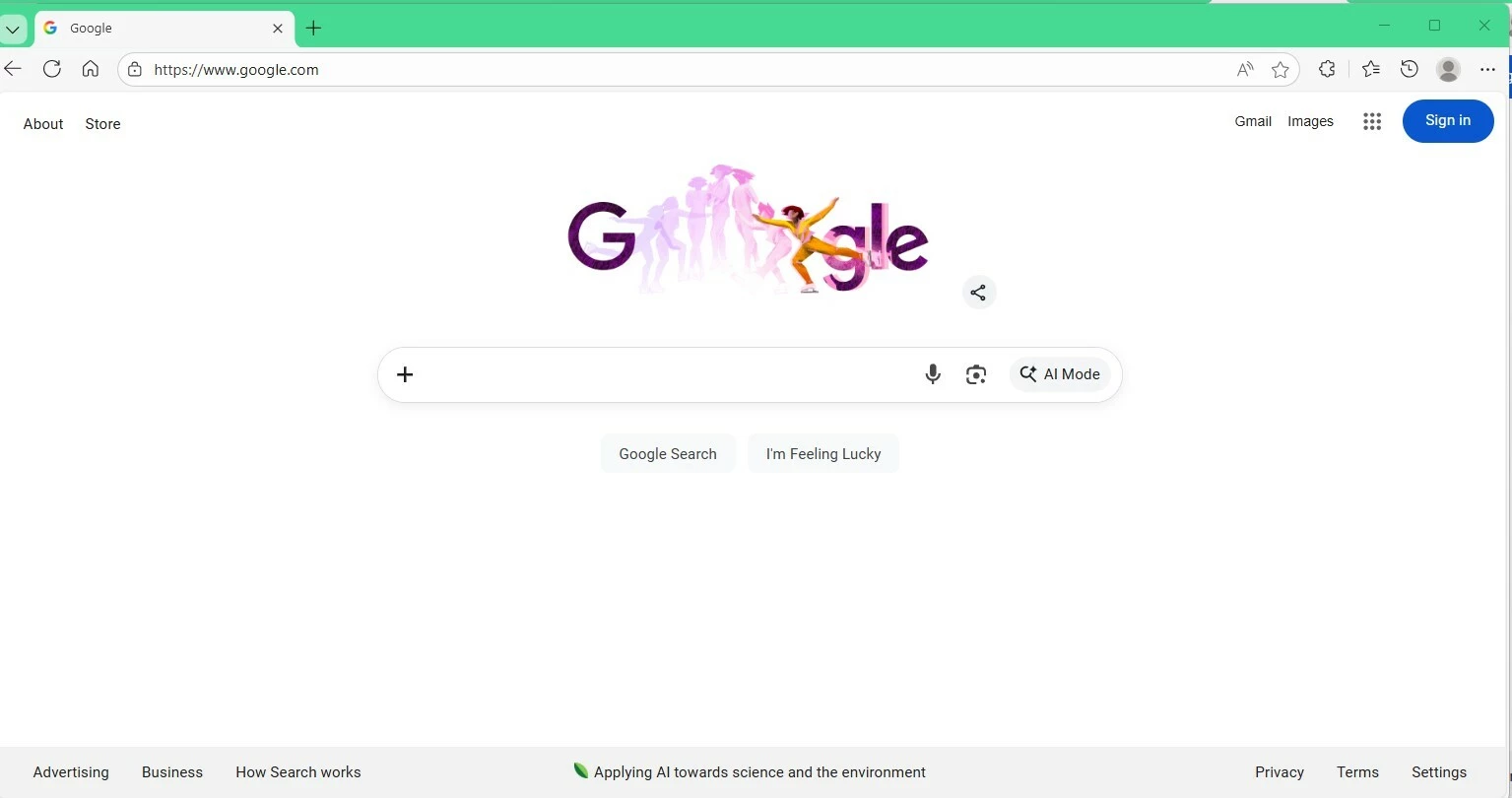
Here’s a simple example - if I wanted to record a google search. Below is what it looks like on my PC and the recording window is the browser; everything is visible.
This is what the recorded slide looks like in the preview:
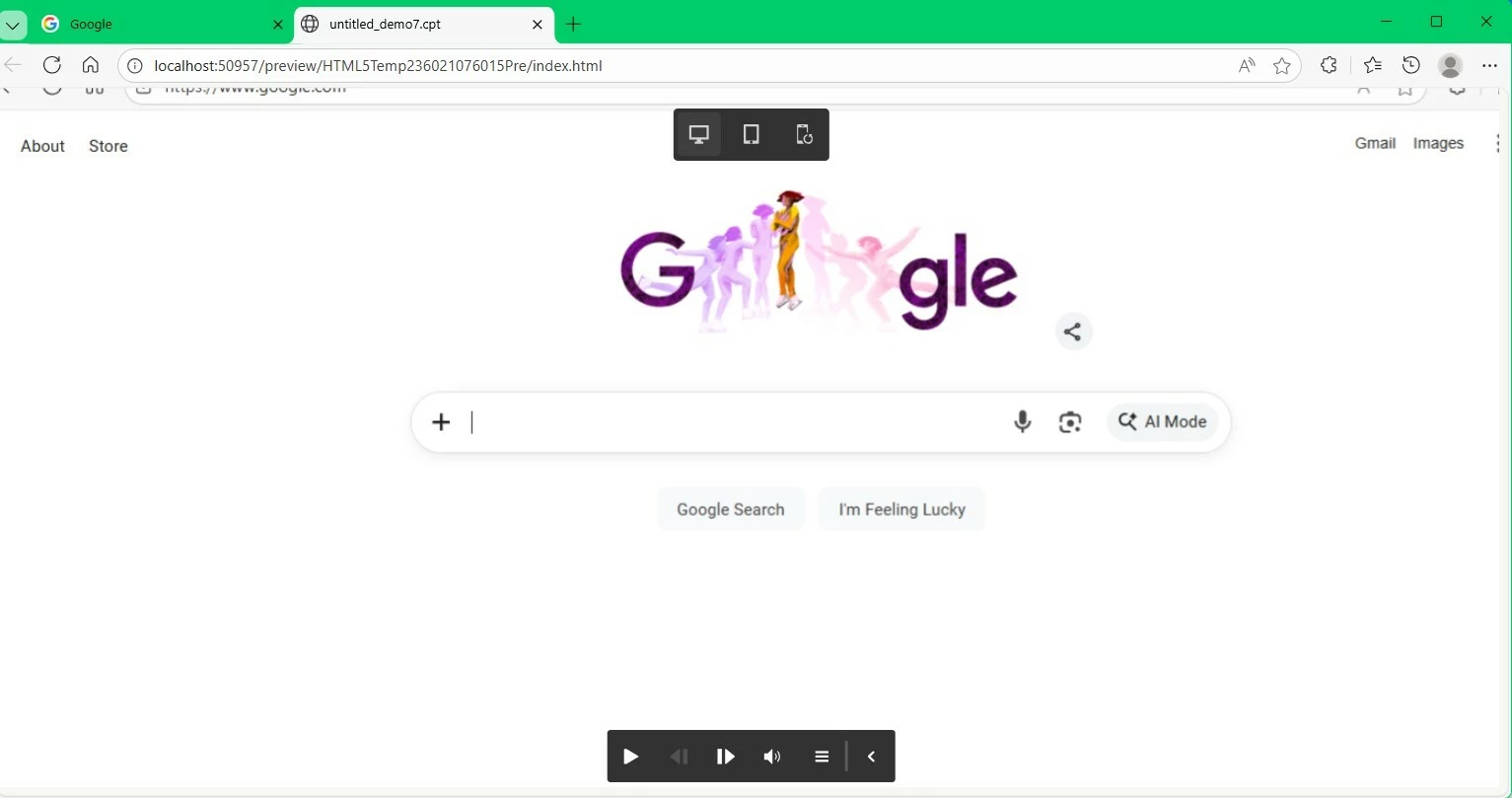
The bottom and the right side are cut off and you would need to scroll to see them. The elements on the screen (About, Store, Google Search) all are just a bit larger in the previous.
How do I avoid this?
Thanks!
 AdChoices