



Inspiring
February 1, 2024
Question

Captivate 12 - Scoring Logic

  • February 1, 2024
  • 2 replies
  • 965 views

I am creating an ergonomics training for a client, and instead of a quiz at the end, they want a self-assessment where the user answers a few questions about their work tasks and setup. The idea is that we can identify people who need a health and safety professional to follow up with them and do a more in depth analysis of their situation.


I am trying to create scoring logic for how this would work. There are three questions in the self-assessment, each provisioned to not show the end user if the answer is right or wrong (I overrode the right/wrong messages with a white background and a generic message). I thought I could assign point values of 30, 30, 40 to the questions... then if someone gets a 100, we know there is no need for a followup. If they get anything below 100, they need followup, with a score of 0 being the most urgent. 


My question is - will these scores reflect badly on the learner taking the quiz in the LMS reporting? Can you provision the training so that everyone passes, but it still generates a score that isn't tied to performance?


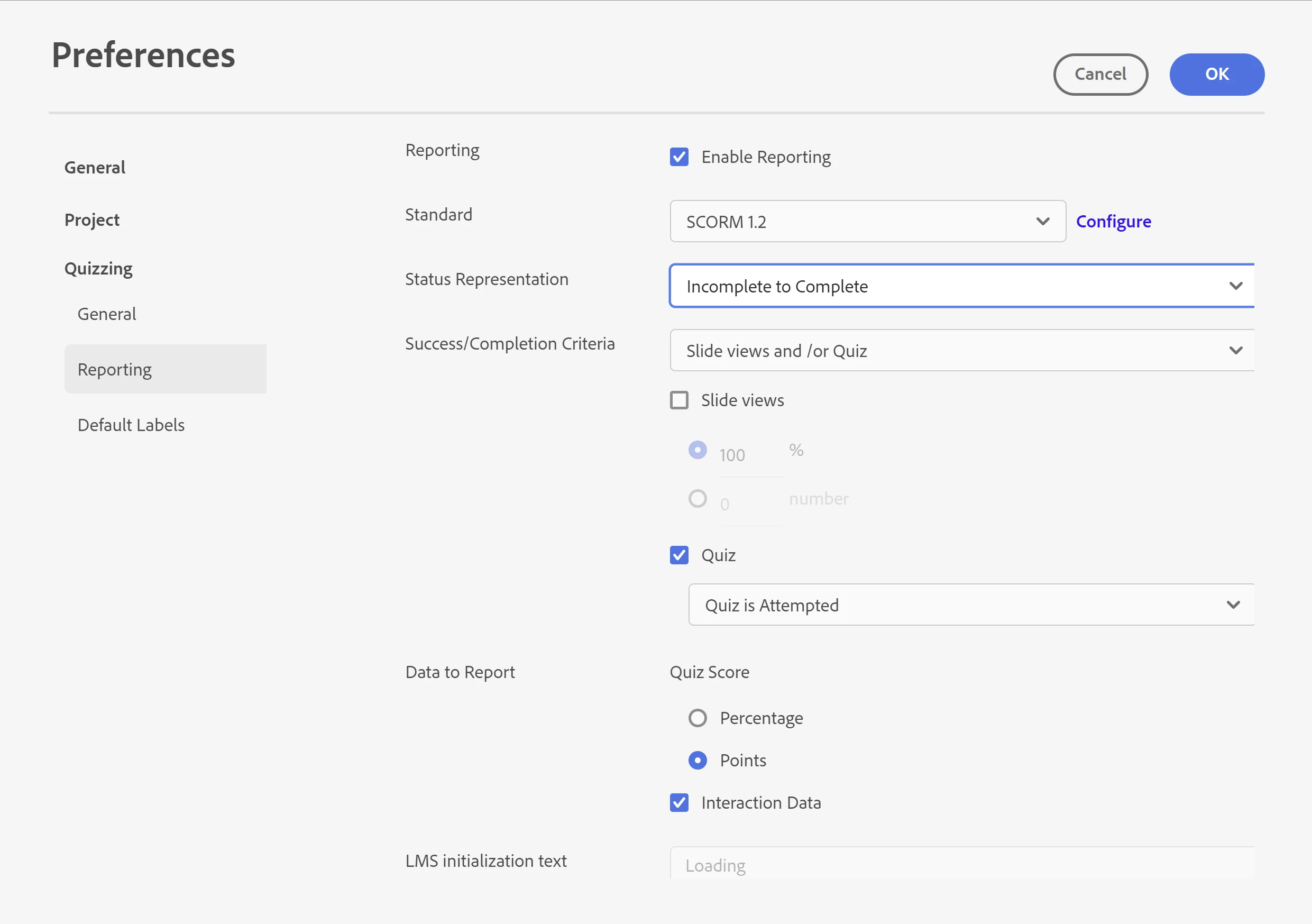
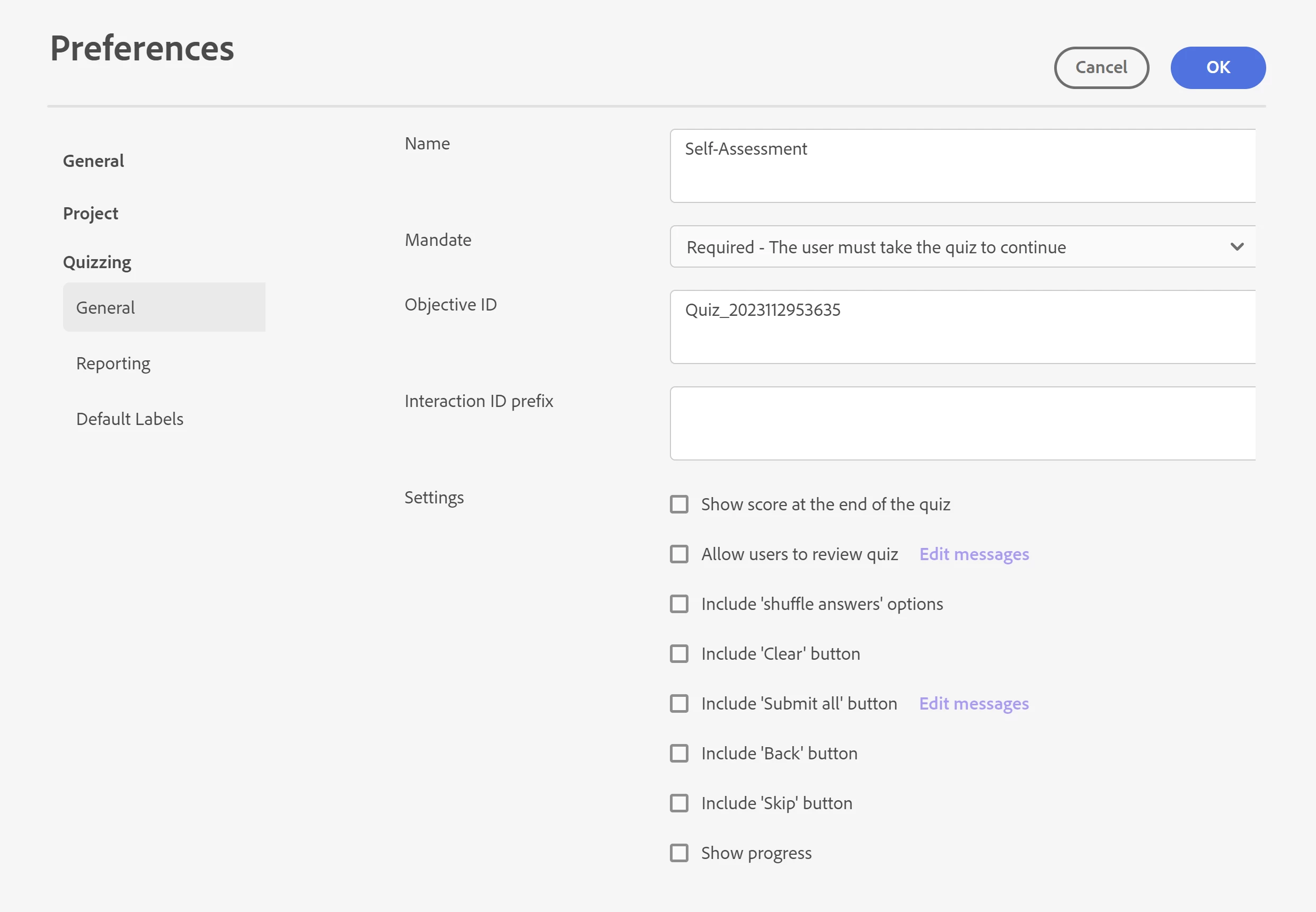
Current Settings: I have the mandate set to "Required - the user must take the quiz to continue." The status representation set to "Incomplete to Complete" and the success/completion criteria set to "Quiz is attempted." 


Any thoughts on if these settings look right or if there is anything you'd change in the preferences. My client is testing next week, and I don't want any surprises for how this will work!


    This topic has been closed for replies.

    2 replies

    kdmemory
    Inspiring
    February 2, 2024

    Hi, I can't tell you if all your chosen quiz settings are alright for your scoring model, many things depend on under which LMS your training will run. But for the most important part, that practically all participants pass the self assessment and there's no negative outcome like FAILED, you can use the pass/fail criteria to achieve that.

    Those are not as in older versions of Captivate under Preferences, now you access them via the Result slide which is automatically added to a quiz.

    Go to the Result slide and select on the right the Interactions panel. I would under Pass Criteria select Based on Points Scored. Lets say you assign 20 / 30 / 40 points for answers and the lower the score the more the particular participant is in need of a health and safety professional follow up, then with e.g. 3 questions 60 points indicate such an urgent follow up need. 120 points indicate all is hunky dory. Everything inbetween would indicate different levels of self assessment states. However - under Pass Points you enter 60 (the lowest possible amount with 3 questions) whereby Total Points would be 120. This way nobody can fail but the reports from an LMS on the test results will give a picture about who needs 'support'.


    Participant
    February 5, 2024

    What a great suggestion. I'm adding that to my notes! Thanks!

    Lilybiri
    Legend
    February 2, 2024

    Setting the Required option to what you choose has often caused problems in the past versions, you need to test this out thoroughly.

    Since you choose scores to report, I fear that the score will indeed get into the gradebook of the LMS. For older versions of Captivate I would not choose that workflow but those versions had a lot more possibilities like shared and advanced actions. I have several blog posts with workflows for similar use case which cannot be used in version 12.