
Known Participant
April 5, 2018
Question

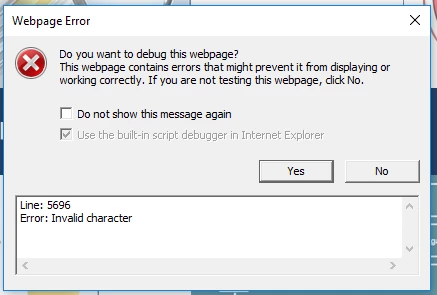
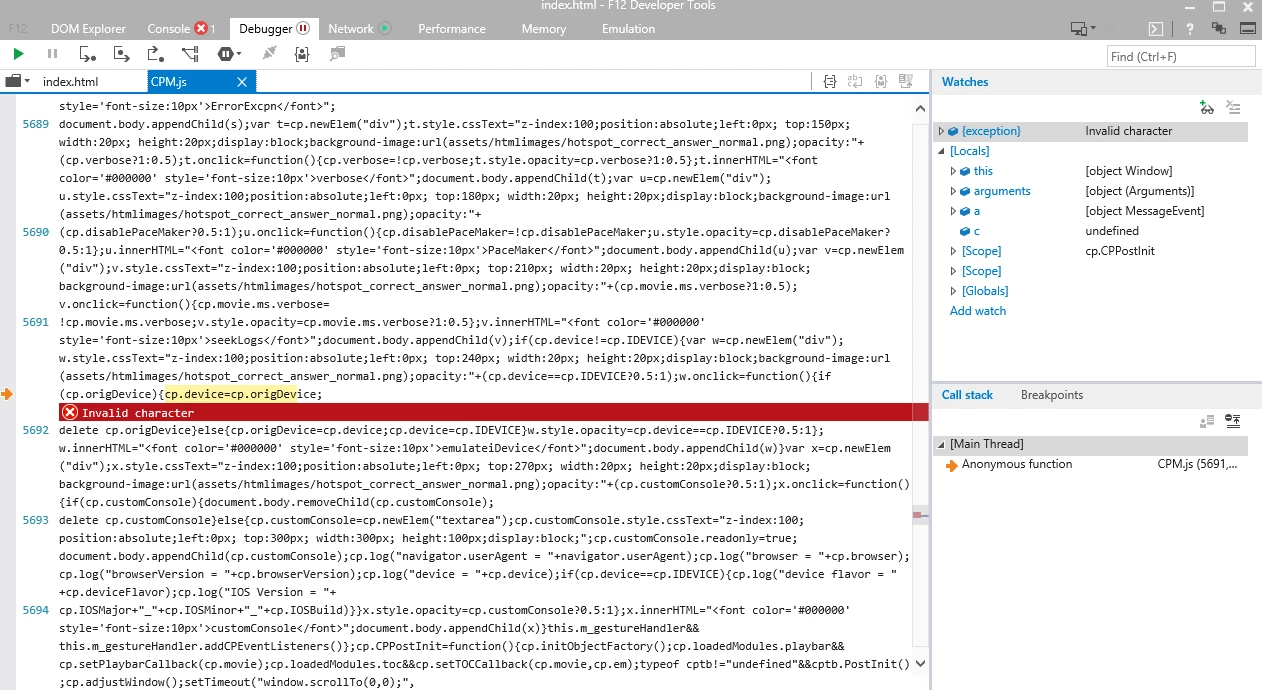
Captivate 2017 (64 Bit) Glossary throws an error in IE.

  • April 5, 2018
  • 2 replies
  • 419 views

Hello,

I am testing a project that has the Captivate widget glossary. I didn't edit the contents. I used the default terms to test. It throws a pop up error on IE but not on Firefox or Chrome. It doesn't even show up in Chrome. Unfortunately IE is the only browser that is allowed. How do I fix this error? It goes away when I delete the glossary.
    This topic has been closed for replies.

    2 replies

    Known Participant
    April 6, 2018

    I'm reading that this error is possibly coming from "`" (template strings) which is not supported by IE11.

    https://caniuse.com/#search=string

    RodWard
    Community Expert
    Community Expert
    April 5, 2018

    Looks like something in the Term or Definitions contains a character that is breaking the HTML or JS files.  This is a common issue with the Glossary widget.  You need to avoid including any characters that are also used in programming code.

    The worst ones are parentheses ( ) in the Terms.  Ampersands &, Chevrons < >.

    Do you have any of these in the Glossary text?

    Lilybiri
    Legend
    April 5, 2018

    Rod, maybe I misunderstand, but OP tels the widget is tested without editing, just with the included terms as packaged with Captivate. No strange characters in those terms, descriptions.

    Known Participant
    April 5, 2018

    That is right, Lilybiri. I added the glossary as-is with no edits. The terms in the glossary were the ones already included by default (Adobe, Captivate, eLearning, etc).