
Question
Captivate 2017 matching quiz - review is not showing questions or answers
I made the switch recently from Captivate 8 to Captivate 2017, and almost immediately I ran into trouble.
I have a matching slide in my quiz, published to HTML5, and two things are happening:
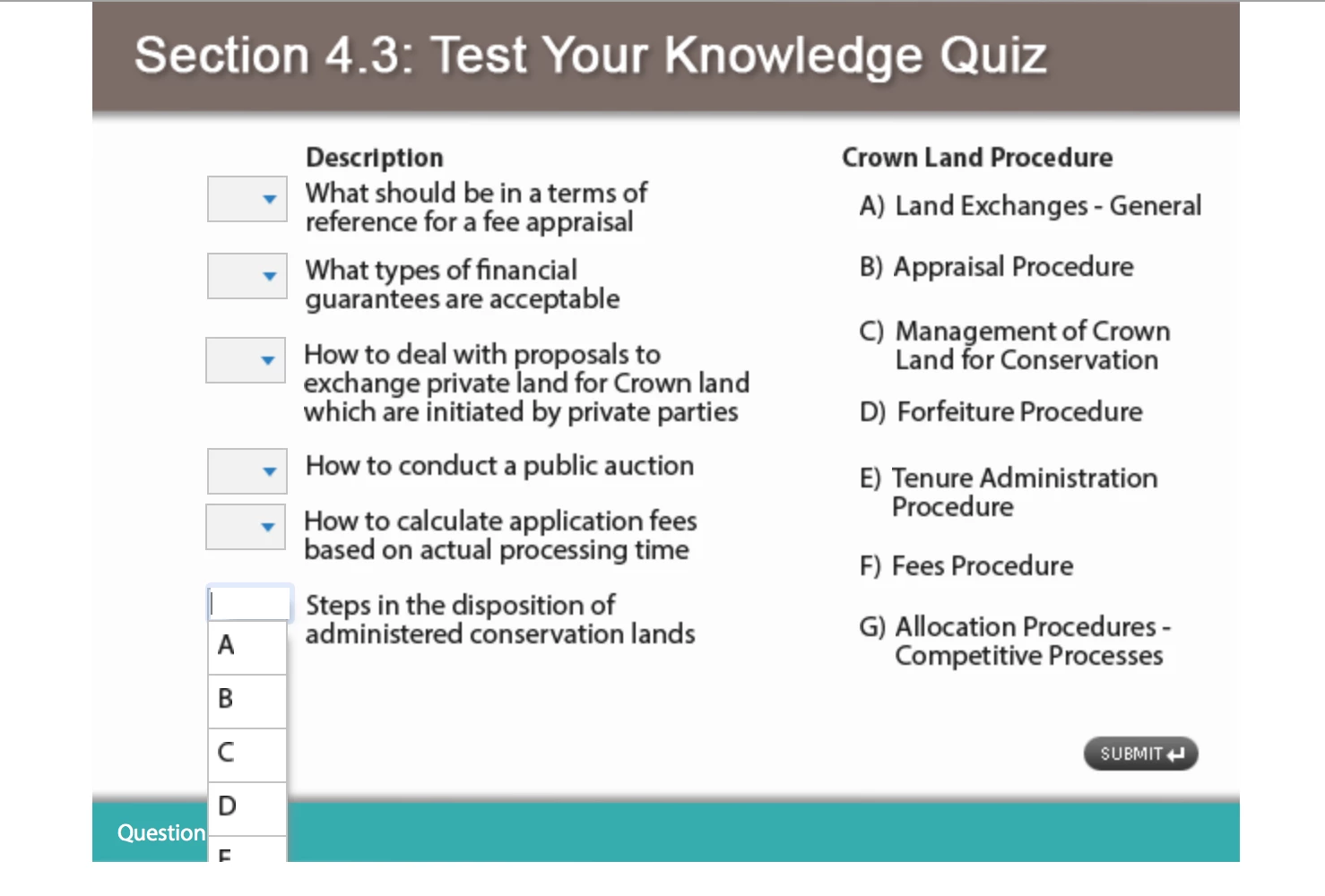
- The dropdown menus for answer choices are being cut off near the bottom of the screen. I've been able to find no solutions for this online, other than moving the content up on the stage to allow for more room at the bottom. In SWF output, each dropdown menu displays a scroll bar so all the choices are accessible, however we don't use SWF output in our workflow anymore - we only publish to HTML5.
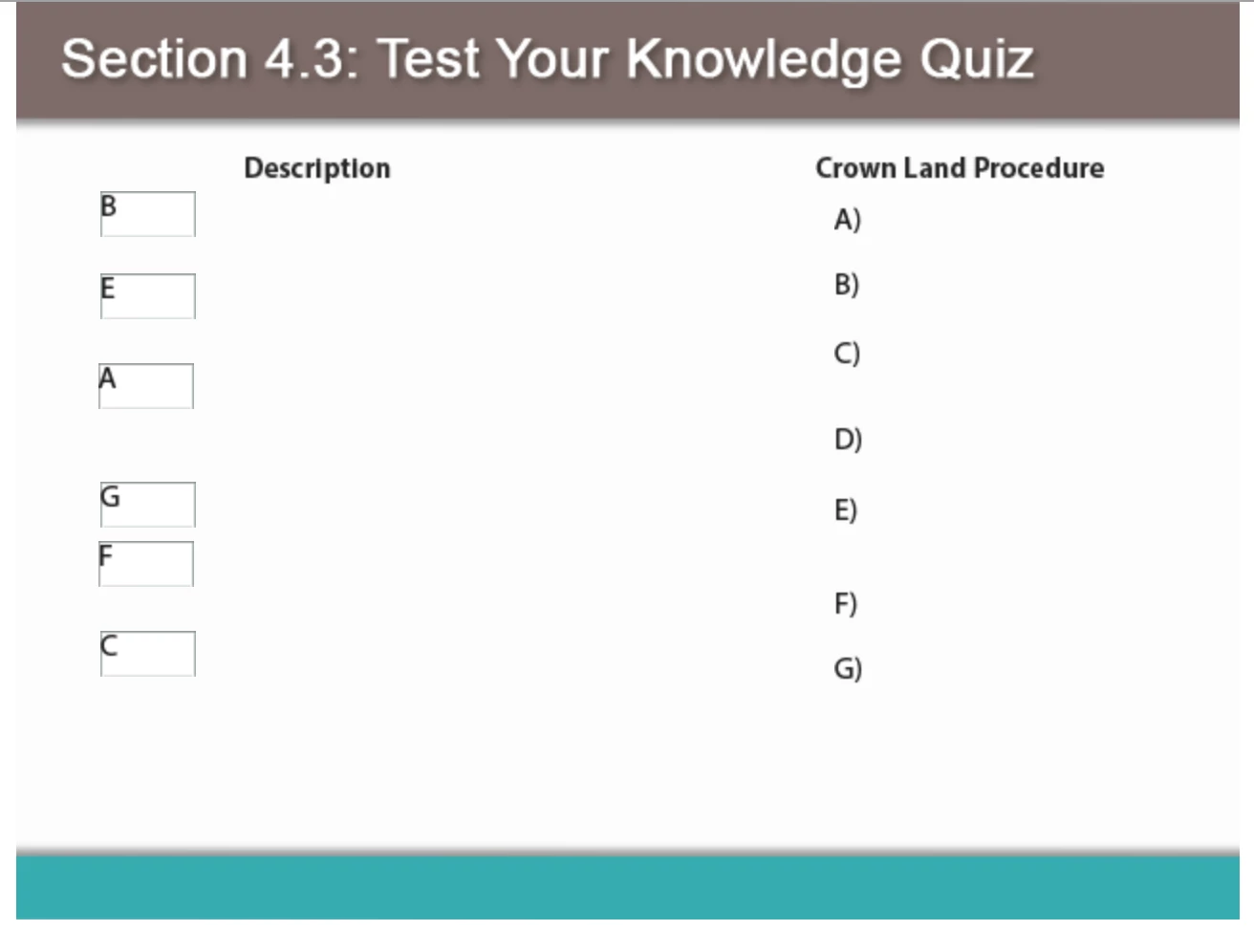
- and even worse, when the learner reviews the quiz, none of the content I placed on the slide is showing up in the review.
I've rebuilt this slide from scratch twice now, and I can't get the content to show during the review.
Can anyone please help? Here are screenshots of both issues.


 AdChoices