
Participant
January 7, 2018
Question

Captivate 2017; PhoneGap 3.7.0 not supported Error

  • January 7, 2018
  • 2 replies
  • 783 views

I am using the Trial of Captivate 2017. I would like to test the "Publishing for Devices (App)". the PhoneGap desktop App shows "listening on 192.168.178.21:3000". After pressing"Publish" processing is shown:
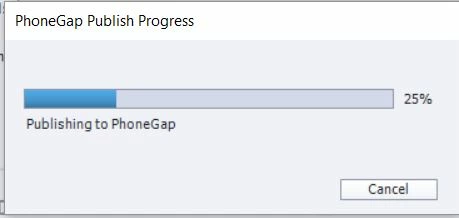
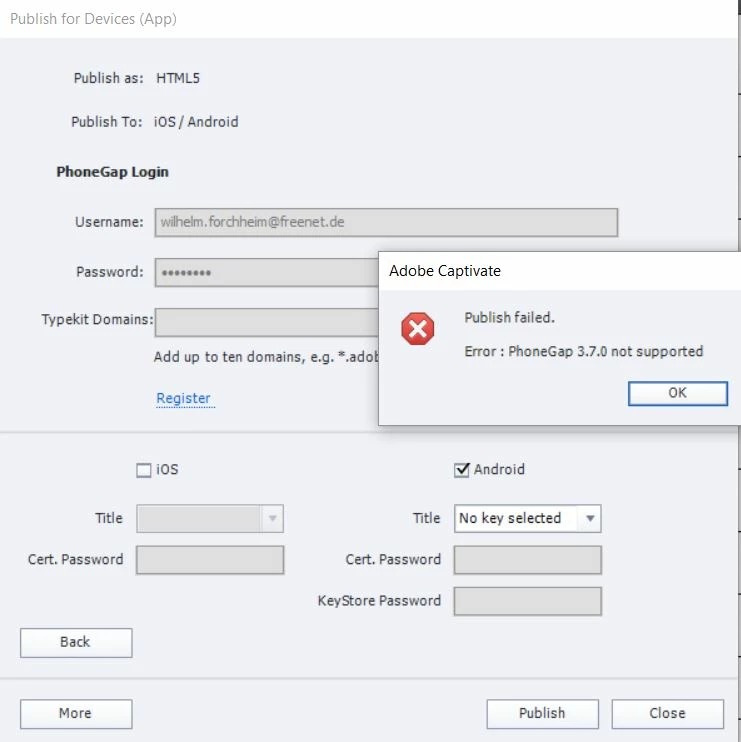
I would be very graatfull, if sombody could give mea helpful advice.

Ruediger

    This topic has been closed for replies.

    2 replies

    Adobe Employee
    January 8, 2018

    Hi Rudy,

    Please try to download the XML file from link and replace it under Captivate installation folder give below:

    Download the XML file from here: Shared Files - Acrobat.com

    For Windows 32 Bit Machine:

    C:\Program Files (x86)\Adobe\Adobe Captivate 2017\Templates\Publish

    For Windows 64 Bit machine:

    C:\Program Files\Adobe\Adobe Captivate 2017 x64\Templates\Publish

    For MAC:

    Applications>Adobe Captivate 2017>Templates>Publish

    Once done please try again to publish it to PhoneGap. Let me know if you still face any issues.

    Regards

    Ashish Kumar

    Adobe Systems

    Inspiring
    January 8, 2018

    That worked for me, thanks!

    Inspiring
    January 7, 2018

    This issue has been reported before, e.g. here: https://elearning.adobe.com/discussion/2423703/ and here: https://elearning.adobe.com/discussion/2418944/  . I haven't seen an answer yet.