

Question
Captivate 2017 Quiz not reporting score to SCORM Cloud
Hello all. I'm sure there is a simple fix to my issue, but I'm so close to the content I can't see it.
- I created a course in Captivate 2017.
- The course contains a quiz of 10 questions each scored at 10 points each.
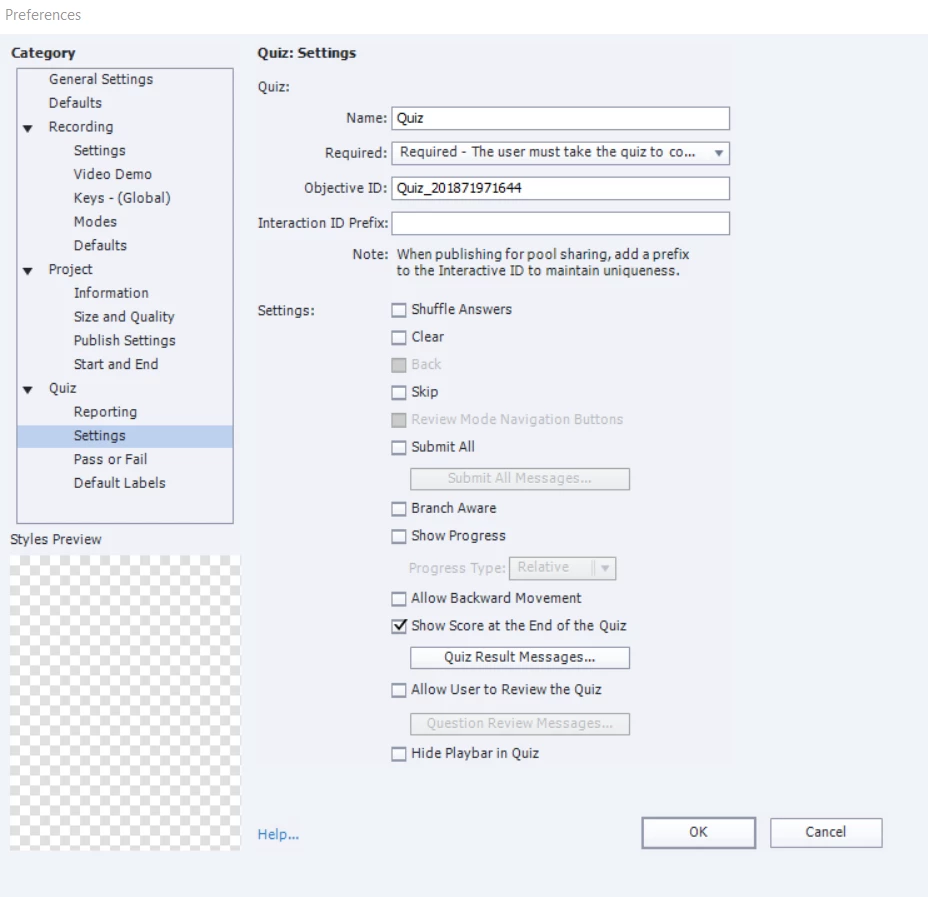
- The quiz is required.
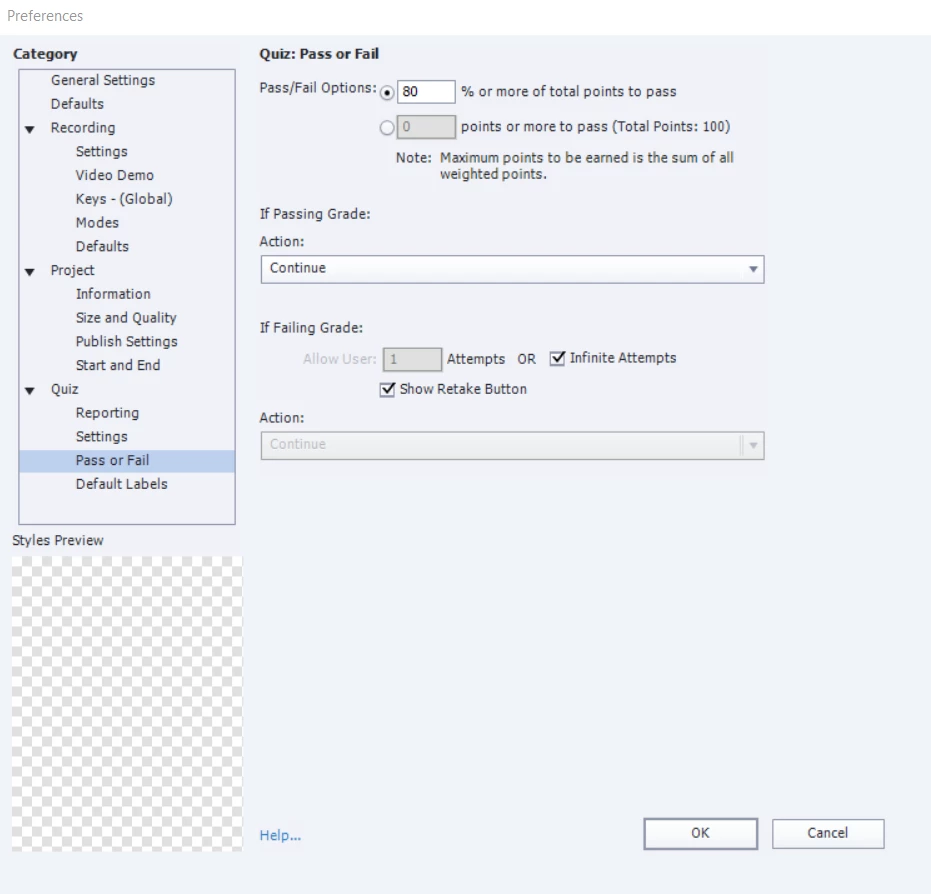
- Passing is 80%.
- The learner can retake the quiz if he/she fails (less than 80%).
- I added three click boxes to the last slide of the course. This is a slide of resources the learner can access for more information.
- I want to track if learners click these boxes or not.
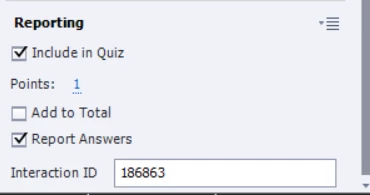
- I've added those click boxes to the quiz, unchecked the add to total option and checked report answers.
- When I do this, Captivate moves the results slide to the last slide in the course.
- I want the learner to view the resources slide (slide with the click boxes) before seeing the results slide.
- To achieve this, I created a blank slide after the last question in the quiz. I set an action on enter to jump to the results slide.
- The learner can then click continue to view the resources slide, or click retake to retake the quiz.
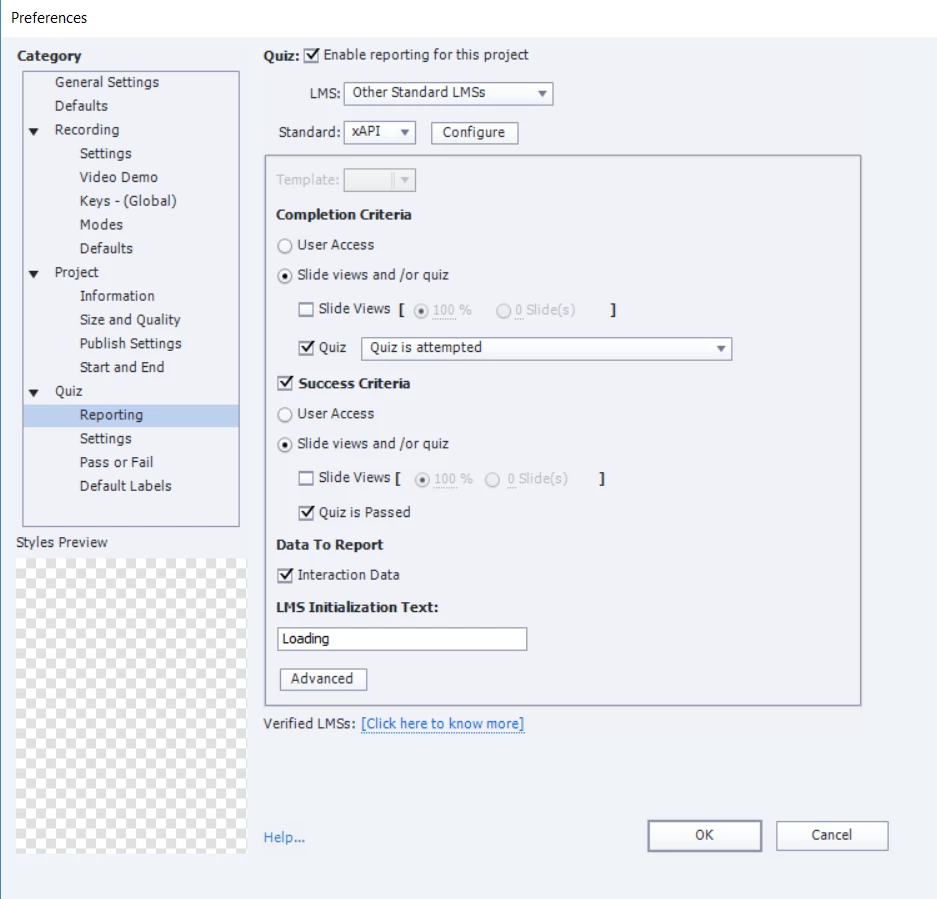
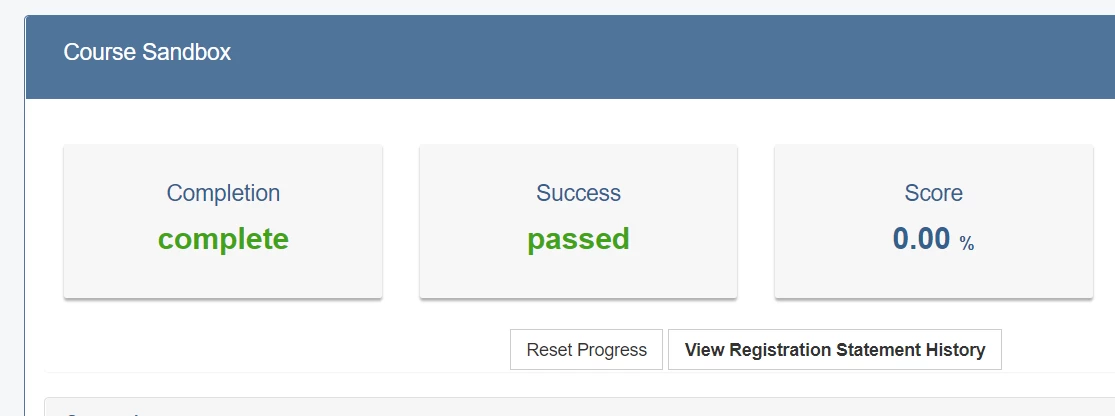
- Everything works fine with the exception of the score reporting. The score isn't reporting to SCORM Cloud.
- The pass/fail and completion information is reporting just fine, but not the score.
Below are screen shots of the publish/quiz settings.
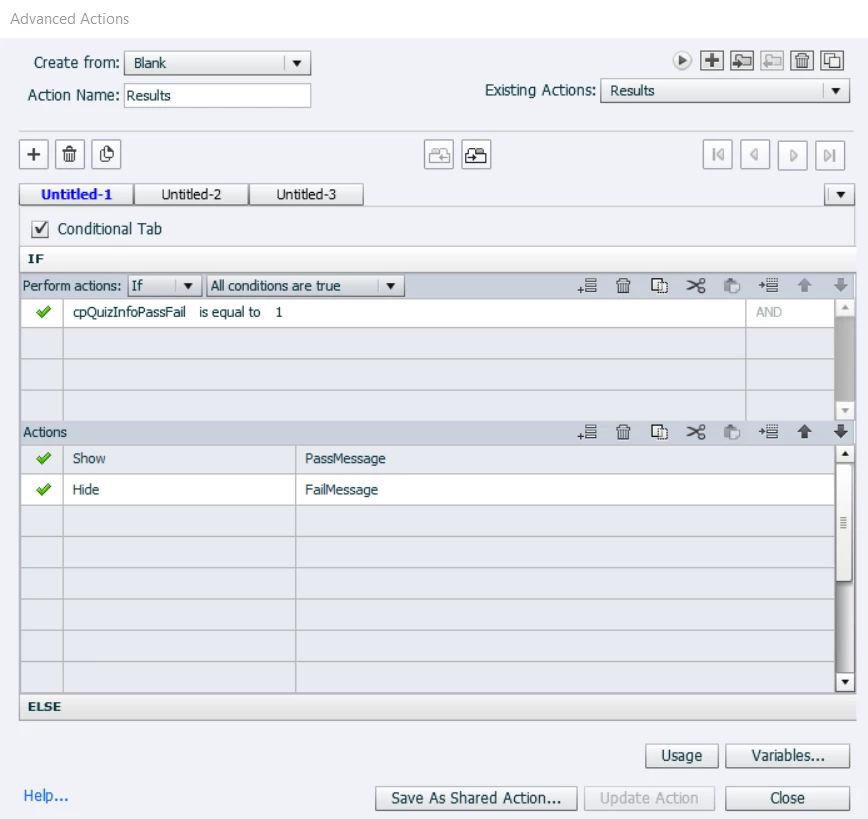
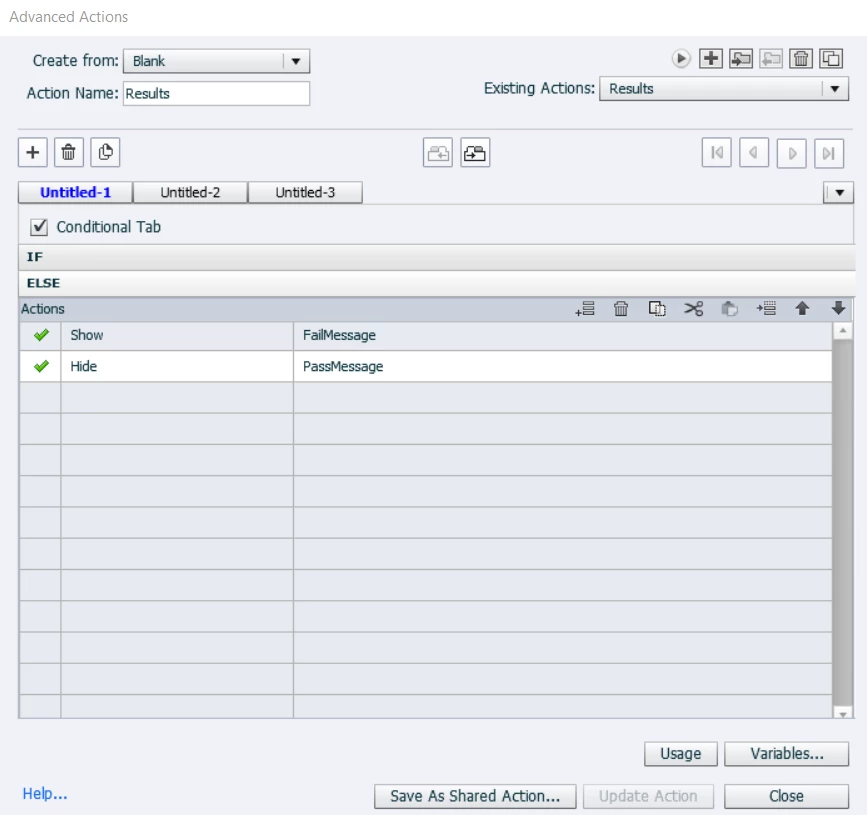
I should also add, I've got an advanced action on the results slide to customize the pass/fail messages and retake button if the learner passes/fails. This is set on enter. I've included an image of that as well.
Any suggestions of what I've done wrong and how to fix the issue?


 AdChoices