
Pkoel
Inspiring
July 5, 2017
Answered

Captivate 2017 Responsive Project Smart Shape - Senior Moment

  • July 5, 2017
  • 1 reply
  • 397 views

Dear Friends,

I am having a 'senior moment' and can not recall why my smart-shape is resizing when I try to move it to a new location on a new responsive project. I am able to draw it initially, but when I try to move or resize; it consumes the whole screen.
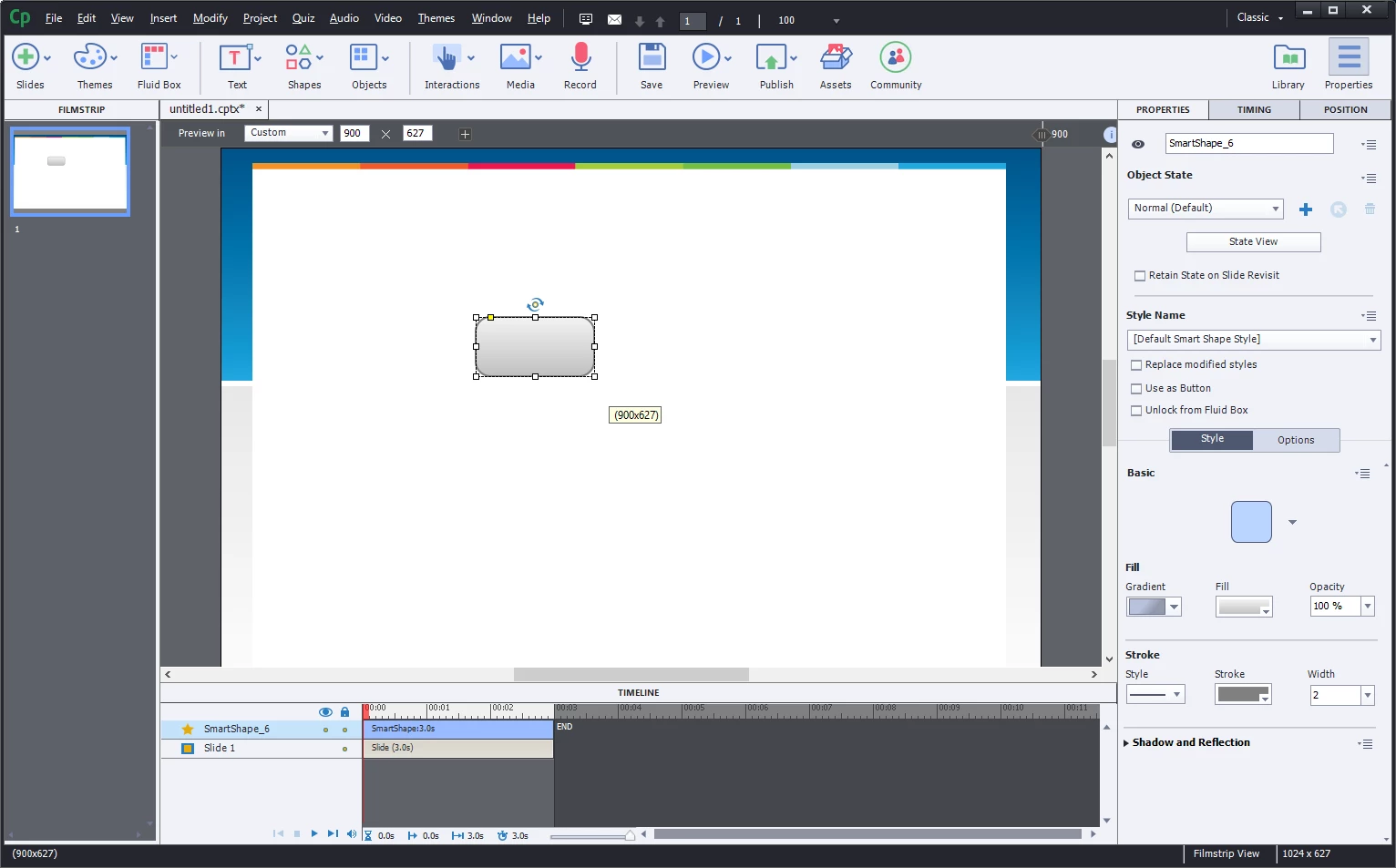
When I try to move it anywhere, it turns into this:
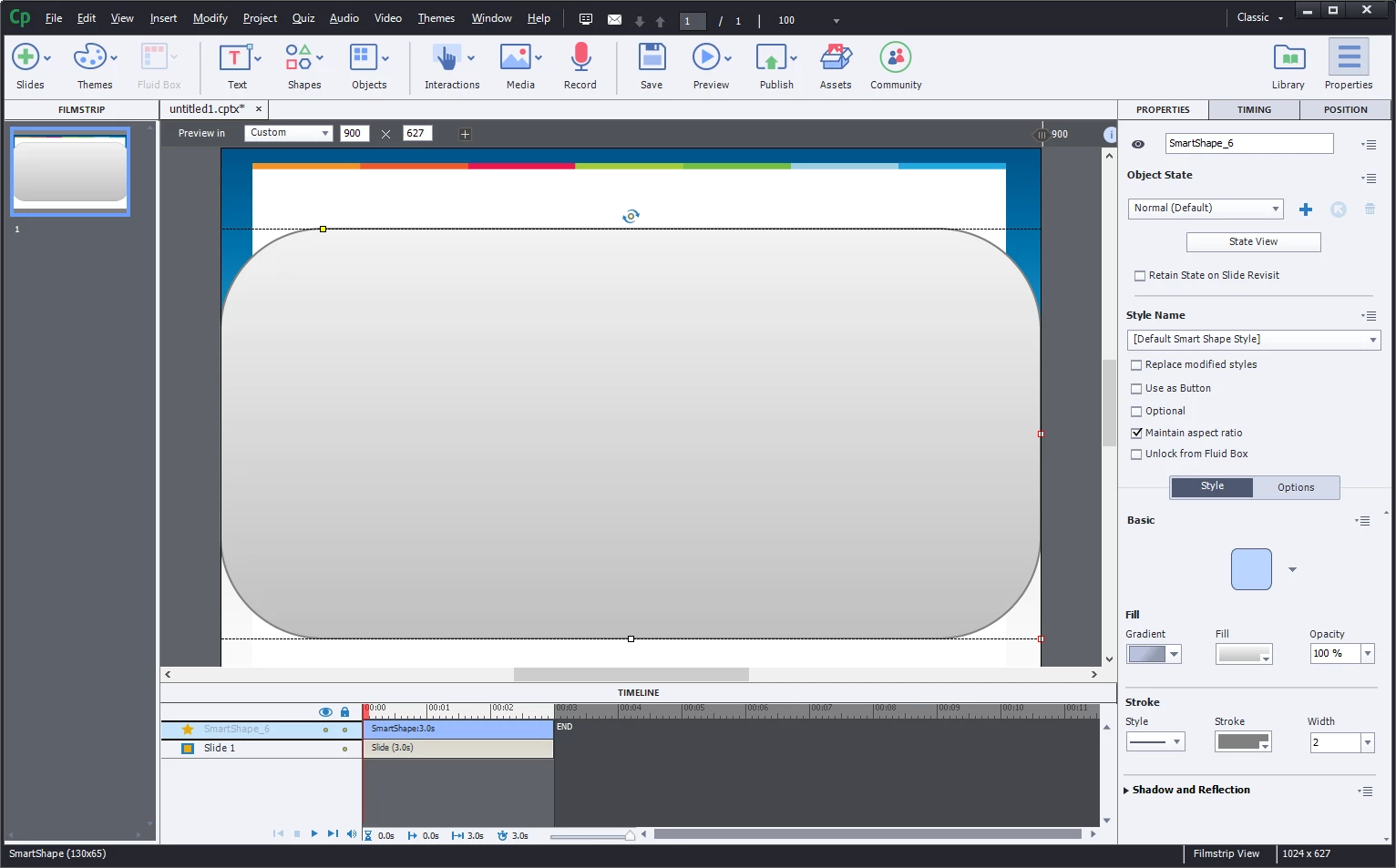
Any ideas?

Sincerely,

Peter

    This topic has been closed for replies.
    Correct answer Lilybiri

    Welcome in the wonderful world of the Fluid Boxes!

    It is a responsive project and if my interpretation of the screenshot is correct, you use the new Fluid Boxes. When you move, the shape is filling up the Fluid box it is located in. I cannot see which master slide you are using, nor the setup of the Fluid boxes. You could try to unlock the shape from the Fluid box (see Properties panel).

    Developing with Fluid boxes is a totally new work flow, not as 'intuitive' as the hype marketing people seem to claim. I strongly recommend to read some blog posts about Fluid boxes, before using them. Here are some links:

    Using Fluid boxes: Knowledge Facts – 1 | eLearning

    You'll find two more articles by Zeeshan as well, which give a good overview.

    1 reply

    Lilybiri
    LilybiriCorrect answer
    Legend
    July 5, 2017

    Welcome in the wonderful world of the Fluid Boxes!

    It is a responsive project and if my interpretation of the screenshot is correct, you use the new Fluid Boxes. When you move, the shape is filling up the Fluid box it is located in. I cannot see which master slide you are using, nor the setup of the Fluid boxes. You could try to unlock the shape from the Fluid box (see Properties panel).

    Developing with Fluid boxes is a totally new work flow, not as 'intuitive' as the hype marketing people seem to claim. I strongly recommend to read some blog posts about Fluid boxes, before using them. Here are some links:

    Using Fluid boxes: Knowledge Facts – 1 | eLearning

    You'll find two more articles by Zeeshan as well, which give a good overview.