Captivate 2017 - Timing-based animation doesn't play all the way through when published
Hi, I'm creating an e-learning course (a responsive project) in Captivate 2017 and I have a slide where an image flies in from the top left. I used the animation preset "Fly in From Top Left" to achieve this and when I play the slide within Captivate Software it plays fine, the animation is spread across the entire duration of the slide. However, when I preview or publish the project, the animation gets about half-way through and then stops, leaving my graphic about half-way off the slide.
Is there something I am missing?
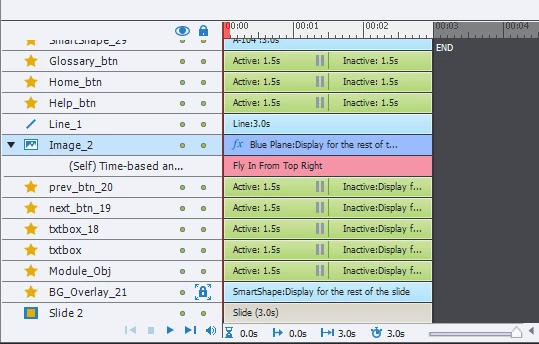
Here is an image of my timeline. The graphic with the animation is "Image_2" and the animation is underneath it. It spans across the entire timeline so I am confused as to why it doesn't play entirely upon being previewed or published.
 AdChoices