


Participant
June 2, 2021
Question

Captivate 2019 can't find an audio device

  • June 2, 2021
  • 1 reply
  • 290 views

Hi,

When I try to record an audio in Captivate 2019, it gives me the following error:
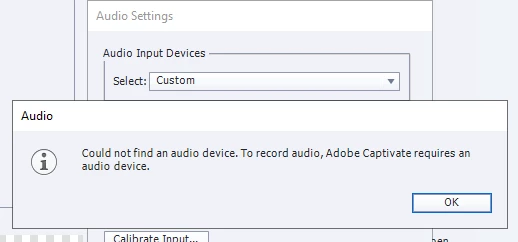
My recording device (RealTek) is configured but it's not showing up in the Audio Settings. It displays only the 'Custom' option.

I'd also like to indicate that I work on a VDI (if at all the issue has something to do with this).

Any pointers on how I can resolve this?


Thanks,

Divya


This topic has been closed for replies.

1 reply

Lilybiri
Legend
June 2, 2021

I suspect indeed that this is linked with being on a Virtual Desktop Infrostructure. Captivate needs to be run on the system itself, especially for capturing processes.

Divya5CC9Author
Participant
June 3, 2021

Thanks for the quick response! It must be the VDI then. I wasn't aware that Captivate may have limitations when you work with it on a virtual machine.

Lilybiri
Legend
June 3, 2021

You need to know that I didn't double-check. In the past (during beta testing) I have been using a VM for Captivate, but never to do a recording. And from experience I know that exactly that workflow is the most sensitive. It is more like a suspicion, not certain. I suspect the audio device plays well in other applications?