
jennys13268985
Participating Frequently
September 26, 2018
Question

Captivate 2019 - resizing linked powerpoint

  • September 26, 2018
  • 3 replies
  • 223 views

Hi,

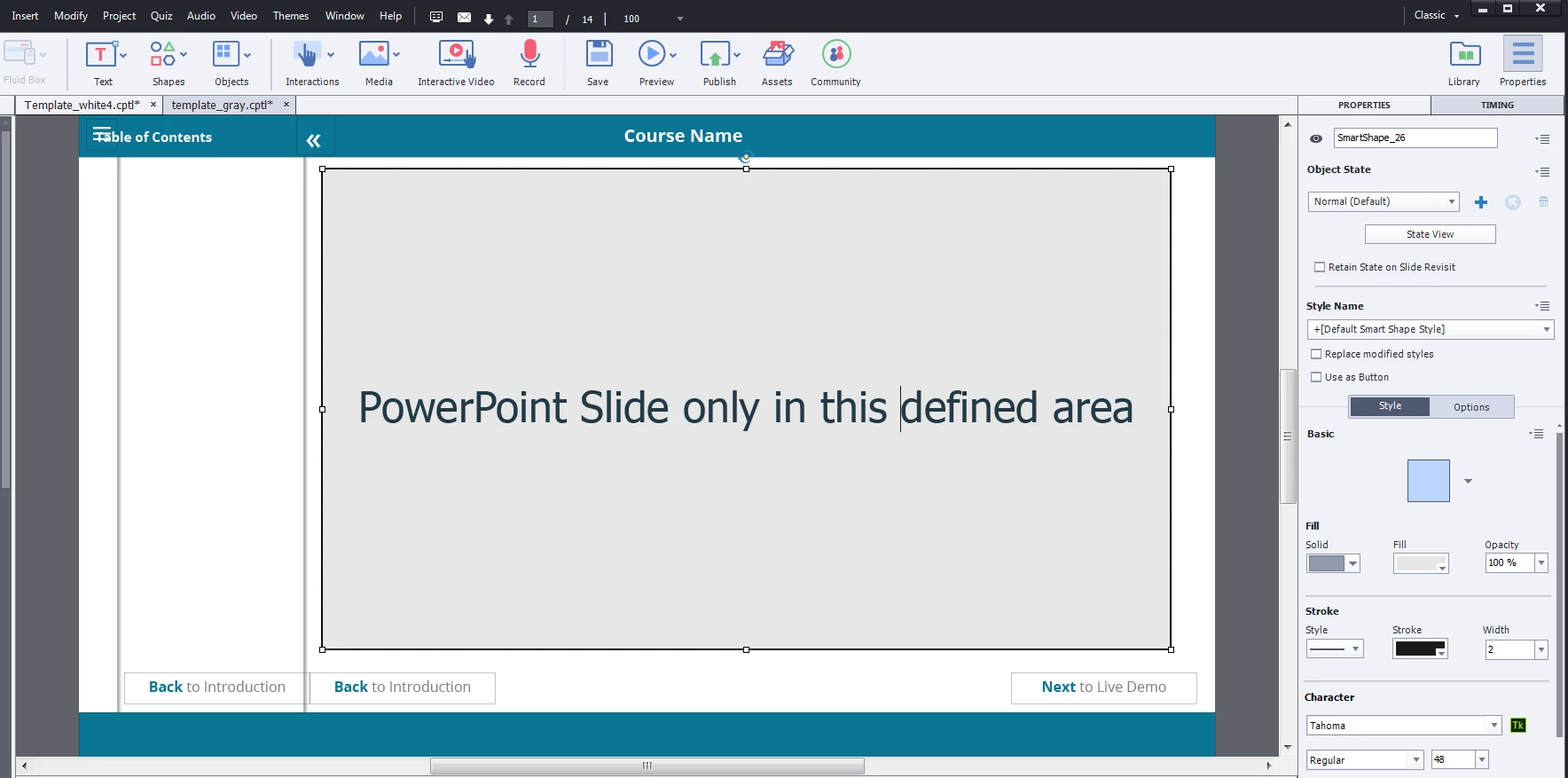
I'm trying to link Powerpoint slides into my Captivate project, and I was wondering if I could define where it will be placed in my Captivate project.

I can only have them in the full captivate slide.

Basically, I want it in a specific place on my Captivate slide.

Is it possible to do that?
This topic is closed to new replies. Start a new post to keep the conversation going.

3 replies

Lilybiri
Legend
September 26, 2018

I didn't try it out with PPT imported slides (never use that workflow) but with software simulations, and described the workflow in an older blog:

Create and Use a "Knockout" Master Slide - Captivate blog

Eric Dumas
Community Expert
Community Expert
September 26, 2018

Hi,

As far as I know, not really.

As you bring the slides in, you confirm the sizes you want and they embedded.

An alternative would be to export your PowerPoint file as png. In one operation, all your slides are exported as images that you can insert in your Captivate slides. Of course, it is a time-consuming manual process.

jennys13268985
Participating Frequently
September 27, 2018

yes, and it doesn't import the animations