
Captivate 2019 Responsiveness in breakpoint mode
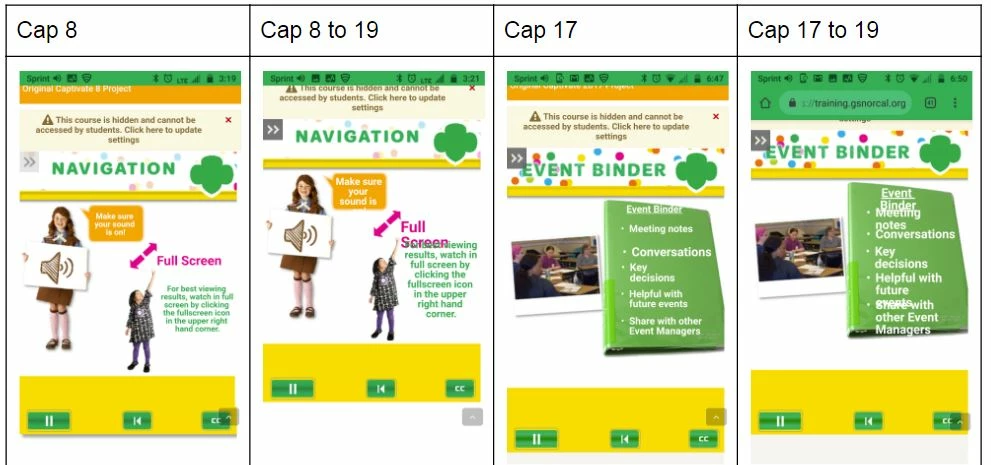
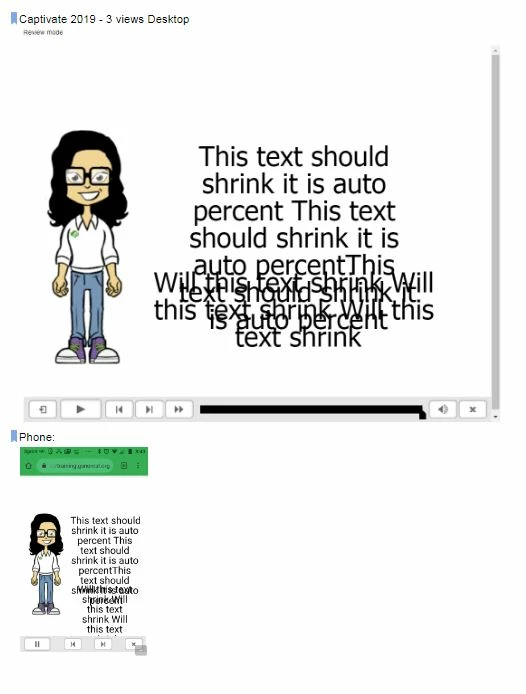
We are testing converting our projects from Captivate 8 & 2017 to Captivate 2019. We currently use Breakpoint mode for all our modules, this is our preferred method. We know the settings for responsive text need to be set at auto, % in order to "be responsive." We have no problem with our other versions, however in Captivate 2019. the feature of auto, % for text just does not seem to be working. Simply put, the text is not shrinking see images below. I also tested creating a brand new project with Captivate 2019 and got the same results. Does the text responsiveness no longer work in Captivate 2019 Breakpoint mode? Or is this simply a bug that can/will be fixed? We want to move our projects to an upgraded version of Captivate but we cannot proceed unless we know it will work responsively in all views.
Converting Older versions to CP 2019:
New project in CP 2019:


 AdChoices