Participant
January 22, 2019
Question

Captivate 2019: SCORM Will Not Move To Completion After Failure

  • January 22, 2019
  • 2 replies
  • 257 views

We have an LMS that logs all attempts made in in a course whether it be successful or a failure.

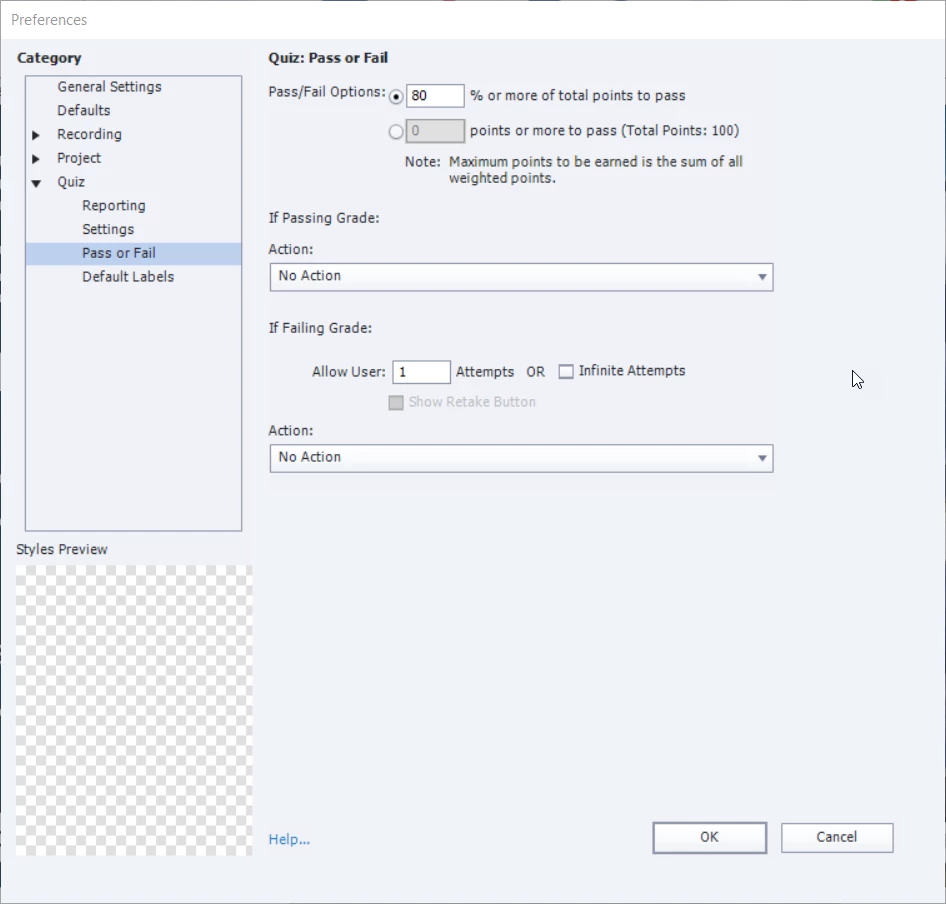
The SCORM course we have will move to completion after a successful attempt but will not move to completion when the user achieves a failing mark.

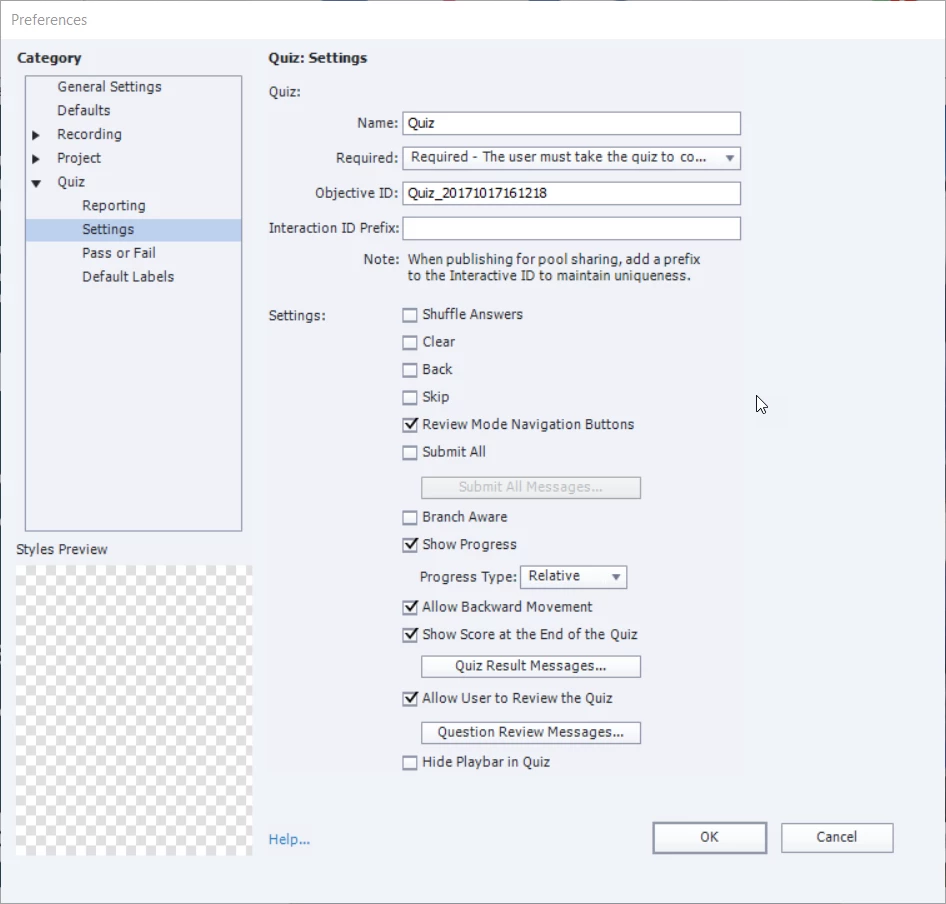
We have set the number of attempts in the SCORM file to 1 since our LMS offers the option to set that limit itself.

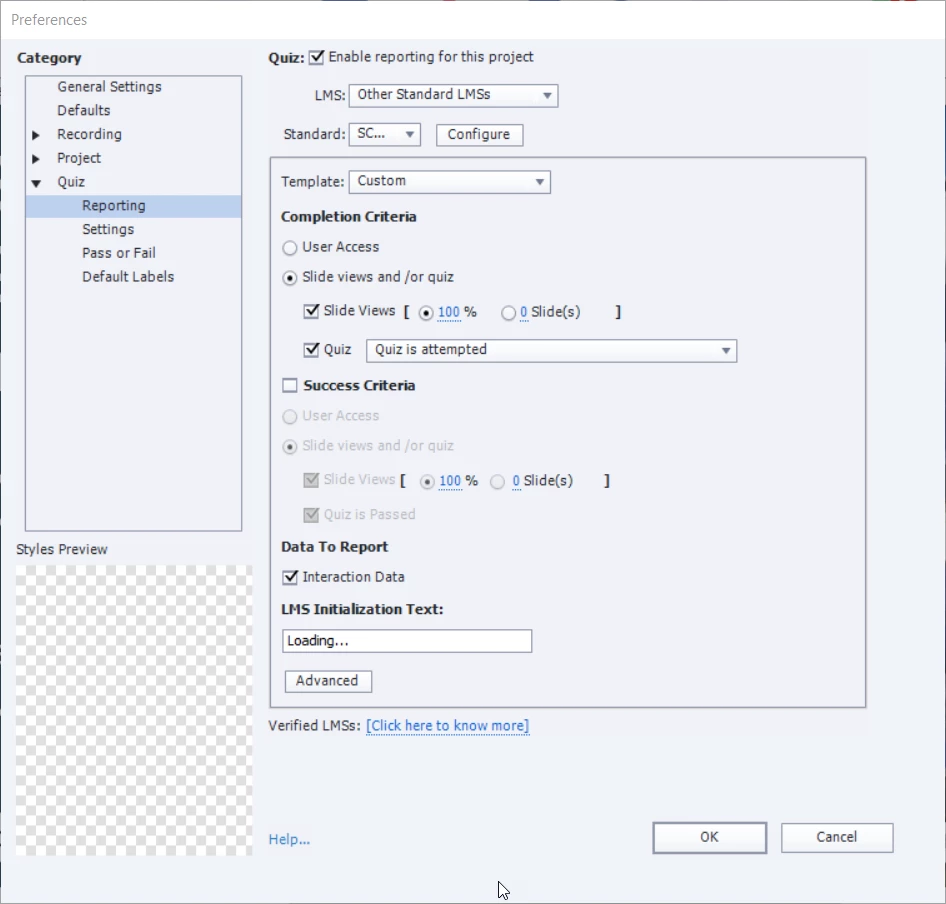
I have gone through several configurations in the Quiz Preferences and I cannot seem to get the result I am looking for.

It seems that it would be very simple to get this set up the way I need it to be.

Any advice you can provide would be greatly appreciated.
    This topic has been closed for replies.

    2 replies

    TLCMediaDesign
    Inspiring
    January 23, 2019

    Try making it unlimited attempts.

    RodWard
    Community Expert
    Community Expert
    January 23, 2019

    If you set the quiz in Captivate to Unlimited Attempts that basically means the learner can never fail the quiz because a Failure action will never get executed.

    Some LMSs are a bit pernickety about Failure of a course and will only consider a course as Completed if the learner actually DOES pass. 

    The best way to check if this might be the case is just to check the same SCORM (with the same settings) in SCORM cloud.  If SCORM Cloud can show the course or module as completed, then the issue is with your own LMS.

    If you want to give things a better chance of achieving completion status would also suggest that you change your settings to remove the necessity to visit 100% of the slides.  That's usually asking for trouble.  Try having both Completion and Success based on passing the quiz.

    Lilybiri
    Legend
    January 23, 2019

    What is that 'Custom' Scorm template which you are using?

    Did you test in SCORM Cloud to check if it is working on that stanard?