Tejas Dandekar
Inspiring
March 15, 2022
Answered

Captivate 2020 - Adding a light background audio/music/tone throughout the project

  • March 15, 2022
  • 2 replies
  • 269 views

Is it possible to add a light background audio/music/tone throughout the project so that the blanks and pauses don't seem empty. Is there any built-in tone/audio in captivate that can be used?

It should be something that doesn't distract the mainline audio and the user.

This topic has been closed for replies.
Correct answer RodWard

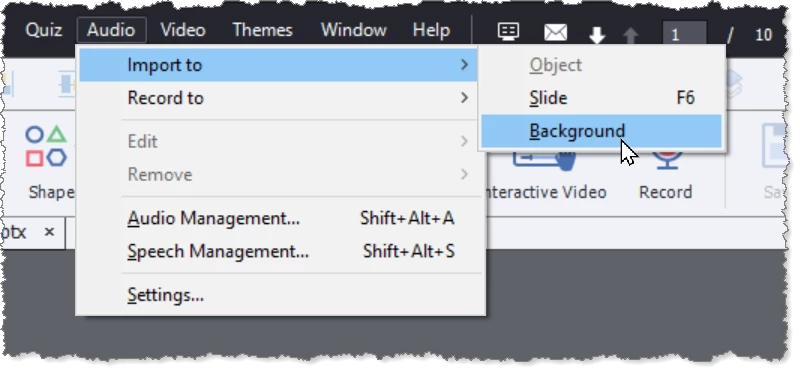
You can add background music via the Audio > Import to > Background.

But be warned that there are very few adjustments available on this.

2 replies

Lilybiri
Legend
March 15, 2022

You can loop background audio. It is possible to stop background audio on slides where you want to focus on other audio clips: narration (slide audio), object audio or clips started with Play audio action. Or you can decrease the volume automatically on those slides. 

Personally I am not at all fan of background audio. Learners in general are more sensitive to audio quality then to graphic quality. Background audio can be beneficial, but mostly will be distracting for the learning process. Not everyone likes to listen to music while working. Offer at least the possibility to mute audio, but that will mute all audio, not only the background audio.

Tejas Dandekar
Inspiring
March 15, 2022

Agree :).

I tried. It works well but somewhat distracts even with -10db volume and doesn't suit a formal/corporate eLearning module. Goes well with more casual or sales/marketing type of module.

RodWard
Community Expert
RodWardCommunity ExpertCorrect answer
Community Expert
March 15, 2022

You can add background music via the Audio > Import to > Background.

But be warned that there are very few adjustments available on this.