June 23, 2011
Question

Captivate 5.02 and Blackboard 9.1 SP5

  • June 23, 2011
  • 2 replies
  • 2024 views

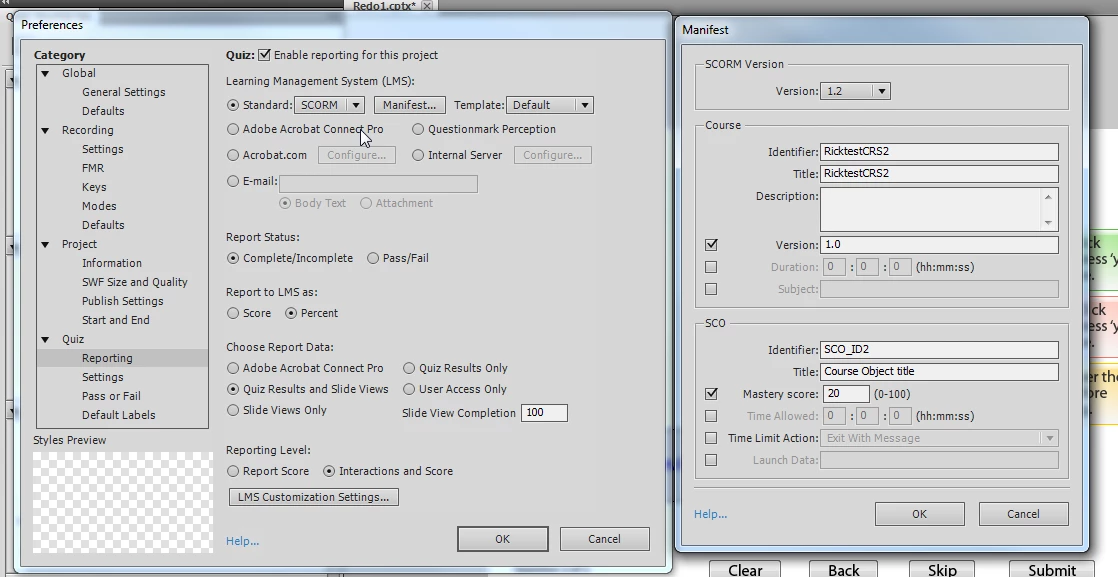
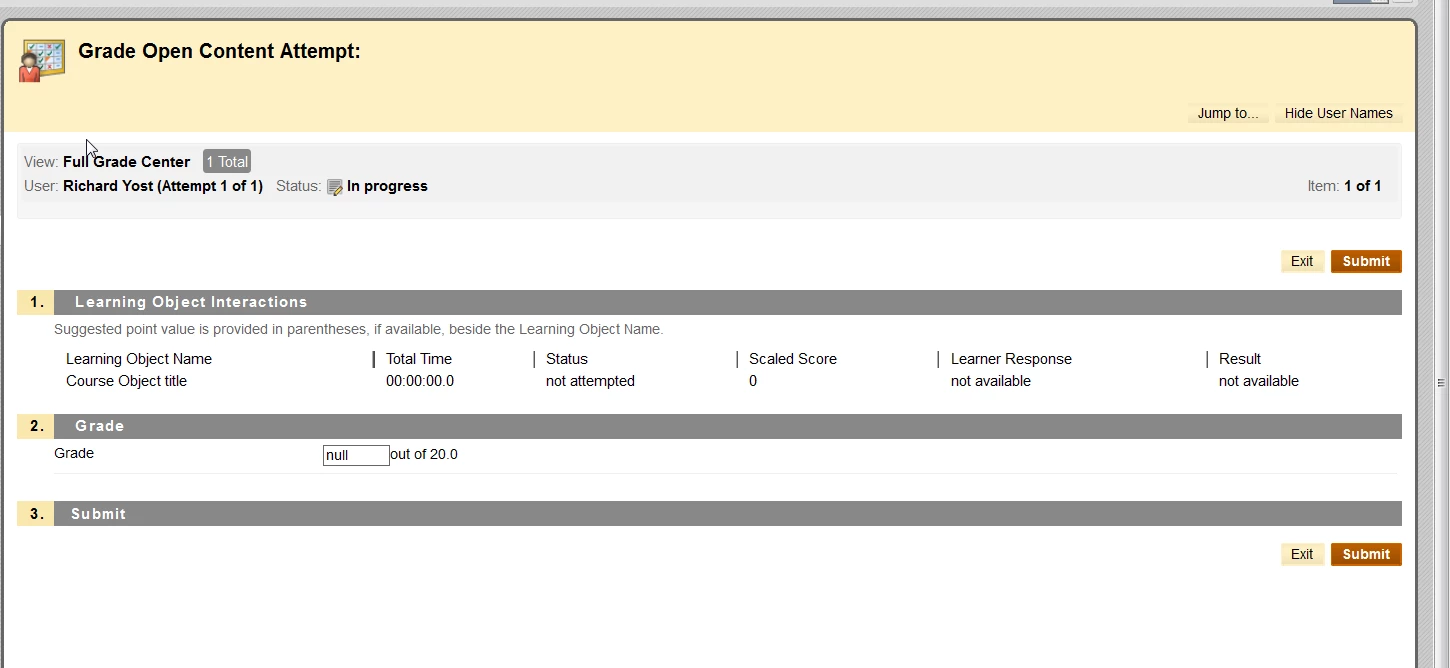
I have tried numerous times with different settings to create a quiz with slides in Captivate and have the results added to the grade book for a course within Blackboard. I cannot get it to work. The quiz consists of 2 slides with 1 question each. Can anyone help? My settings and results in the grade book follows:
This topic has been closed for replies.

2 replies

RodWard
Community Expert
Community Expert
June 24, 2011

If your quiz consists of any quiz questions at all, you should set Report Status to Pass/Fail instead of Complete/Incomplete.

Have you tried that?

Lilybiri
Legend
June 25, 2011

Hi Rod,

Setting to Pass/Fail, especially with the low master score here, will result in users being put out of th courses at the moment they get the pass score. From trial and error testing with BB I found that setting to Complete/Incomplete is the correct one, and Percentage is better than score. Now I remember that I promised you to send my BB-settings, will try to make some screenshots this weekend. Sorry, I almost forgot about it.

Now I'm puzzled because I do use successfully the same settings in BB 9.0. I cannot imagine something essential has changed with this latest release, and it is also set to SCORM 1.2.

Perhaps explain your workflow when uploading to BB?

Lilybiri

June 25, 2011

We are in the testing phase still. It would be extremely helpful if you would send me your Captivate settings and Blackboard settings and then I will duplicate then on our system.

Thanks for your help.

Rick

Lilybiri
Legend
June 23, 2011

Hello,


What is the Mastery Score in the Quiz Settings? It should be absolutely the same as in your Manifest settings. I'm on BB 9.0 however.

Lilybiri

June 23, 2011

Thanks for the reply. Where is that setting? I do not see it under the Quiz Preferences.

Rick

Lilybiri
Legend
June 24, 2011

Here is a screenshot, it was night over here...