
Participant
May 2, 2018
Question

Captivate 6 Pretest quiz - stuck on last question

  • May 2, 2018
  • 3 replies
  • 250 views

Hi

I am new to Captivate and have used videos (mainly by Paul Wilson) and blogs to create an elearning module. I have inserted a Pretest quiz as a knowledge check using Captivate 6 (the only version available to me at work currently). I give an exercise and the 4 questions to test knowledge. I would like to do this once more in the module and then have some graded knowledge questions for a quiz at the end.

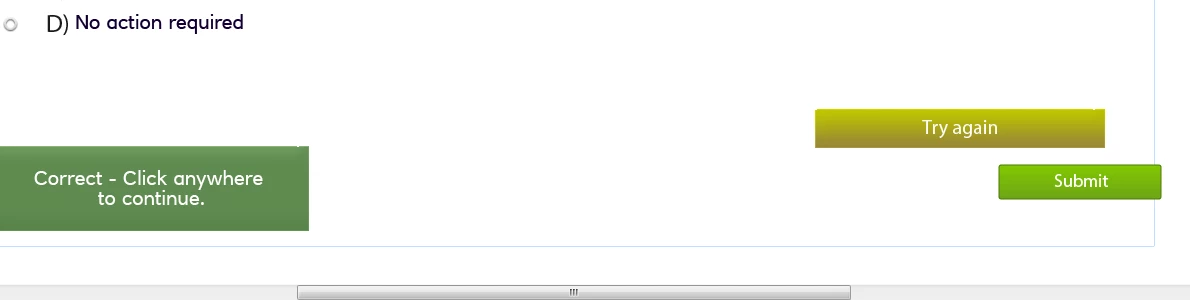
My issue is that if I answer the final question incorrectly, it comes up with "Try Again" but when the correct answer is selected, nothing happens when I click "Submit". If I answer correctly the first time it allows me to move on to the next slide OK. I suspect it is to do with my Pretest actions - I have set them to Jump to the next slide regardless of what happens. The If and Else actions are the same and there is only 4 questions with 25 points each.  I suspect it is my Advanced actions that are the issue but not sure how to fix it.
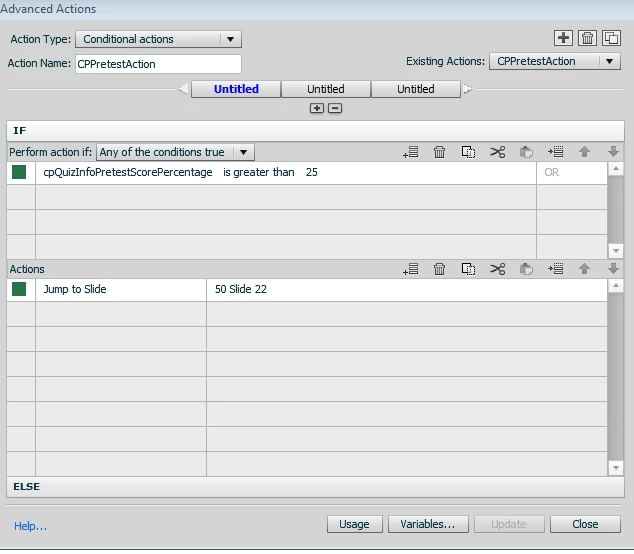
These are the buttons I have displayed (there are 4 multiple choice answers and can't show the question, as it is sensitive for my employer). I have removed the back button as found that if they went back and tried to go forward again, the system locked the quiz and I couldn't go forward.
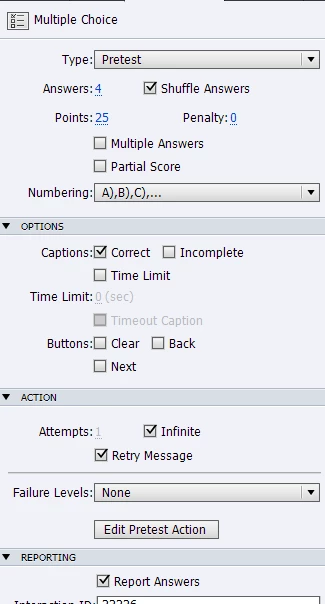
Here are my settings:
Any help greatly appreciated!

Isla

    This topic has been closed for replies.

    3 replies

    Hoggi123Author
    Participant
    May 3, 2018

    Thanks for your help - you have confirmed what I suspected! I really need the newer version with the knowledge check. I have taken the pretest slides out and have built some simple slides for now, with a view to exploring the quiz slides with no score at the end. I want to tell them the answer each time, so will need to do some work on how I do that. Thanks! 

    Lilybiri
    Legend
    May 3, 2018

    Pretest question feature has a lot of drawbacks, personally I almost never used it for those reasons:

    • All pretest slides need to be at the start of the course
    • Navigation is turned off totally (you cannot use the playbar nor the TOC navigation)
    • The goal is only to have a pretest score (which is never reported really to the LMS, it is just for information and use in the Pretest conditional action).
    • Based on that score an action can occur.

    Like David I don't understand why you choose for Infinite attempts which means that the user can only leave the slide when the answer is correct and the Pretest score will always be 100%.

    To have real KC slides in this setting it is much better to use normal quiz slides, whose score is NOT included in the total score.

    David Burnham HBA
    Inspiring
    May 3, 2018

    In Version 6, there was no Knowledge Check slide like we have in more recent versions of Captivate. You are using the Pretest question slide to achieve the same result as the newer Knowledge Check slide functionality. You have your settings to infinite tries which means the learner will have to get the right answer before they can continue. (You want to do that in a Knowledge check so the info "sticks" for the learner) As well, I see in your settings that  "report answers" is selected. Reporting answers would be used if you were actually using the slides as a formal pretest slide deck and you wanted to report a pretest to an lms. You are not reporting these slides but the actual question slides which would be Graded questions that will be at the end of your course.