Participant
March 21, 2014
Answered

Captivate 6 - trouble with pieces of the next slide displaying/bleeding through on current slide

  • March 21, 2014
  • 2 replies
  • 444 views

Similar to this thread - http://forums.adobe.com/message/4734635 - where unfortunately no resolution was posted.

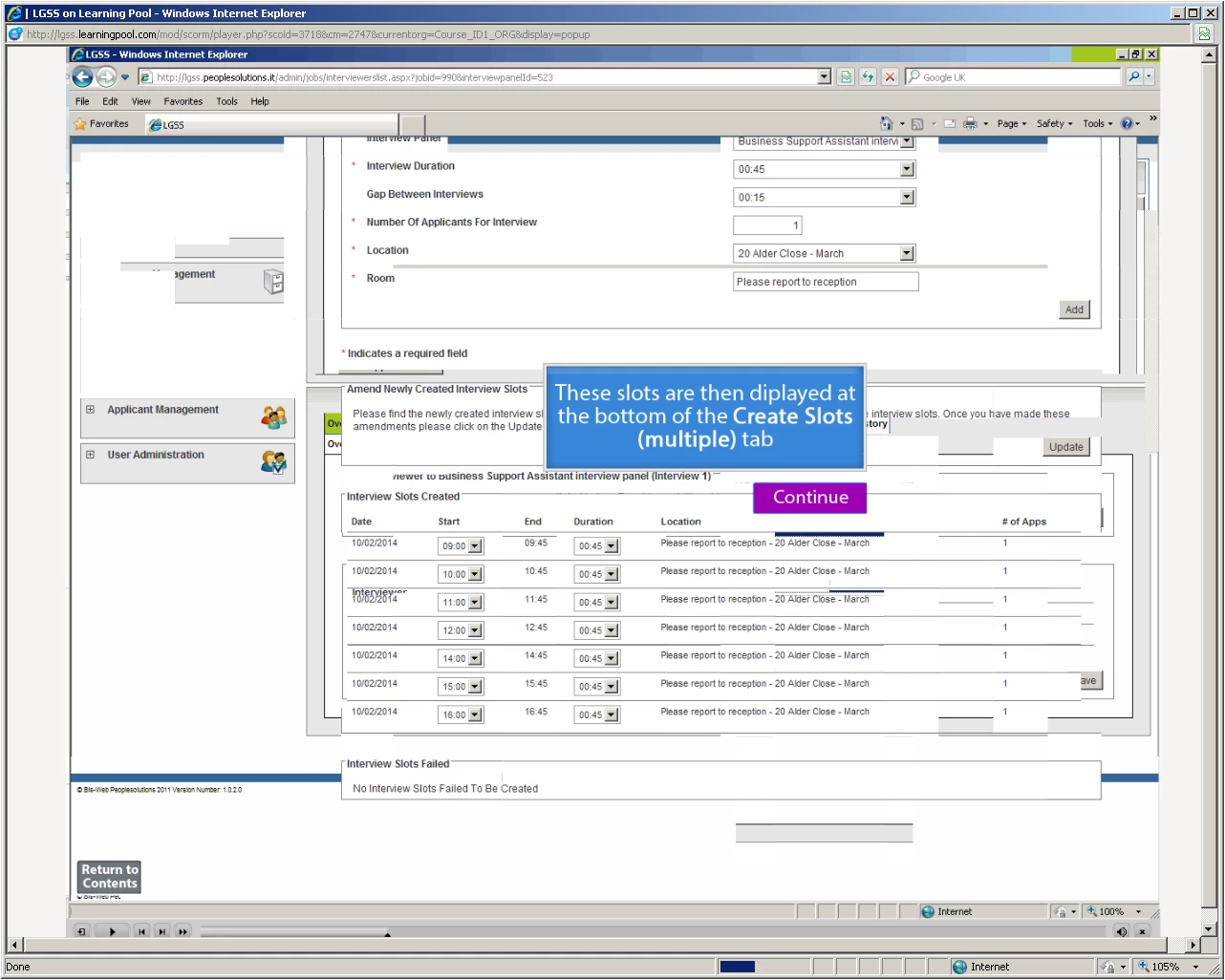
I'm using Captivate 6 and I'm having trouble with pieces of the next slide, after the current one, displaying/bleeding through on the current slide.

This can only be seen when published.

There are no transitions on any slides.

It's published as a SCORM file, but the error also exists on the pdf when it's published as that.

Any advice on how to correct this please?

Please see screenshot below. Thanks.
This topic has been closed for replies.
Correct answer RodWard

Turn off compression options in Preferences one by one and republish until you see results.  It's usually the Advanced Project Compression option that's responsible.

See the section on this page about project preferences:

http://www.infosemantics.com.au/adobe-captivate-troubleshooting/how-to-set-up-preferences

2 replies

lgssowdAuthor
Participant
March 24, 2014

Thanks all - it was the 'Advanced Project Compression' option that was responsible.

Unticked and then published, it all worked fine!

Participant
March 21, 2014

We have encountered this issue quire often when working with software simulation type projects that contain a lot of recorded slides.  Some of things we have found that have helped:

1. Deleting all unused objects out of the library

2. Setting the slide Quality to "Optimized" in the Properties panel - it defaults to "Low 8-bit" for recorded slides and we haven't found how to change that preference for recording

3. Often I've found that just going back and clicking each slide in the filmstrip seems to help it figure itself out!

If noneof the above help - then we try closing the project and clearing the project cache...

That's my 2 cents' worth. Would be itnerested to hear if anybody else has better solutions. We have recently moved to Captivate 7 and am hoping this might behave better!

RodWard
Community Expert
RodWardCommunity ExpertCorrect answer
Community Expert
March 22, 2014

Turn off compression options in Preferences one by one and republish until you see results.  It's usually the Advanced Project Compression option that's responsible.

See the section on this page about project preferences:

http://www.infosemantics.com.au/adobe-captivate-troubleshooting/how-to-set-up-preferences