July 28, 2014
Question

Captivate 7 : Ghost lines is appearing

  • July 28, 2014
  • 3 replies
  • 368 views

Hi All,

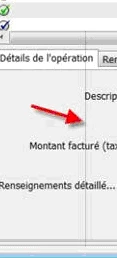
we are using Captivate 7 and  I ran into ghost lines appearing, please refer below screenshot and I tried everything listed here:
  1. Change publish settings to highest quality.

  1. Unchecked compress swf.

  1. Cleared cache.

  1. Added new background images.

  1. Checked "force re-publish on all slides".

After doing all this, the ghost lines were still there.

Thanks,

Rishi jain

    This topic has been closed for replies.

    3 replies

    Participating Frequently
    September 8, 2016

    Thank you Lilybiri!  This did work.  I hadn't tried it because the original poster said it hadn't helped.  I appreciate your help!

    Lilybiri
    Legend
    September 8, 2016

    He didn't uncheck 'Advanced Compression', at least it is not in his list.

    Participating Frequently
    September 8, 2016

    I am wondering if anyone has had this issue and solved it.  I am having this issue now and do not know how to solve it.

    Lilybiri
    Legend
    September 8, 2016

    Did you turn off all compression settings when publishing?

    RodWard
    Community Expert
    Community Expert
    July 28, 2014

    Did you resize the content at all? (i.e. change the dimensions)

    July 29, 2014

    No we are not resized the contents.